Matrix 908 Field Computer
8
www.teejet.com
CONSOLE START JOB APPENDIXSETUP HELPUTMEASUREMENTS
SPREADERS
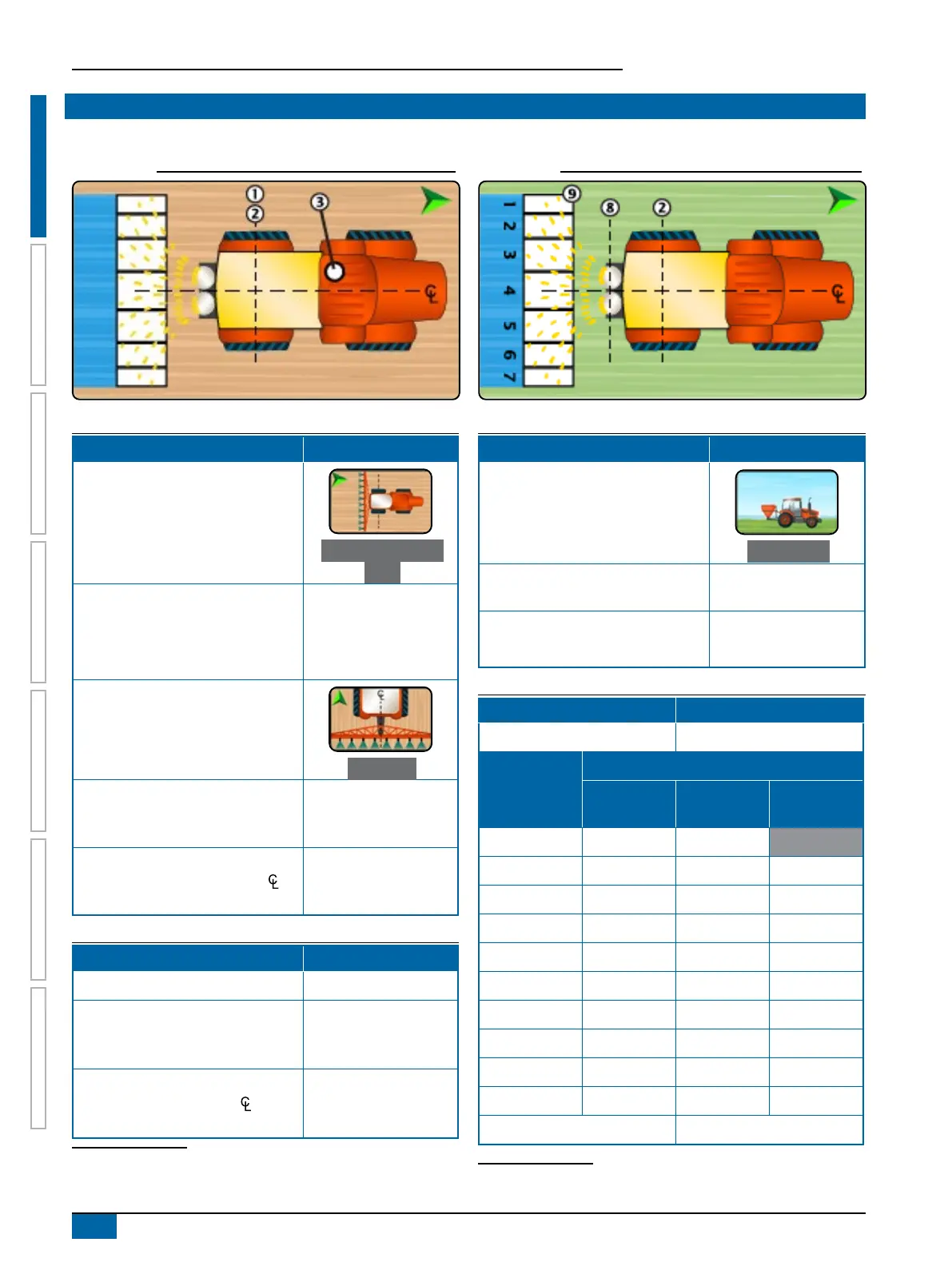
Self-propelled Spreader
Vehicle Name:
Table 1-25: Vehicle Wizard Measurements
Description Measurement/Option
Vehicle In-Line Direction to Hitch
Point
Aft of Vehicle Pivot
Point
Vehicle In-Line Distance from the
Vehicle Pivot Point
to Hitch
Point
0 in / 0 cm
Vehicle Pivot Point
and Hitch Point
are
the same point
Vehicle Lateral Direction to Hitch
Point
On Center
Antenna In-Line Direction and
Distance from Vehicle Pivot
Point
to the Antenna
Antenna Lateral Direction
7
and
Distance from vehicle centerline to
the Antenna
Table 1-26: Guidance and Mapping Distances
Description Measurement
Guidance Width
Mapping Location In-Line Distance
from the Vehicle Pivot Point
to the Mapping Location
Mapping Location Lateral Distance
from the Vehicle Centerline
to the Mapping Location
7 When an Assisted/Automatic Steering Device is available, Antenna Lateral
Distance and Direction will be established under the Assisted/Automatic Steering
“Manage Vehicles” settings.
Device Name:
Table 1-27: Device Wizard Measurements
Description Measurement/Option
Hitch Type
Fixed Mount
In-Line Distance from Hitch/
Connection
to Disc
In-Line Distance from Disc
to
Leading Edge
Table 1-28: Section Information
8
Description Option
Section Symmetry
Description
Measurement
Width Length
In-Line
Offset
Section 1 0 in / 0 cm
Section 2
Section 3
Section 4
Section 5
Section 6
Section 7
Section 8
Section 9
Section 10
Total Working Width
8 Some spreader features are limited until an Advanced Spreader unlock code is
entered.



 To Next Page