Matrix 908 Field Computer
14
www.teejet.com
CONSOLE START JOBSETUP HELPMEASUREMENTS UTSETUP
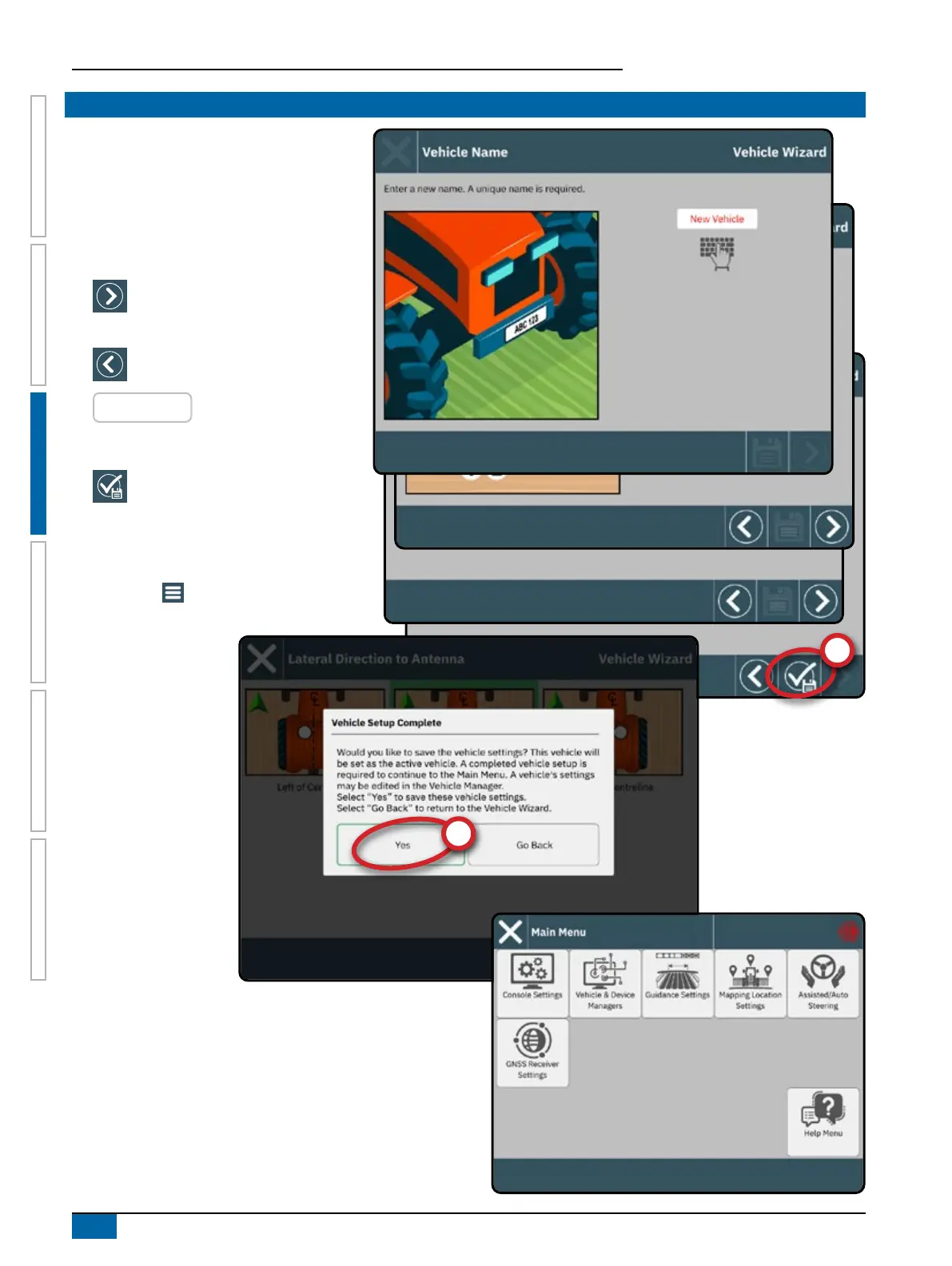
NO.2 WALK THROUGH THE VEHICLE WIZARD
Establishing an accurate vehicle is required for
mapping or guidance.
Follow the prompts on the Vehicle Wizard,
making adjustments to the vehicle settings as
needed.
To navigate through the wizard options:
Next Wizard Option – use to select the
highlighted option or value and go to
the next wizard option
Previous Wizard Option – use to revisit
the previous wizard option
RED ENTRIES
– indicates an entry that
requires a new value
To complete the vehicle setup:
Finish
– shown when the end of
the wizard options has been reached;
use to save and close the wizard
Select "Yes"
to activate the current settings.
Continue setting up the other console options on
the Main Menu



 To Next Page