Matrix 908 Field Computer
38
www.teejet.com
CONSOLE START JOBSETUP HELPMEASUREMENTS UTSTART JOB
NO.4 UNDERSTAND MORE ABOUT THE GUIDANCE SCREEN
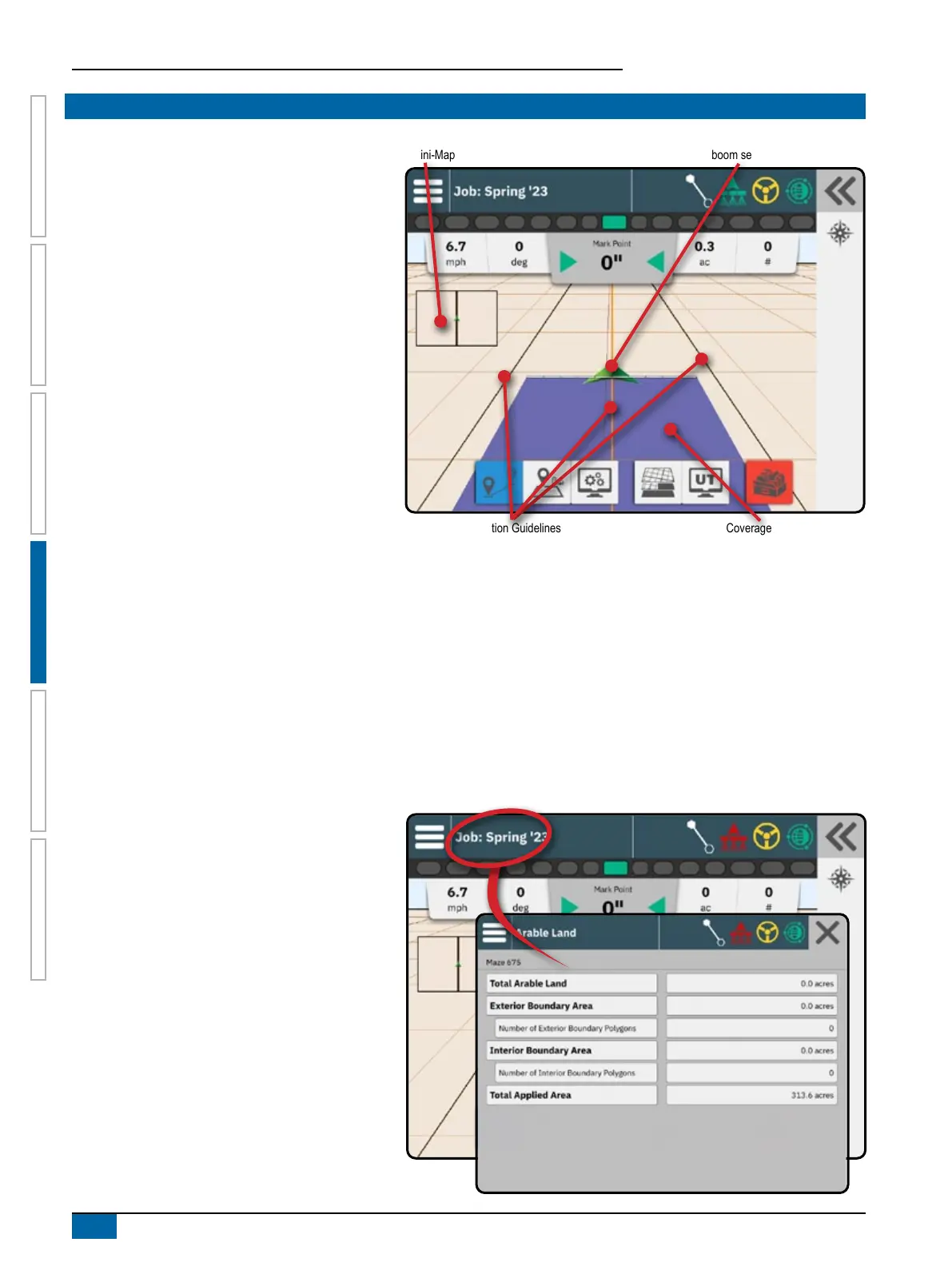
Mini-Map
Coverage AreaNavigation Guidelines
Vehicle with real-time representation of active
boom sections
Map Options
Guideline & Points
• Guidelines
◄Orange – active guidance line
◄Black (multiple) – adjacent guidance lines
◄Black – exterior boundary line
◄Gray – interior boundary line
• Points – markers for established points
◄Blue-Green hexagon – Mark A
• Coverage area – illustrates applied area and
overlap:
◄Blue – one application
◄Red – two or more applications
Vehicle
Vehicle chevron with real-time representation of active
boom sections is touch responsive to start and stop
application mapping when an Application Mapping
device or a BoomPilot system has been activated.
• Minimum speed – 15 mph / 0.66 m/s / 2.38 km/h
• Sections
◄Empty boxes – inactive sections
◄White boxes – active sections
Mini Map
The mini-map provides quick access between Vehicle View and Field View
X Vehicle View – creates a computer-generated image of the vehicle position displayed in the application area
X Field View – creates a computer-generated image of the vehicle position and application area from an aerial perspective
Information & Status Bar
Job Boundary & Application Details
Select the job name in the Information Bar to see
details on the current job's arable land area.



 To Next Page