Matrix 908 Field Computer
28
www.teejet.com
CONSOLE START JOBSETUP HELPMEASUREMENTS UTSTART JOB
START A JOB
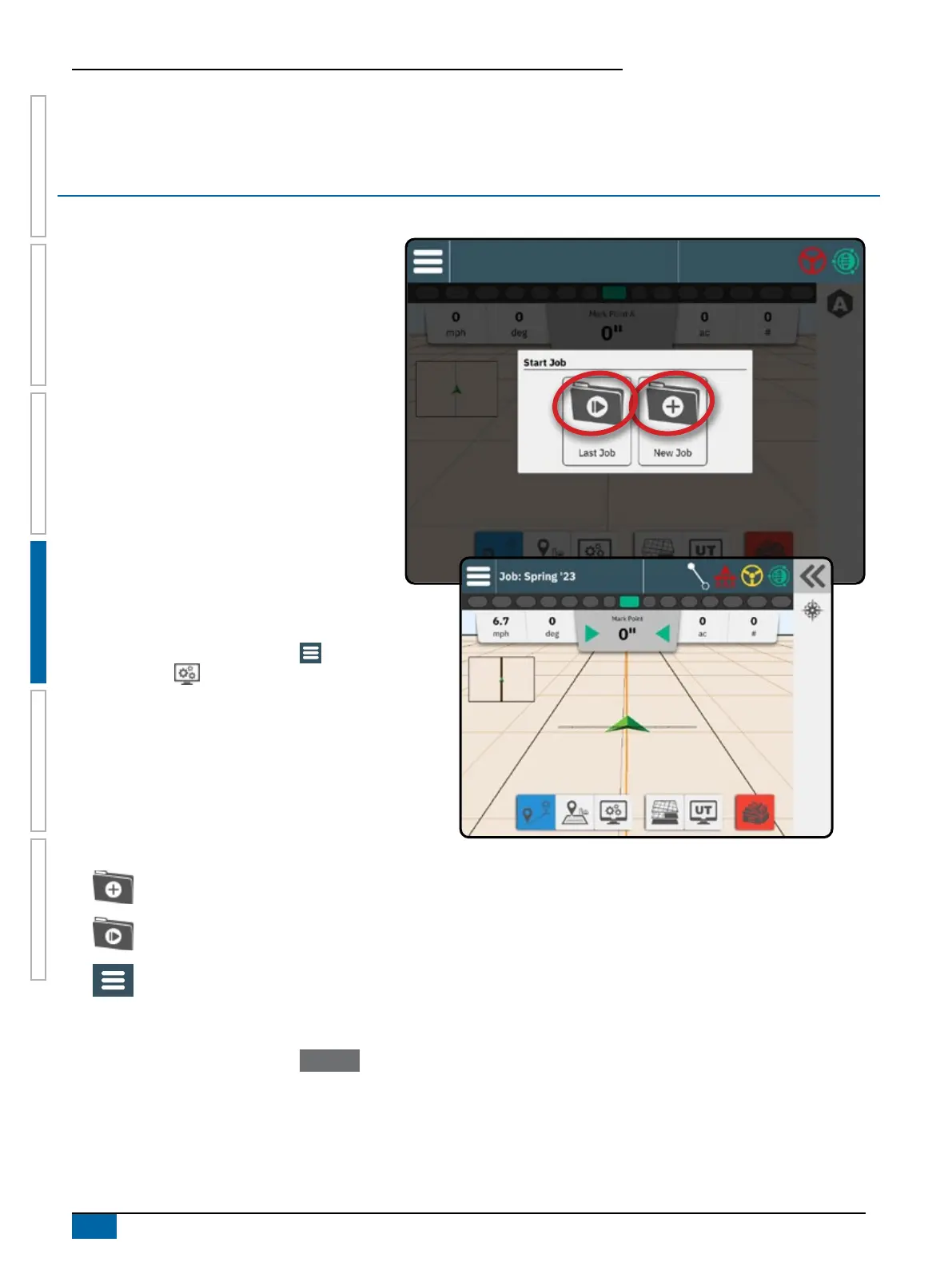
Once the power up sequence has completed, the
Start Job Menu will appear with the options to start
a new job, continue the last job, or open the job
manager to select a different job (options depend on
job mode and job availability). Once a job is active,
some setup options can no longer be changed. Close
the Job to change these settings.
REQUIREMENTS:
Setup for the specific vehicle and its devices
must be completed before starting a job. See
"No.2 Walk through the Vehicle Wizard" on
page 14 and "No.4 Establish an Implement
through the Device Wizard" on page 18 for
details.
Before starting a job, GNSS must establish
a heading. With the console on and GNSS
good, drive the vehicle to obtain a valid
heading.
To change between Simple Job mode and
Advanced Job mode, go to Main Menu ->
Console Settings -> Advanced Job Mode. See
"No.9 Select Job Mode" on page 25 for details on
selecting a job mode.
Simple Job Mode
Use the Start Job menu to start a new job or continue
the last job. Only one job is available at a time.
Selecting a new job will delete any previous job.
To navigate in the Start Job screen:
Start a New Job
Continue the Last Job
Main Menu Button – access to the
Settings including wizards, Help options
and Universal Terminal (UT)
If the current GNSS Position is in a UTM zone other
than the current or adjacent UTM zone Last Job will
be disabled.



 To Next Page