Matrix 908 Field Computer
27
98-01578-ENUS R3
CONSOLESTART JOB SETUPHELP MEASUREMENTSUT SETUP
Data Manager
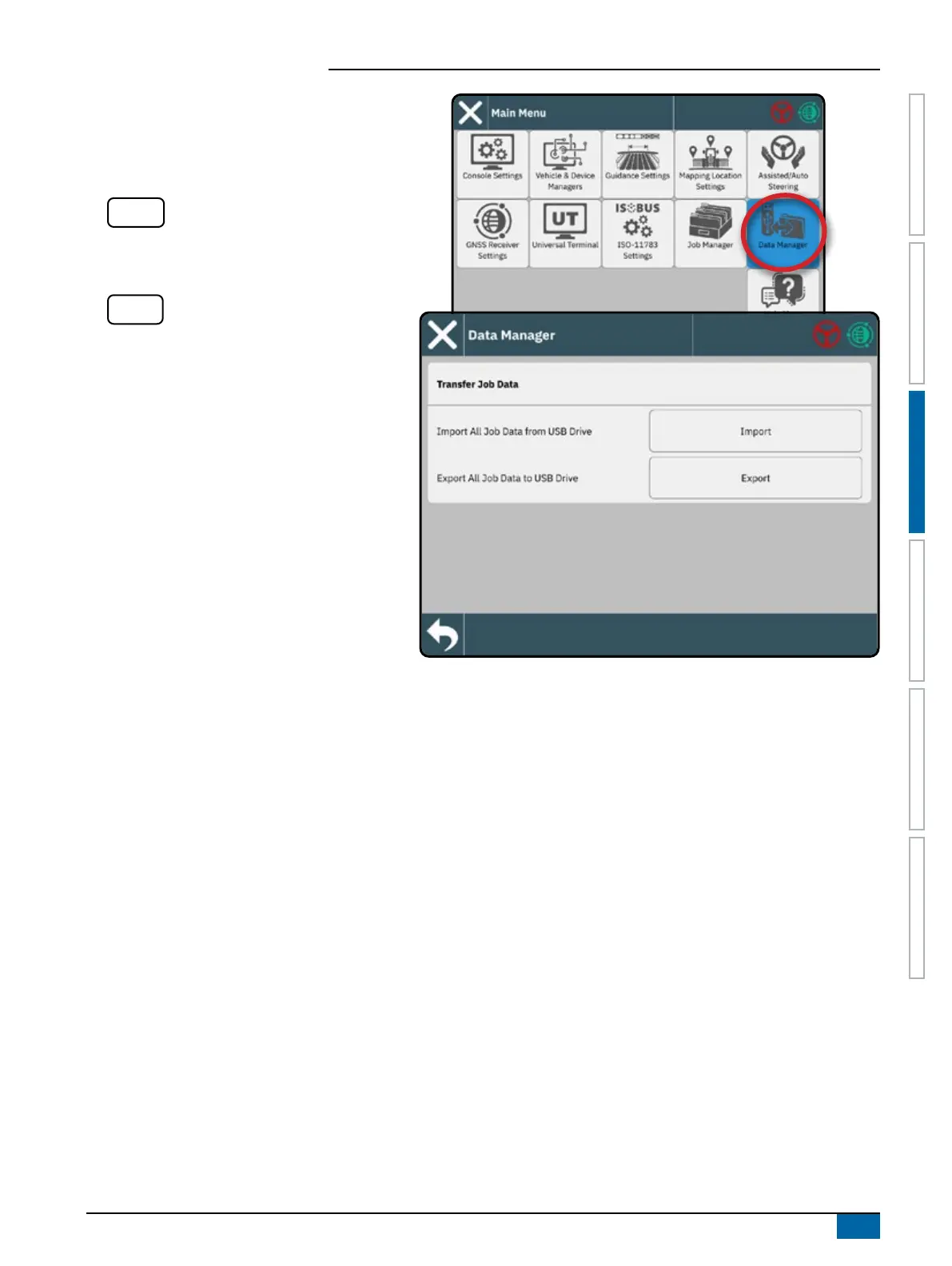
Use the Data Manager to import or export all job data.
Insert USB drive prior to attempting a transfer of Job
Data.
Import
– used to move job data from USB
storage to internal storage
WARNING! Importing data will delete and
replace any existing data on the console.
Export
– used to move job data from internal
storage to USB storage
Job Data includes
• Job Name
• Field Name
• Guidelines
• Boundaries (exterior, interior)
• Coverage Area
• Maps (coverage, application)
Prescription Maps
When Prescription is unlocked, a prescription map can
be imported then used with a compatible device such
as an IC35 Sprayer or IC45 Sprayer.
See "No.3 Enter Available Unlocks" on page 17 for
unlock code instructions.
See the User Manual (QR Code is available on the
back cover of this document) for details on importing
and using a prescription map.



 To Next Page