Matrix 908 Field Computer
20
www.teejet.com
CONSOLE START JOBSETUP HELPMEASUREMENTS UTSETUP
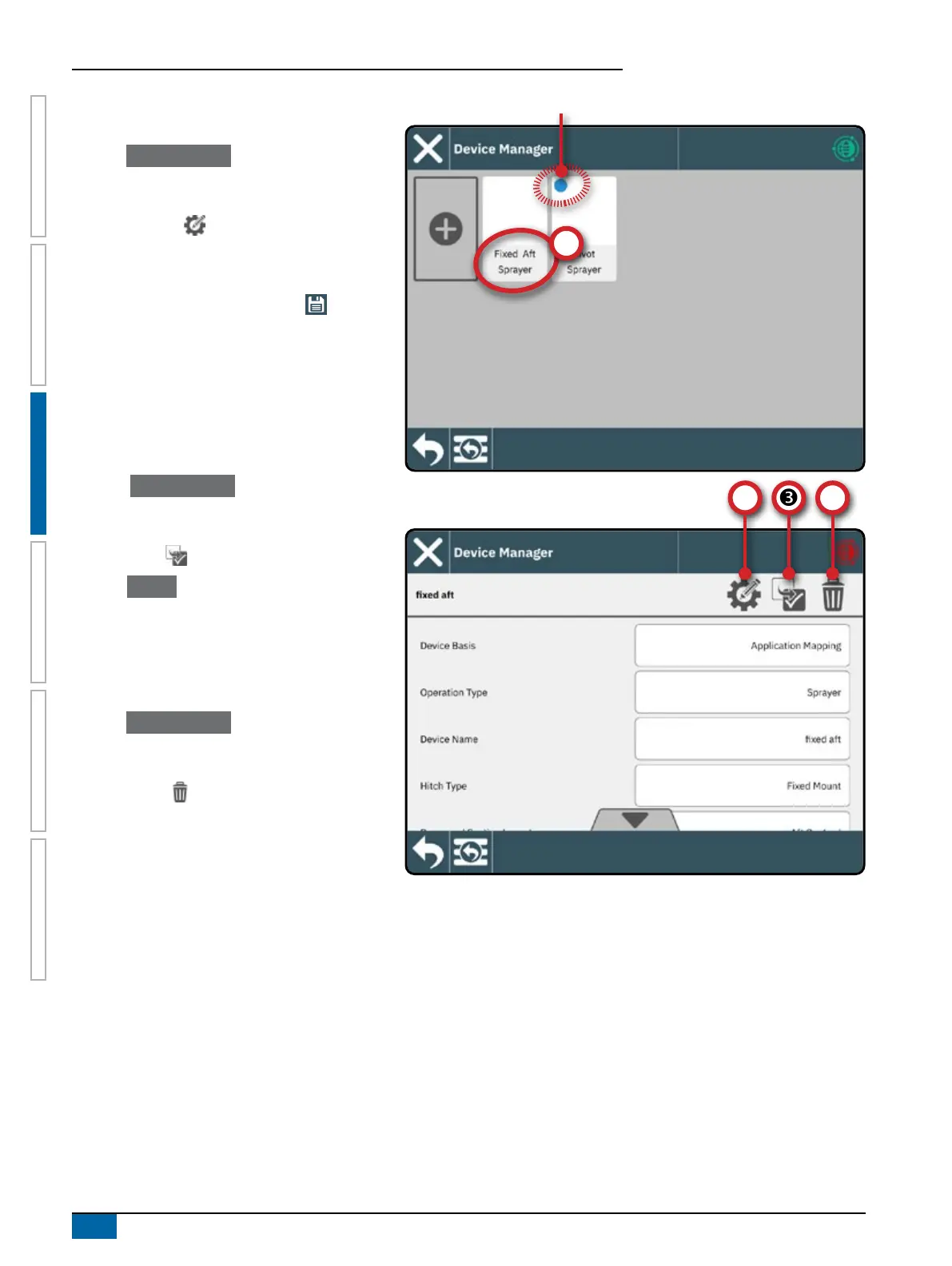
Edit a Device
A device cannot be edited while a job is open.
1. Under Device Manager , select the device card to
be edited
.
2. On the Device Details screen, select the EDIT
SETTINGS icon .
3. Advance through the Device Wizard, making any
necessary changes.
4. Select the SAVE AND CLOSE button at any
point in the wizard.
Activate a Dierent Device
An active device is designated by a dot in the top
left-hand corner of the device card. A device cannot be
activated while a job is open.
1. On the Device Manager , select the device card to
be activated
.
2. On the Device Details screen, select the MAKE
ACTIVE icon
.
3. Select Accept when asked if you would like to
make this device the ‘active’ device.
Delete a Device
A device cannot be deleted while a job is open.
1. Under Device Manager , select the device card to
be deleted
.
2. On the Device Details screen, select the
DELETE icon
.
NOTE: An ISOBUS device cannot be deleted.
Active Device



 To Next Page