Matrix 908 Field Computer
13
98-01578-ENUS R3
CONSOLESTART JOB SETUPHELP MEASUREMENTSUT SETUP
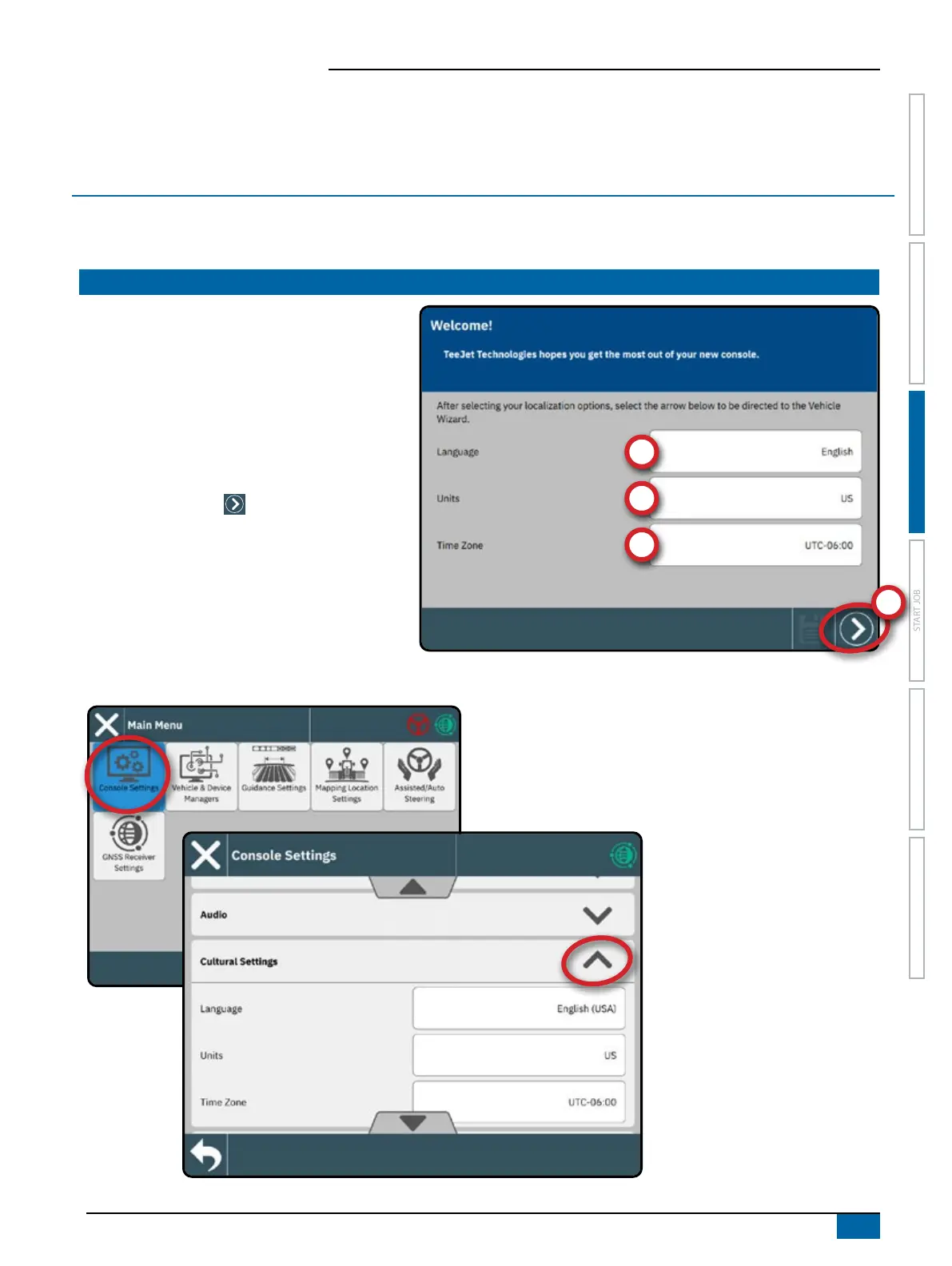
NO.1 WELCOME SCREEN
SETUP THE CONSOLE
Before powering on the console, verify that all devices are attached to the harness.
NOTE: To access the Cultural Settings after initial startup:
Once the power up sequence has completed, the
Welcome screen will appear.
Select a different language
,
switch console units
and
change the local time zone
.
NOTE: When changing languages, reboot the console
as suggested. Upon restart, the console will
return to the Welcome Screen.
Press the NEXT button
to advance to the
Vehicle Wizard.



 To Next Page