Matrix 908 Field Computer
22
www.teejet.com
CONSOLE START JOBSETUP HELPMEASUREMENTS UTSETUP
Mapping location establishes the location from which the
boundary will be mapped.
• Default location –
X Without a Device Dened – the Mapping Location will
be the Vehicle Pivot Point
X With a Device Dened – while creating an exterior
boundary or polygon, the line will be to the exterior of
the outermost active section. While creating an interior
boundary, the line will be to the interior
of the innermost active section. If no
sections are active, the boundary will
be marked to the end of the outermost
section.
• User entry – in-line and lateral offset from
the vehicle pivot point directions and
distances can be specied by the user. Up to
ve (5) user entries can be created.
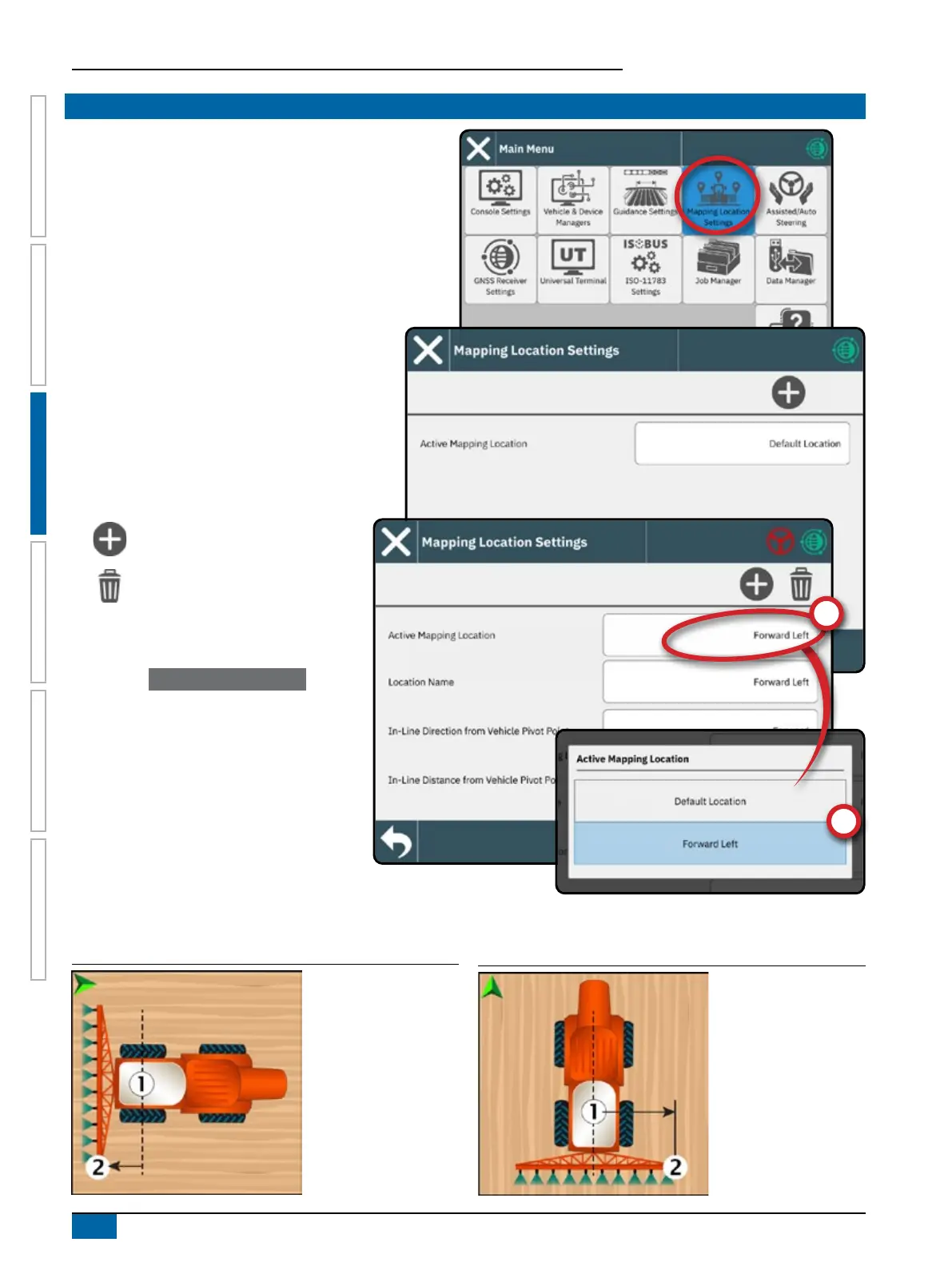
To navigate in the Mapping Location Settings:
New Mapping Location – use to create
a new mapping location
Delete Current Mapping Location –
use to delete the current Active
Mapping Location
Change Active Mapping Location
1. Select the Active Mapping Location
.
2. Select the desired Mapping Location
.
Edit a Mapping Location
1. Select the Mapping Location
to be edited.
2. Make adjustments to settings as needed.
Changes are automatically applied to the
current mapping location.
Figure 1: Mapping Location In-Line Distance from the Vehicle
Pivot Point
to the Mapping Location
Figure 2: Mapping Location Lateral Distance from the Vehicle
Centerline
to the Mapping Location
NO.6 SET UP MAPPING LOCATION



 To Next Page