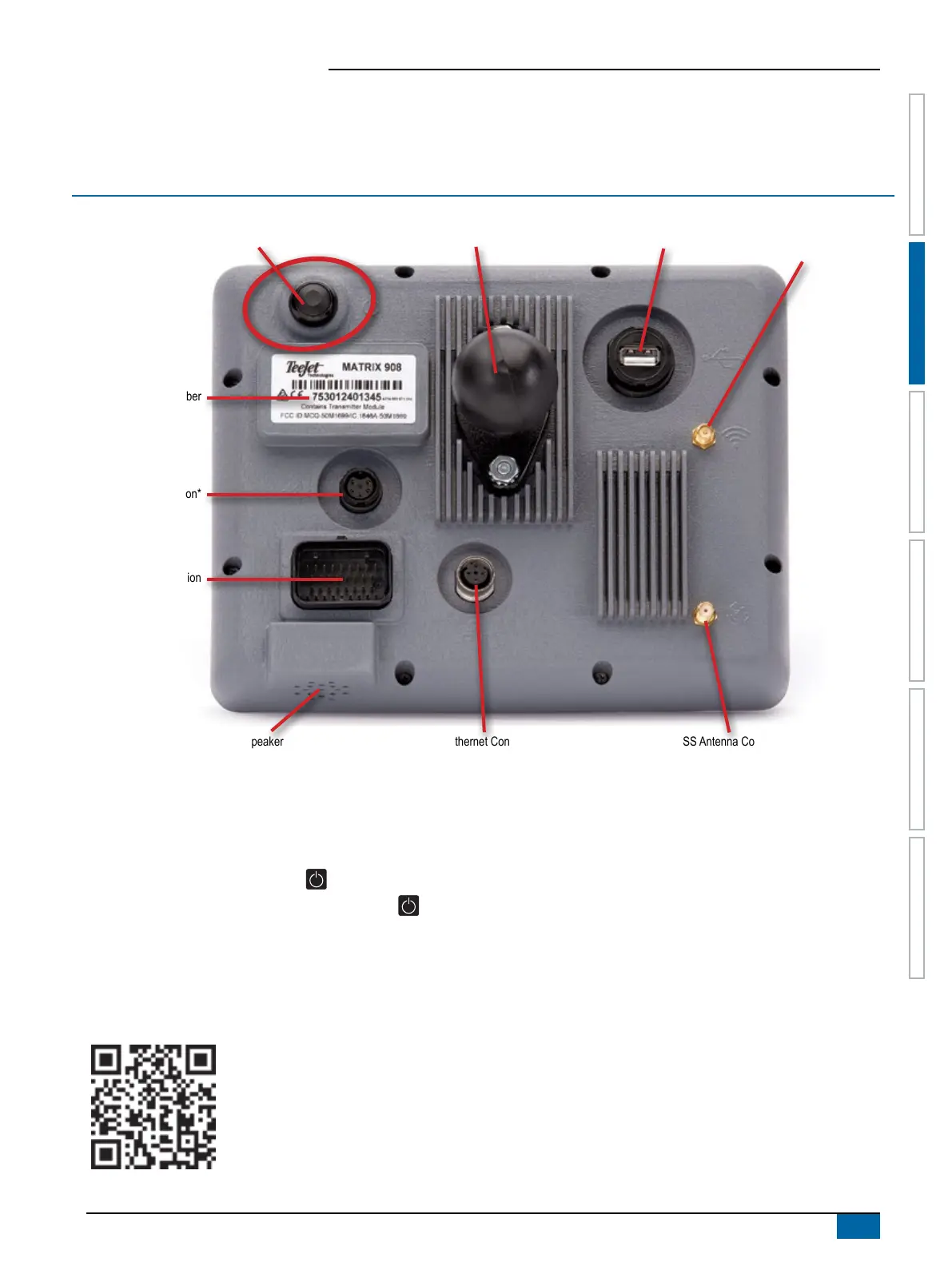
Matrix 908 Field Computer
11
98-01578-ENUS R3
START JOB SETUPHELP MEASUREMENTSUT CONSOLE
CONSOLE CONNECTIONS AND FEATURES
*Connection Activity is dependent on software version.
Power On/Off Button
Before powering on the console, attach all devices to the harness.
X On – press the POWER button
X Off – press and briey hold the POWER button
WARNING! Wait 30 seconds before restarting the console.
Serial Number
Take note of your serial number. It is required for product registration.
Product Registration
Integrated RAM Mount (assembly required)
Speaker
Camera Connection*
WiFi Antenna Connection*
Harness Connection
Serial Number
Ethernet Connection*
Power Button
GNSS Antenna Connection
USB Port



 To Next Page