Matrix 908 Field Computer
15
98-01578-ENUS R3
CONSOLESTART JOB SETUPHELP MEASUREMENTSUT SETUP
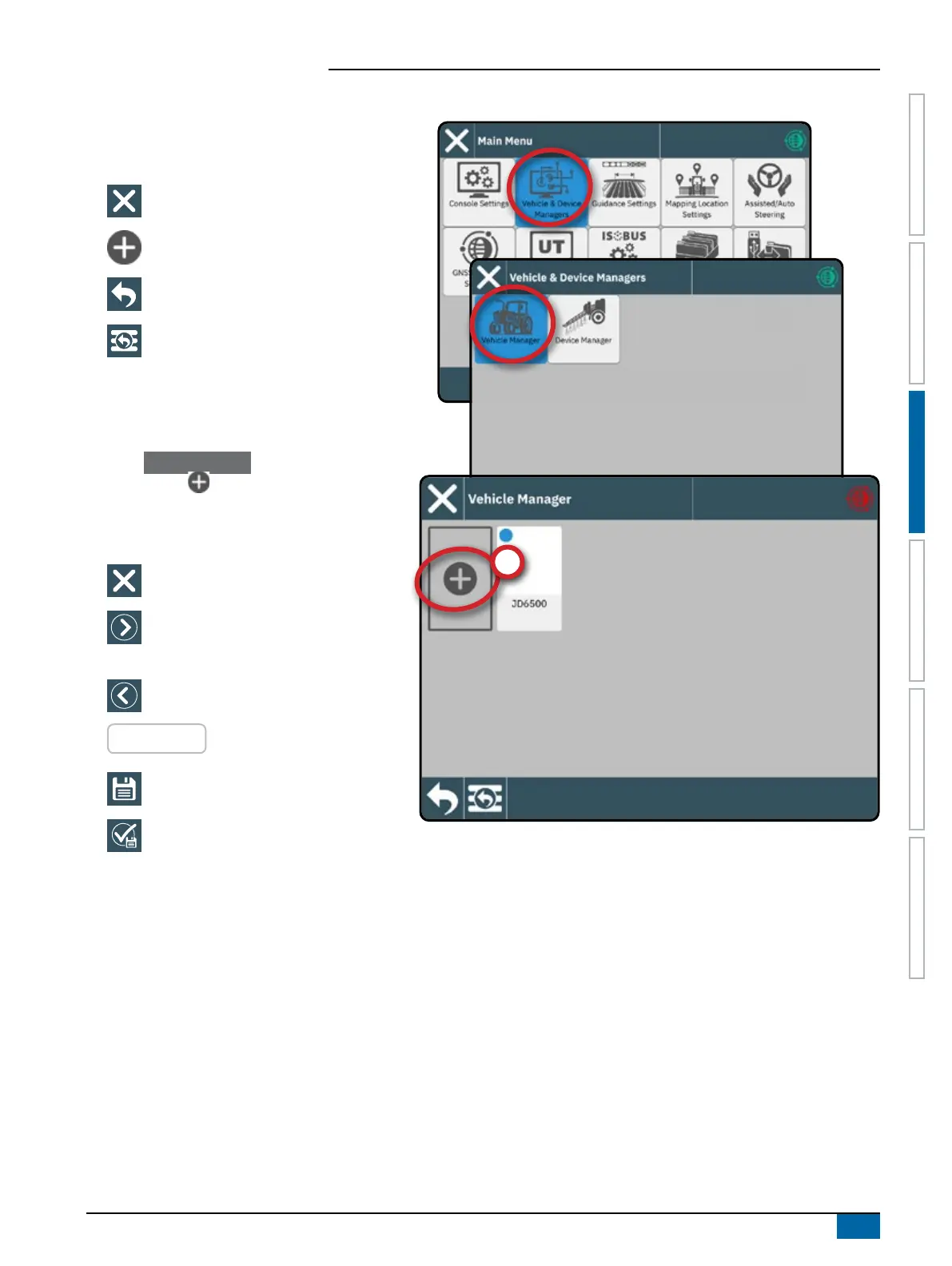
To Access the Vehicle Manager After Initial Startup
Vehicles & Devices Manager
To navigate in the Vehicle Manager:
Close Settings – use to exit the Settings
options and return to the Guidance screen
New Vehicle
– use to enter the Vehicle
Wizard
Back One Menu – use to go to the Vehicle
& Device Manager menu
To Main Menu – use to go to the Main
Settings menu
Create New Vehicle
At least (1) one vehicle is required on the stystem at all
times. Only (1) one vehicle can be active at a time.
1. On the Vehicle Manager , select the NEW
VEHICLE icon
.
2. Follow the prompts on the Vehicle Wizard.
To navigate in the Vehicle Wizard:
Exit Wizard – use to exit the wizard without
saving any changes
Next Wizard Option – use to select the
highlighted option or value and go to the
next wizard option
Previous Wizard Option – use to revisit the
previous wizard option
RED ENTRIES
– indicates an entry that requires
a new value
Save & Close – use to save all current
selections and close the wizard
Finish – shown when the end of the wizard
options has been reached; use to save and
close the wizard
For details on the Vehicle Wizards options, see the User Manual (QR Code is available on the back cover of this document)



 To Next Page