Matrix 908 Field Computer
26
www.teejet.com
CONSOLE START JOBSETUP HELPMEASUREMENTS UTSETUP
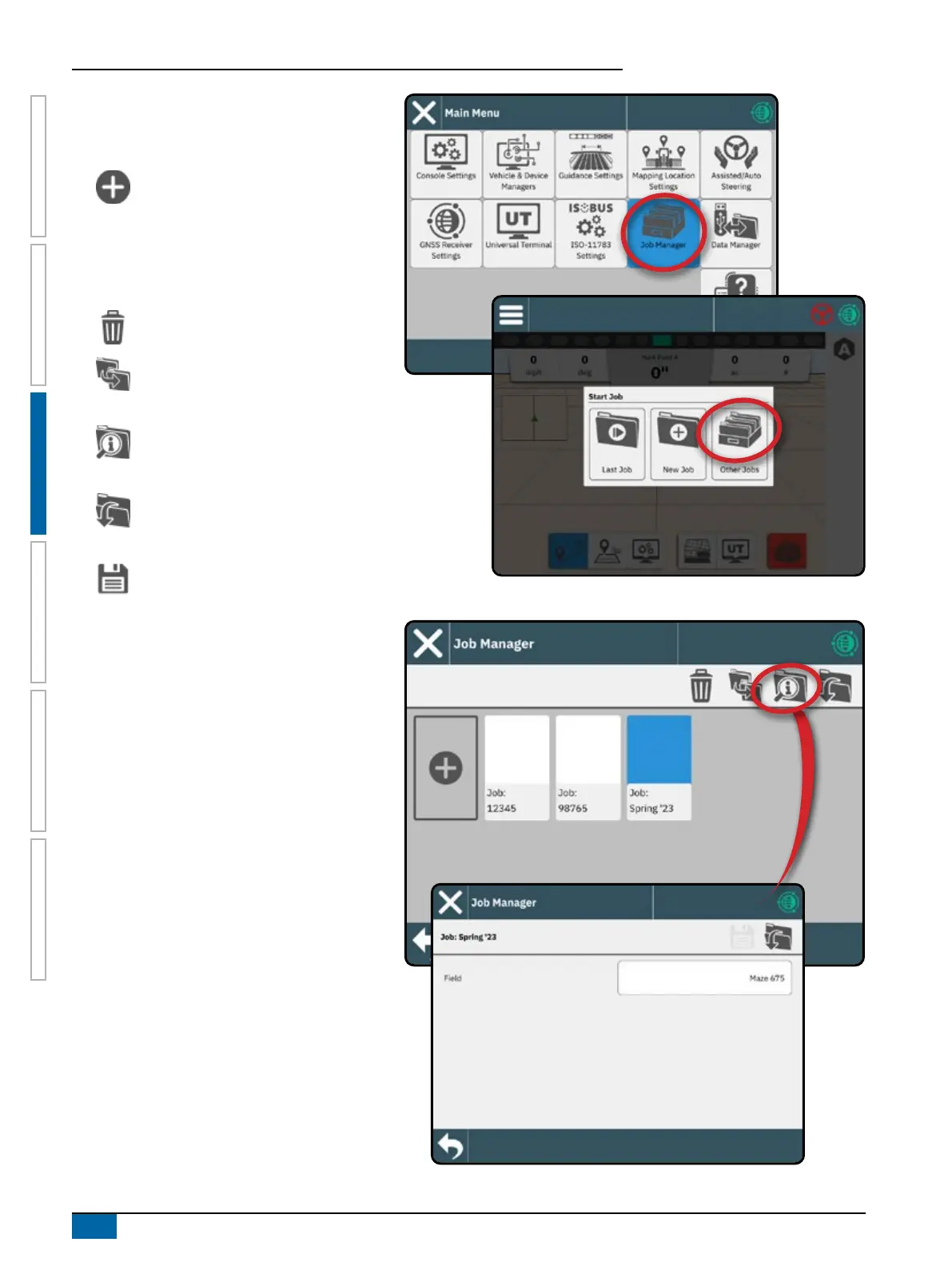
Job Manager
Use the Job Manager to create, delete, duplicate,
start, and add information to a selected job or jobs.
Create New Job – options to change the
automatically generated name and add a
eld reference will be offered.
Hint: Names are limited to 32 characters.
When creating long names, include spaces to
assist in readability on the Guidance Screen.
Delete the Selected Job or Jobs
Duplicate the Selected Job – use to
duplicate boundaries and guidelines from
the selected job
Information on Selected Job – use to see
and/or add details to the selected job. The
job name cannot be changed.
Start Selected Job – GNSS position
criteria must be met before this will be
available
Save – use to save changes made to the
Field Name when looking at a planned
job's details



 To Next Page