Matrix 908 Field Computer
31
98-01578-ENUS R3
CONSOLESTART JOB SETUPHELP MEASUREMENTSUT START JOB
NO.1 CHOOSE A GUIDANCE MODE
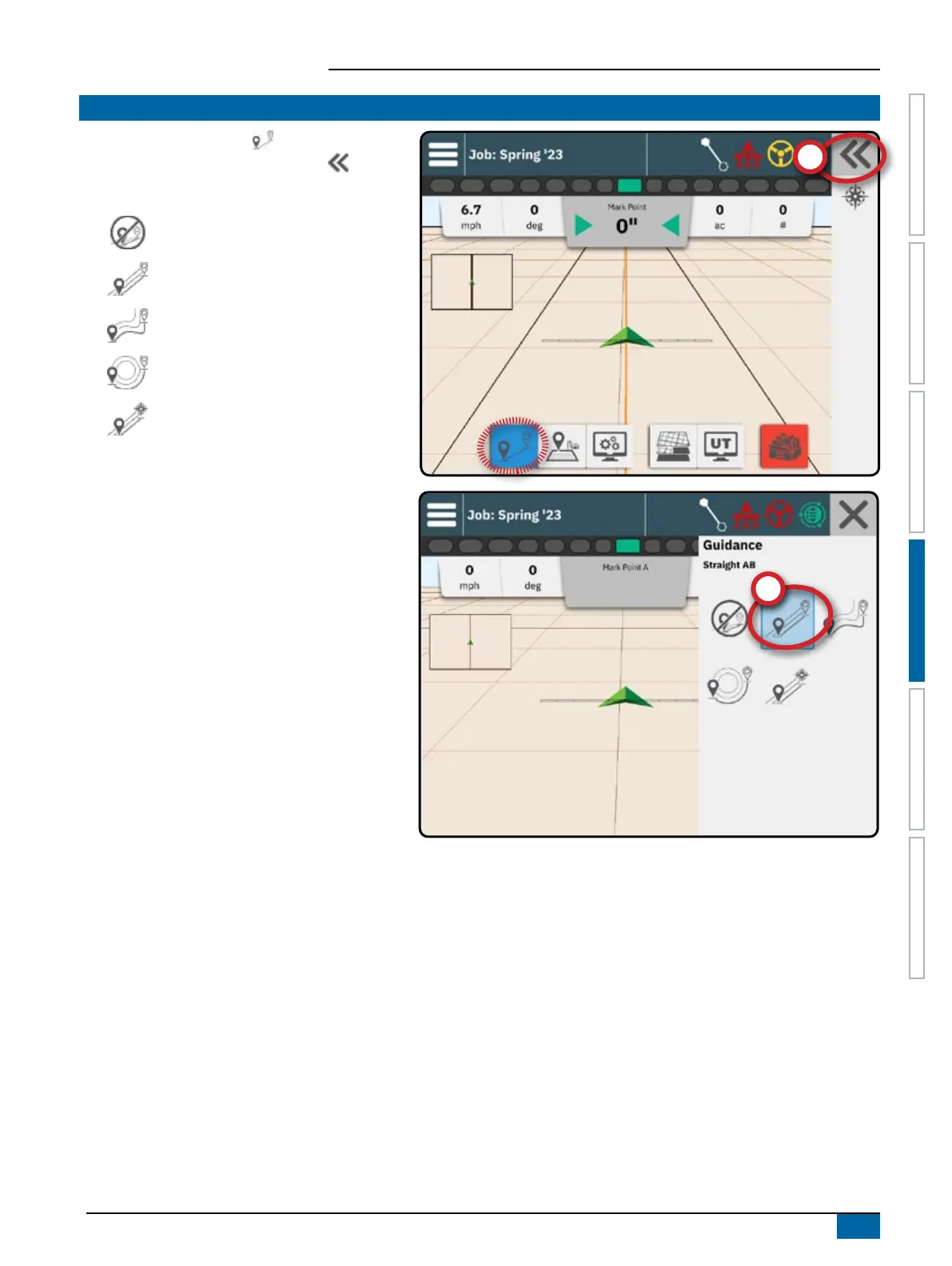
1. With the Guidance button on the Feature Bar
active, press the Slide-Out Tray button
.
2. Select a guidance mode
:
No Guidance
Straight AB Guidance
Dynamic Adaptive AB Guidance
Circle Pivot Guidance
Azimuth Guidance
See the table on the next page for details on each
guidance mode.



 To Next Page