Matrix 908 Field Computer
19
98-01578-ENUS R3
CONSOLESTART JOB SETUPHELP MEASUREMENTSUT SETUP
Application Mapping
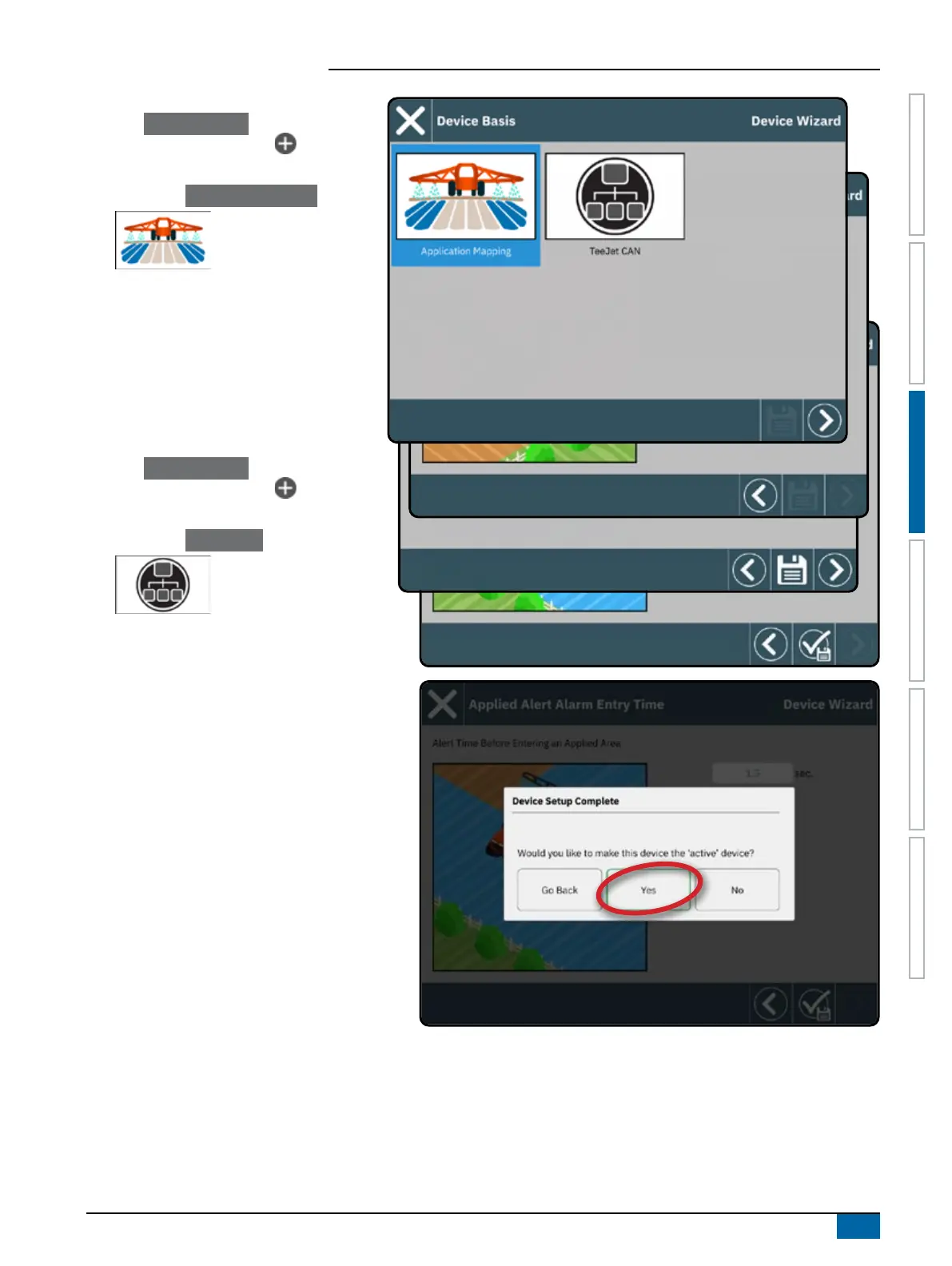
1. On the Device Manager ,
select the NEW DEVICE icon
.
2. In the Device Wizard on the Device Basis
screen, select Application Mapping .
3. Follow the prompts on the Device Wizard.
NOTE: Some spreader features are limited until
an Advanced Spreader unlock code
is entered. See "No.3 Enter Available
Unlocks" on page 17 for unlock code
instructions.
TeeJet CAN Device
1. On the Device Manager ,
select the NEW DEVICE icon
.
2. In the Device Wizard on the Device Basis
screen, select TeeJet CAN .
3. Follow the prompts on the Device Wizard.
ISOBUS Device
ISOBUS devices include TeeJet products such as
the IC35 Sprayer, IC45 Sprayer, IC38 Spreader
or DynaJet IC7140.
NOTE: An ISOBUS device requires the Universal
Terminal which requires an unlock code.
See "No.3 Enter Available Unlocks" on
page 17 for unlock code instructions.
1. Once the object pool loads, the Device Wizard
will launch automatically prompting the user to
enter any missing information required by the
system.
2. Follow the prompts on the Device Wizard.
3. Once saved, a new device will be automatically
added to the Device Manager.
NOTE: Some settings not available in the Device
Wizard may be handled through the device's UT interface.
Only one (1) device of any kind can be active at a time. If an ISOBUS device is on the system, it will be the active device. TeeJet
CAN devices and ISOBUS devices cannot be used at the same time. Only one (1) ISOBUS device is supported at a time.



 To Next Page