Matrix 908 Field Computer
39
98-01578-ENUS R3
CONSOLESTART JOB SETUPHELP MEASUREMENTSUT START JOB
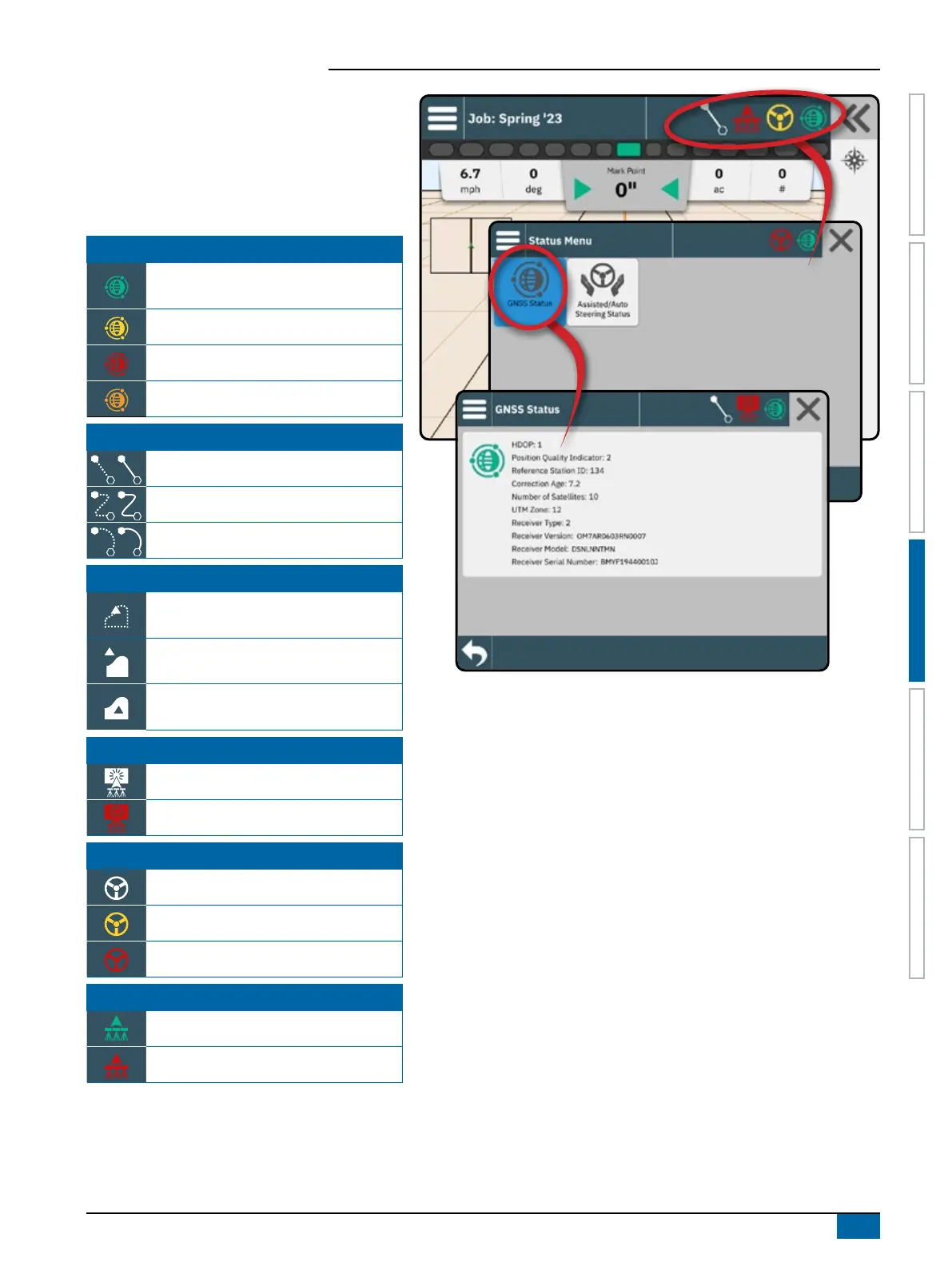
Status Bar
The Status Bar provides information on GNSS status,
guidance mode, arable land area, assisted/auto
steering engagement, and implement control status.
To access related status information, select the Status
Bar to displayed available options.
GNSS Status
Green = GPS, GLONASS, or SBAS (with
or without DGPS Required)
Yellow = GPS only
Red = no GNSS
Orange = Glide/ClearPath
Guidance Mode
Straight AB or Azimuth Guidance
Dynamic Adaptive AB Guidance
Circle Pivot Guidance
Arable Land Area Status
Boundary/ Arable Land Area Creation In
Progress
Outside Arable Land Area = traveling
outside arable land area
Inside Arable Land Area = traveling inside
arable land area
Application Mapping Status
White = on
Red = off
Assisted/Auto Steering Status
White = Engaged, actively steering
Yellow = enabled
Red = disabled
BoomPilot Status
Green = Automatic
Red = off/manual



 To Next Page