I. Purpose
FIRMWARE SIGNATURE ANALYSIS-GPIB CHIP
TEST
(U
100
I
)
Use this test to determine if GPIB chip (U1001) is causing data bus signature errors.
11.
Equipment Required
A.
Tektronix
SA
501 Signature Analyzer (or equivalent)
B.
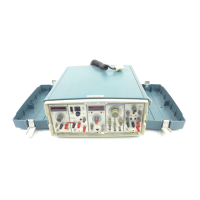
Two TM 500 Flexible Extenders, Tektronix Part Number 067-0645-02
C. 1 6-pin Dl P clip, Tektronix Part Number 003-0709-00
Ill. Electrical conditions necessary to perform test
A.
CPU, ROM, and RAM address and data lines functional (verified by power-up self test).
B.
Chip select for GPlB chip functional (U1120,
pin
11). Check U1120 pin 11 for pulses approxi-
mately 5.5
ms
apart (low true).
IV. Setup
PS 501 0 (on extenders):
A. Set mode jumper (J1320) as shown
F&
Signature mode
B.
Set runlforce data jumper (J1220) as shown
m
@
Run
C. Signature analyzer
Connect to CPU board and set as follows:
Threshold
=
TTL
Start
=
I
Connect to U1120, pin 1 1
via
DIP
clip
Stop
=
Connect to U1120, pin 11 via
DIP
clip
Clock
=
1
Connect to 62. 51 1 1 1, pin
2
(clock)
Gnd
=
Connect to ground test point (TP1011)
V.
Measurements
Verify setup by taking signature on
+5
V
test point. Read data bus
by
checking pins 1 through
8
on
R1211 (data bus jumper).
r&M-&-
*
-.-.
h.&0-61
All
data
lines
should
read
0000
t
R1211
i-5
V
test
point
0001
?-.?-%?-?-?-!-?
J
DDDDDDDD
CPw
board
Fig.
9-6.


 To Next Page
 Loading...