Adding a new satellite
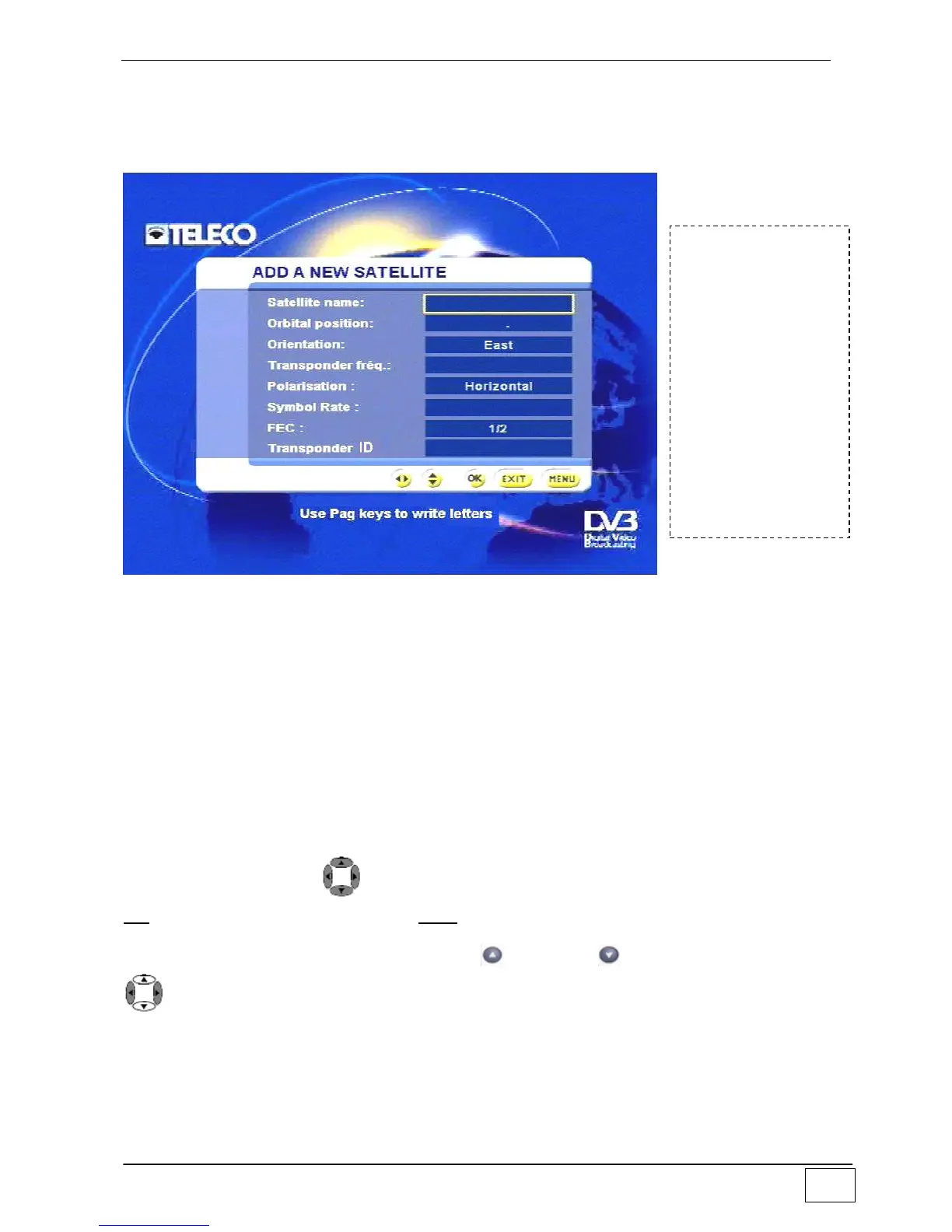
This sub-menu allows the user to add the name and technical specifications of a new
satellite to the general satellites list. The list can contain up to 26 satellites.
Figure 19 - Adding a new satellite
The available fields are:
Name of the satellite
Orbital position expressed in degrees
Satellite orientation (i.e. Eastwards or Westwards).
Frequency of reference transponder
Polarisation emitted for the above transponder frequency
Symbol rat.
FEC
ID transponder
Select an item using the and number keys and confirm your choice by pressing the
OK key. To leave the menu press the EXIT key.
To write the letters, you must use the page + and page - keys and use the right-left
keys to move along the string.
To reach this
screen page select
the following in
sequence:
- Main Menu
- Installing
- Antenna/satellite
configuration
- Configuring
satellites
- Adding a new
satellite



 To Next Page