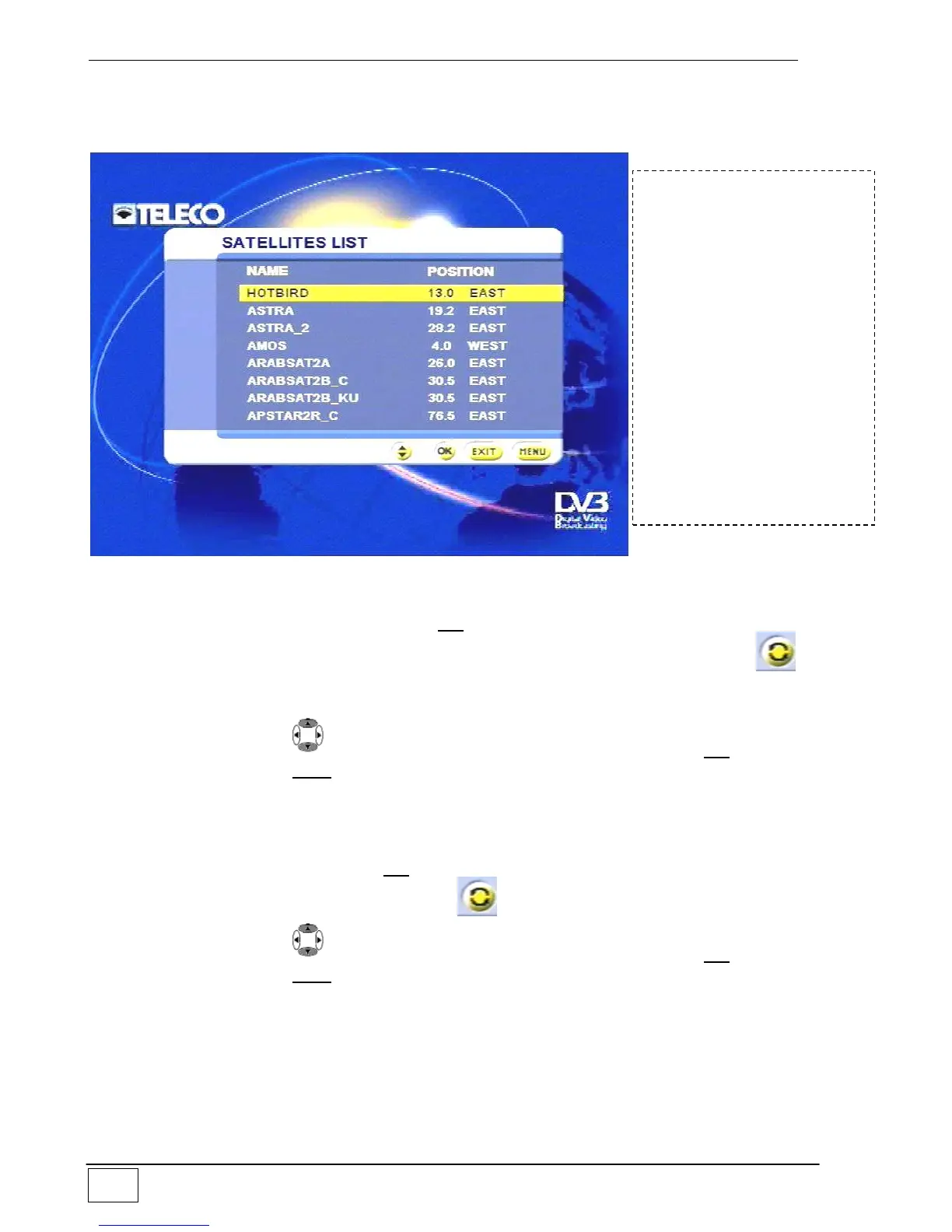
Modifying the satellites list
Use this sub-menu to select the satellite on which you wish to modify the parameters:
Figure 20 - Modifying the satellites list
Once the satellite has been selected, press OK. As a precaution (unintentional parameter
modification) a screen will ask you to confirm parameter modification by pressing the
key. Once modification has been confirmed, the ‘Adding a new satellite’ sub-menu will
appear with the relevant parameters which can be modified (Fig.19).
Select an item using the keys and confirm your choice by pressing the OK key. To
leave the menu press the EXIT key.
Deleting a satellite
From this sub-menu you can remove a satellite. The list of satellites is proposed (as shown
in the figure 20 above) from which you can select the satellite you wish to delete. Once
you have selected the satellite, press OK. As a precaution (unintentional deletion) a screen
will ask you to confirm deletion by pressing the key.
Select an item using the keys and confirm your choice by pressing the OK key. To
leave the menu press the EXIT key.
To reach this screen page
select the following in
sequence:
- Main Menu
- Installing
- Antenna/satellite
configuration
- Configuring satellites
- Modifying the satellites
list
or
- Deleting a satellite



 To Next Page