9
LED TV
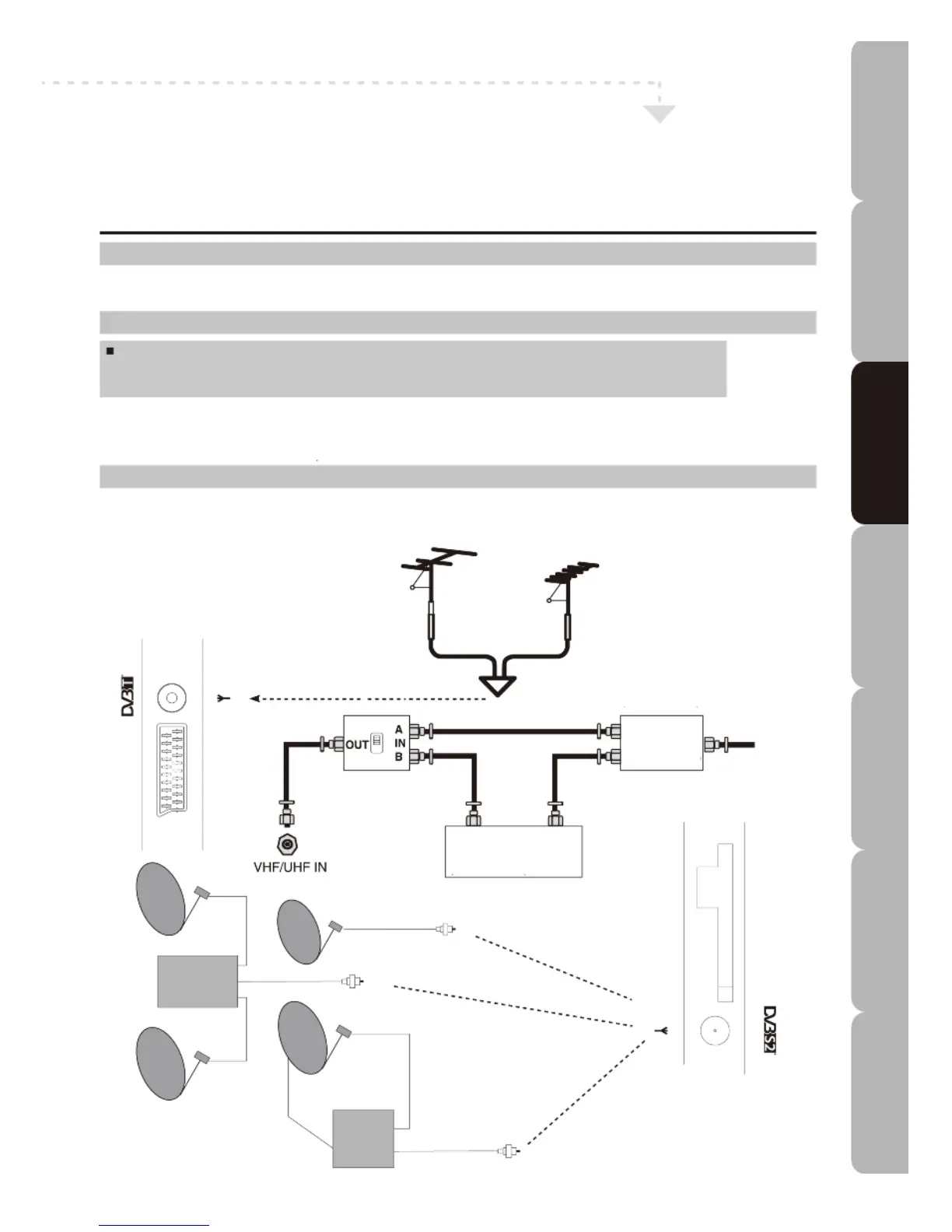
Connecting a TV Cable, Antenna or Dish
For information on connection procedures refer to the owner’s manuals of any external devices.
When connecting external devices do not connect any AC power leads to mains power sockets until all other
c
onnections are completed.
C
onnecting a TV Cable or an Antenna
A
ntenna Connection
The antenna requirement for good colour Digital TV reception is more exacting than it is for analogue TV
reception. A good quality outdoor antenna is therefore strongly recommended.
Connecting to the TV (CATV) cable
A 75-ohm coaxial cable connector is built into the set for easy hook-up.
When connecting the 75-ohm coaxial cable to the set, connect the 75-ohm cable to the
RF IN terminal.
For best results use a high gain TV aerial, preferably roof or loft mounted.
To improve picture quality in a poor signal area, purchase and install a signal amplifier.
If the antenna needs to be split between two TVs, use a 2-Way Signal Splitter (not supplied).
Satellite Dish Connection
You can connect a fixed satellite dish or one on a motorized positioner or connect multiple fixed dishes using a
DiSEqC 1.0 switch.
RF switch
(not included)
2-way signal
splitter
(not included)
Cable
TV line
Cable TV converter /
decoder (not included)
DisEqC Switch
IN
OUT
IN
IN
OUT
Specifications Troubleshooting Using DVD Using TV Installing Introducing Safety Warnings
Features Features LED TV LED TV



 To Next Page