5
LED TV connections
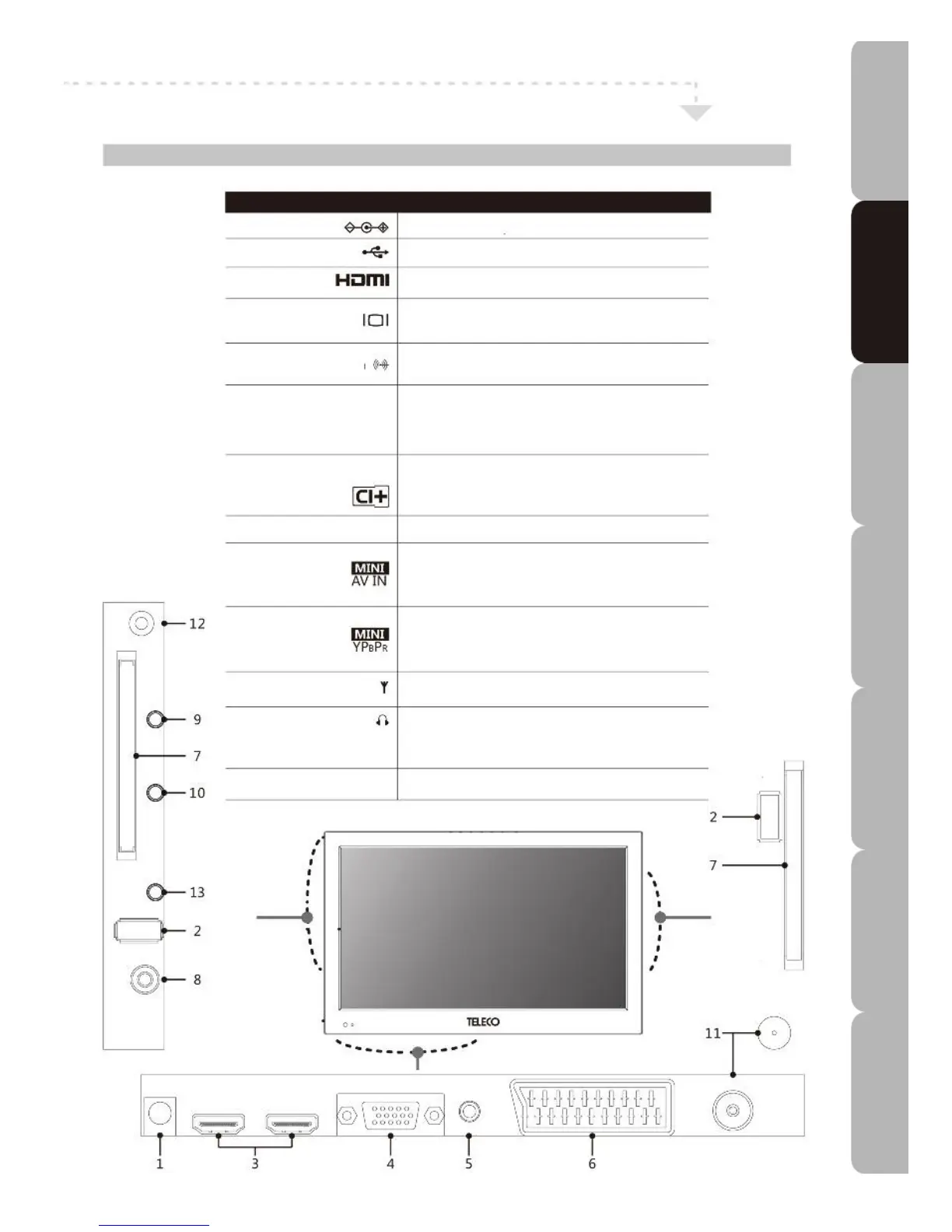
Left/Right Side Bottom View and sockets
No. DESCRIPTION
1 12 V DC in Connect the DC power lead to this socket.
2 USB in Connects to USB device.
3 HDMI in Connects to devices with HDMI interface
4 PC in Connects to a PC or other devices with a VGA
interface.
5 PC AUDIO in Connects to a PC audio socket or other devices with
a VGA interface.
6 SCART in Connects to external devices with SCART socket.
This SCART input allows video/audio in + RGB +
video/audio out from an external device to be
shown on your TV.
7 Common Interface Allows a CAM (Conditional Access Module) smart
Plus (CI+) card to be inserted to access the functions in the
card.
8 Coaxial out Digital audio out (coaxial output only for TV)
9 mini AV in Connects to camcorder, VCR, DVD Player, Digital
Set-Top-Box or other A/V equipment with composite
and audio sockets/jacks.
10 mini YPBPR in Connects to the DVD Player, Digital Set-Top-Box or
other A/V equipment with component (YPBPR) video
sockets/jacks
11 RF in Connects to your RF antenna or LNB cable.
12 EARPHONES out Connects to headphones.
*you may need to readjust the volume when using
headphones.
13 IR (infrared) extender Connects to IR signal input or output device.
Specifications Troubleshooting Using DVD Using TV Installing Introducing Safety Warnings
Features Features LED TV LED TV



 To Next Page