4
LED TV controls
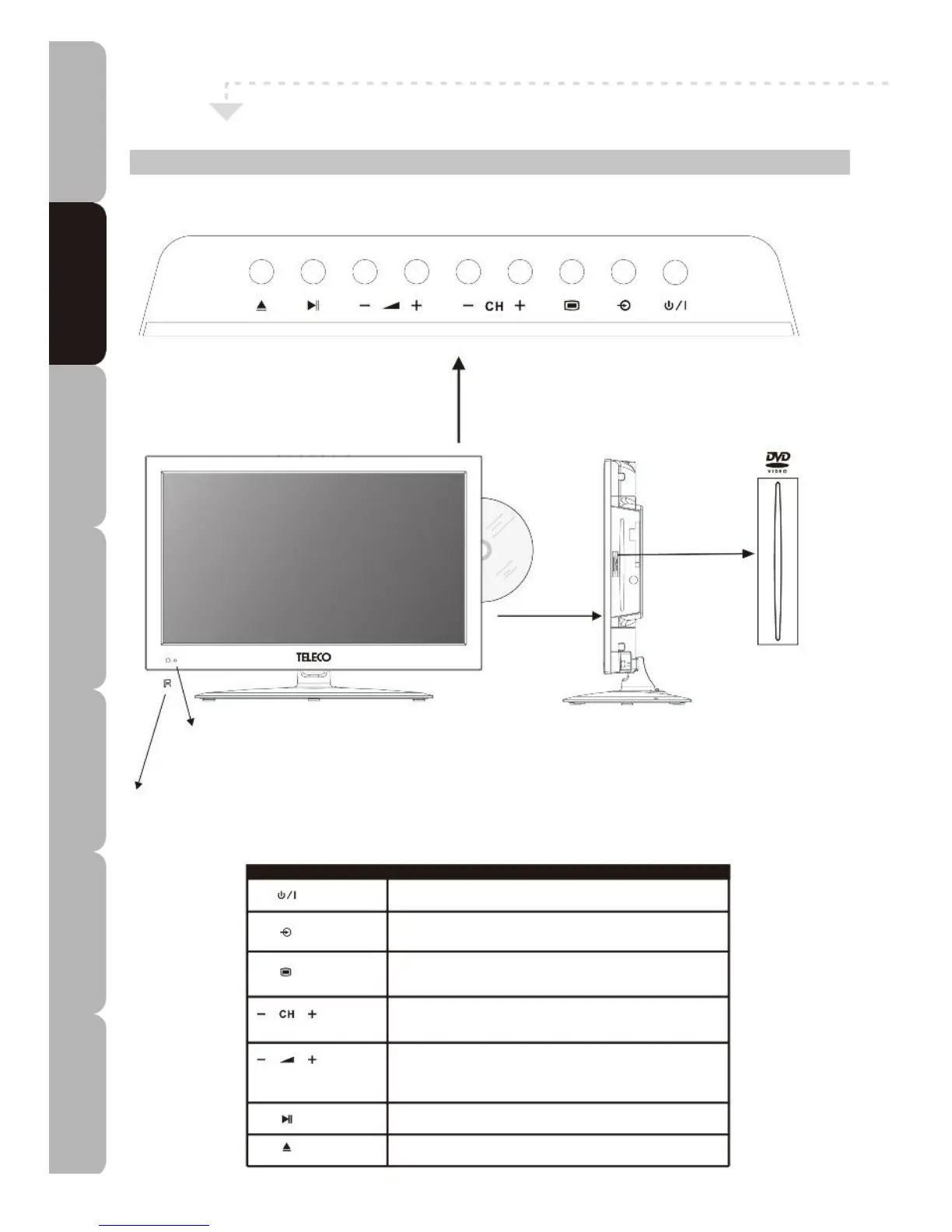
Front/Top/Right View and Controls
LED
The LED light indicates when the LED TV is on.
IR
Infrared Receiver
SYMBOL DESCRIPTION
STANDBY BUTTON, Turns the LED TV on / sets it to standby mode.
INPUT BUTTON, Used to select from among different input signal
sources.
MENU BUTTON, Press once to display the menu, press again to
exit the menu.
CH-/CH+ BUTTON, Used to scan up or down through the channels.
In menu mode used to select the desired sub-menu item.
VOL-/VOL+ BUTTON, Adjusts volume. Also used to select main
menu items and adjust various item settings in menu mode.
PLAY/PAUSE BUTTON, Plays or pauses the disc in DVD mode.
EJECT BUTTON, Ejects / loads the disc in DVD mode.
LABEL SIDE
MIRROR SIDE
Specifications Troubleshooting Using DVD Using TV Installing Introducing Safety Warnings
Features Features LED TV LED TV



 To Next Page