12
How to connect a CI (Common Interface) plus card
C
ARD FACE FRONT
NOTE: The Conditional Access Module (CAM)
does not come with the TV set.
It can only be obtained when you subscribe to service
providers like PayTV or other service providers
When you use the CI plus slot for the first time there
may be a dummy card already inside it; if so, remove
it and then insert the CAM.
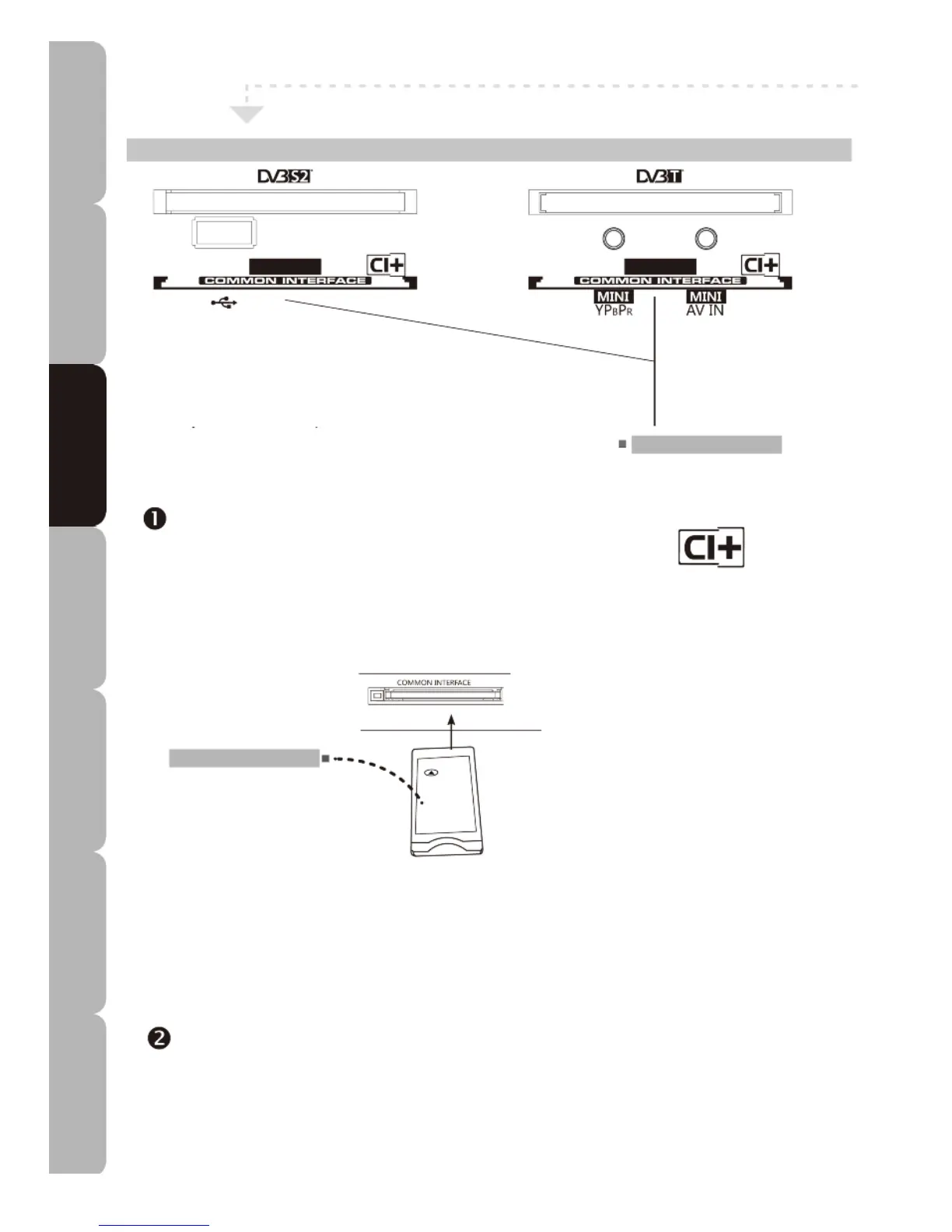
CI (Common Interface) slot
Allows the Conditional Access Module
(CAM) smart card to be inserted to
access the encrypted content.
Using the CI Plus Slot
To view DVB-T or DVB-S2 encrypted (pay to view ) services in
digital TV mode.
• INSERTING THE CAM CARD
Insert the CAM card into the DVB-T or DVB-S2 slot in the direction
indicated by the arrow until it fits in place; the card face (label) must
face forwards.
COMMON INTERFACE
CAM label
Make sure the CAM label faces front.
CAM (Conditional Access
Module) Smart card
• REMOVING THE CAM CARD
To remove the CAM card just pull it out of the slot.
This function enables you to watch selected encrypted (pay) services of certain channels. Please switch
off your TV, read the instructions provided with the CAM and ensure it is inserted correctly before
switching the TV on again.
Press the INPUT button on the remote control to display the Input source menu, and use the
UP/DOWN buttons to select DVB-T or DVB-S2.
Specifications Troubleshooting Using DVD Using TV Installing Introducing Safety Warnings
Features Features LED TV LED TV



 To Next Page