28
Customising TV operation
Customising S2 Tools and Rec Settings
T
ools MENU
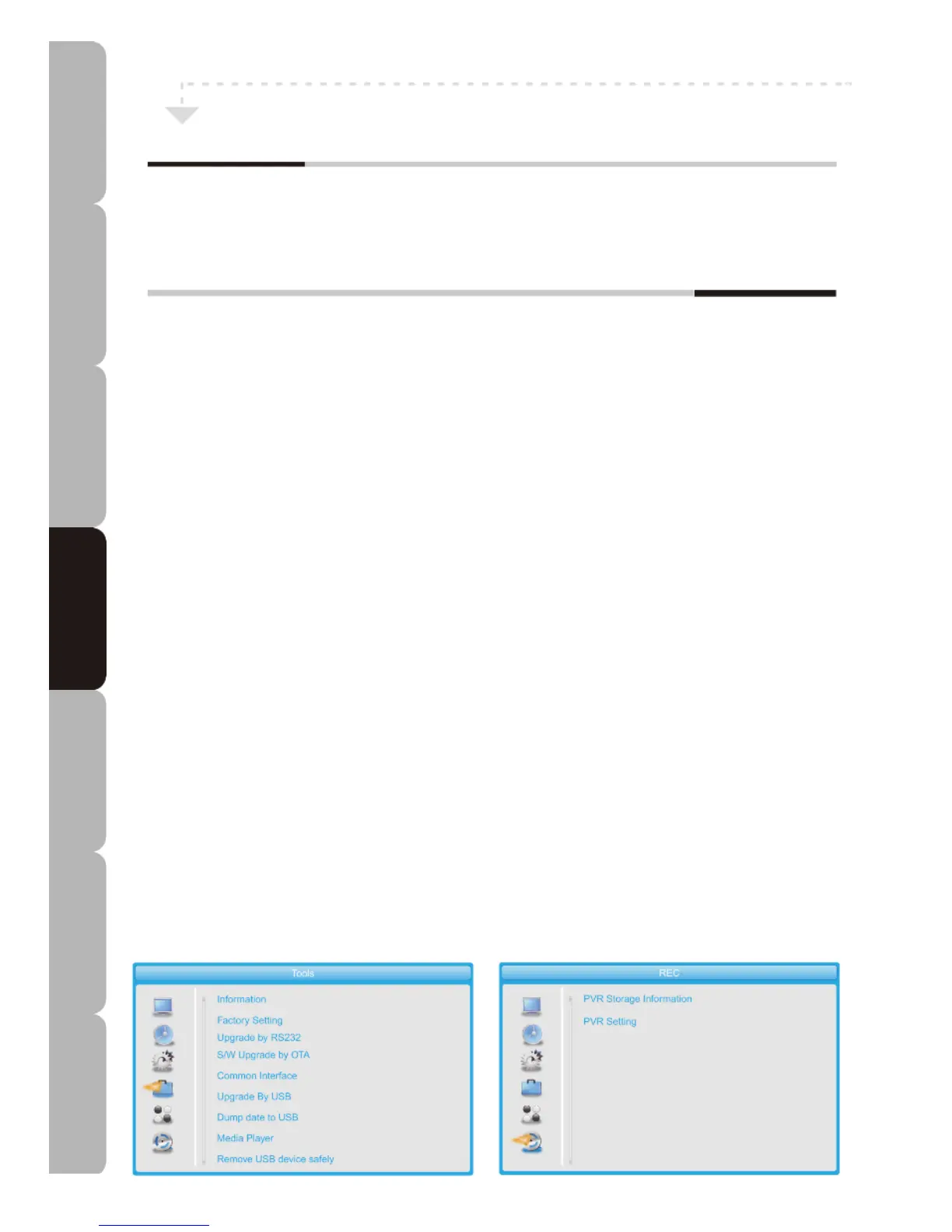
Allows you to set up a variety of features: Information, Factory Setting, S/W Upgrade by OTA, Common
Interface, Upgrade By USB, Dump data to USB, Media Player and Remove USB device safely.
The Tools menu includes the following options:
Information: You can display the DVB-S2 SW version and date, including bootloader, HDCPKey,
maincode, seecode, Radioback, bootup_logo, cipluskey, defaultdb and userdb.
Factory Setting: This function loads the default settings and erases all user-added channels.
Upgrade by RS232: The DVB-S2 software can be upgraded via the internal RS232 port.
S/W Upgrade by OTA: DVB-S2 software can be upgraded by setting Satellite, Transponder, Frequency,
Symbol Rate, Polarity and Download PID. After setting has been completed select “Start” and press “OK” to
start the upgrade process.
Common Interface: Shows CAM information in Slot 1 of the DVB-S2 Common Interface.
Upgrade by USB: You can update the DVB-S2 software using a mass storage device after saving the
update file on the USB storage device.
Dump data to USB: You can select Start to dump Allcode, SN, HDCPKey, maincode, seecode,
Radioback, bootup_logo, cipluskey, defaultdb or userdb by selecting Dump mode.
Media player: Select a media player interface to play/view Music, Image, Video or Recorded data when
you insert a USB device.
Remove USB device safely: Select to remove USB storage device safely.
*Items Upgrade by USB, Dump data to USB, Media Player and Remove USB device safely remain
unavailable until the USB device is inserted in the DVB-S2 USB slot.
Rec MENU: Allows you to set up a variety of features: PVR Storage Information and PVR Setting.
The REC menu includes the following options:
PVR Storage Information: You can view USB device PVR Storage Information, you can Format the USB
Disk or go to the DVR Set submenu to select DVR Type or REC&TMS, Record or Timeshift
PVR Setting: You can choose from among the Timeshift, Timeshift to Record or PS Record settings
and select a Jump value of 30 sec, 1 min, 5 min, 10 min or 30 min.
Specifications Troubleshooting Using DVD Using TV Installing Introducing Safety Warnings
Features Features LED TV LED TV



 To Next Page