22
Customising TV operation
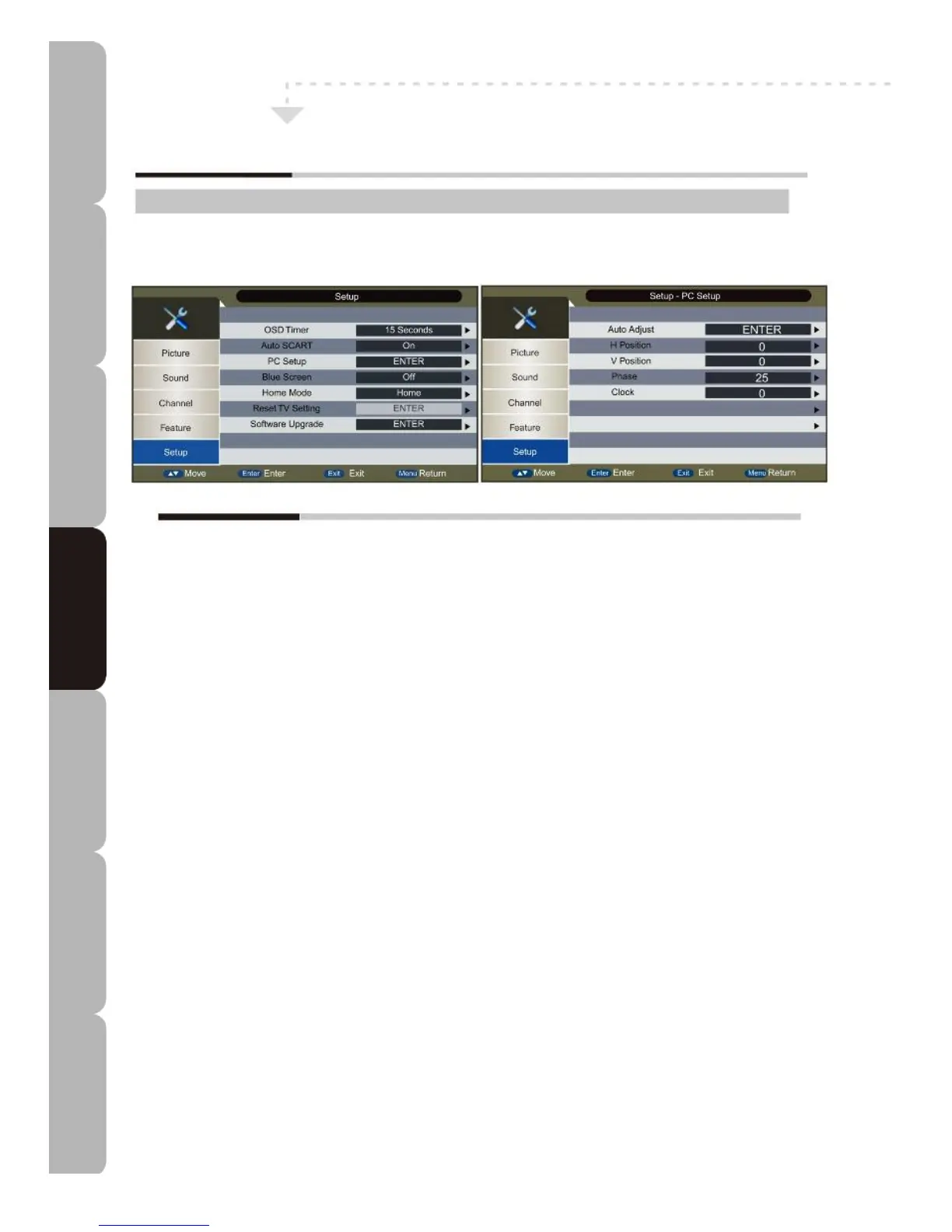
Customising the Setup Settings
Setup MENU:
A
llows you to set up a variety of features: OSD Timer, Auto SCART, PC Setup,
B
lue Screen, Home Mode, Reset TV Setting, Software Upgrade.
The Setup menu includes the following options:
OSD Timer
Sets up OSD Timer (i.e. how long the menus will be displayed). The options are 5, 10, 15, 20, 25, 30
seconds or Never.
Auto SCART
Allows you to set the SCART priority function.
PC Setup
Allows you to adjust the PC desktop content position: only available in PC source.
Auto Adjust: Automatically adjusts all options to achieve the best effect.
H Position: Allows adjustment of the Horizontal Position.
V Position: Allows adjustment of the Vertical Position.
Phase: Allows adjustment of the image width.
Clock: Allows adjustment of the definition.
Blue Screen
Allows display of ‘snow’ effect or blue screen if there is no signal. Unavailable with PC, DVB-T and Media
sources.
Home Mode
Allows you to customize the picture setting recommended for normal home use. Home, Dynamic, Standard
and Mild are available.
Reset TV setting
Allows you to reset system and database to factory settings.
When the reset has been completed Auto Installation appears.
Software Upgrade
Allows upgrade of firmware by binary code. Save the upgrade.bin file into the root directory of the USB disk
and plug the USB device into the USB port of the TV; press ENTER to upgrade. Do not switch off the power
during the upgrade process. System power will be shut down when the upgrade process has been
completed.
NOTE: This item is unavailable on some TV models.
Specifications Troubleshooting Using DVD Using TV Installing Introducing Safety Warnings
Features Features LED TV LED TV



 To Next Page