36
Customising DVD Operation
DVD Function General setup
SYSTEM SETUP
The DVD SETUP menu allows you to adjust and control the TV while playing DVDs, Audio
CDs, and Photo CDs.
To access the DVD SETUP menus, press the DVD SETUP button.
Press the UP/DOWN buttons to access the different menus and available options.
Press the OK button to select an option.
Press the EXIT button to quit the DVD SETUP menus.
NOTE: In Setup mode the following functions can be disabled or paused:
TITLE, SUB-TITLE, DISPLAY, PLAY, SETUP, STOP, SLOW /STEP, NICAM /AUDIO, FF, FR,
PREV, NEXT, GOTO, ZOOM, ANGLE, PROGRAM, PREVIEW, REPEAT, REPEAT A-B.
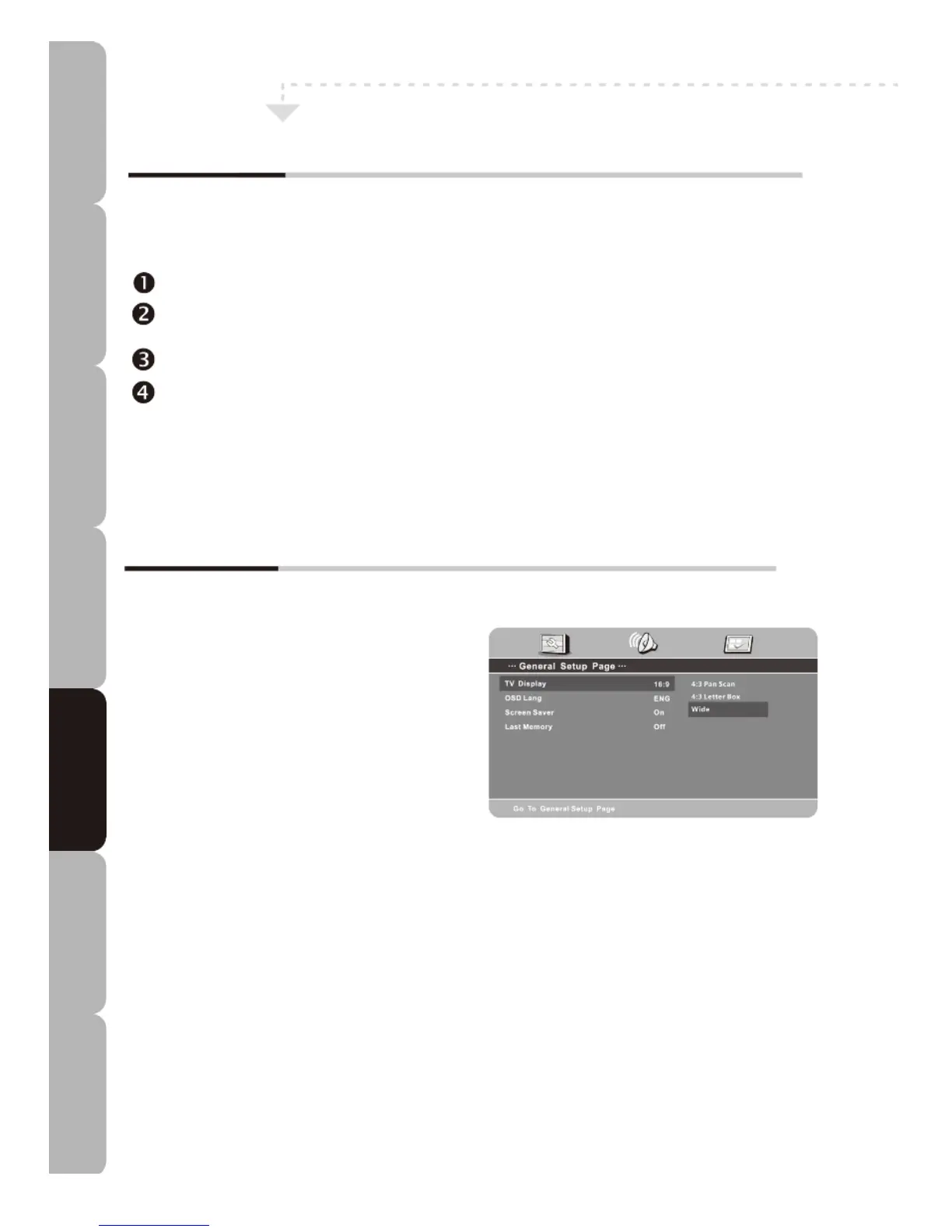
General Setup Page
NOTE: the PAL format is generally used for TVs in Australia.
TV Display
Allows you to select the most suitable aspect
ratio for the DVD being played.
Choose between: 4:3 Pan Scan /
4:3 Letter Box/Wide
NOTE:
- Playback screen size may vary according to disc contents.
- For discs with 4:3 format content a 4:3 screen is displayed whatever the mode selected.
OSD Lang
Allows you to change the general settings of the DVD On Screen Display Language.
Screen Saver
- Allows you to turn the screen saver function on/off.
Last Memory
- Allows you to resume playback from last position after going to standby or after a power
failure.
Specifications Troubleshooting Using DVD Using TV Installing Introducing Safety Warnings
Features Features LED TV LED TV



 To Next Page