13
Installation Guide Setup
W
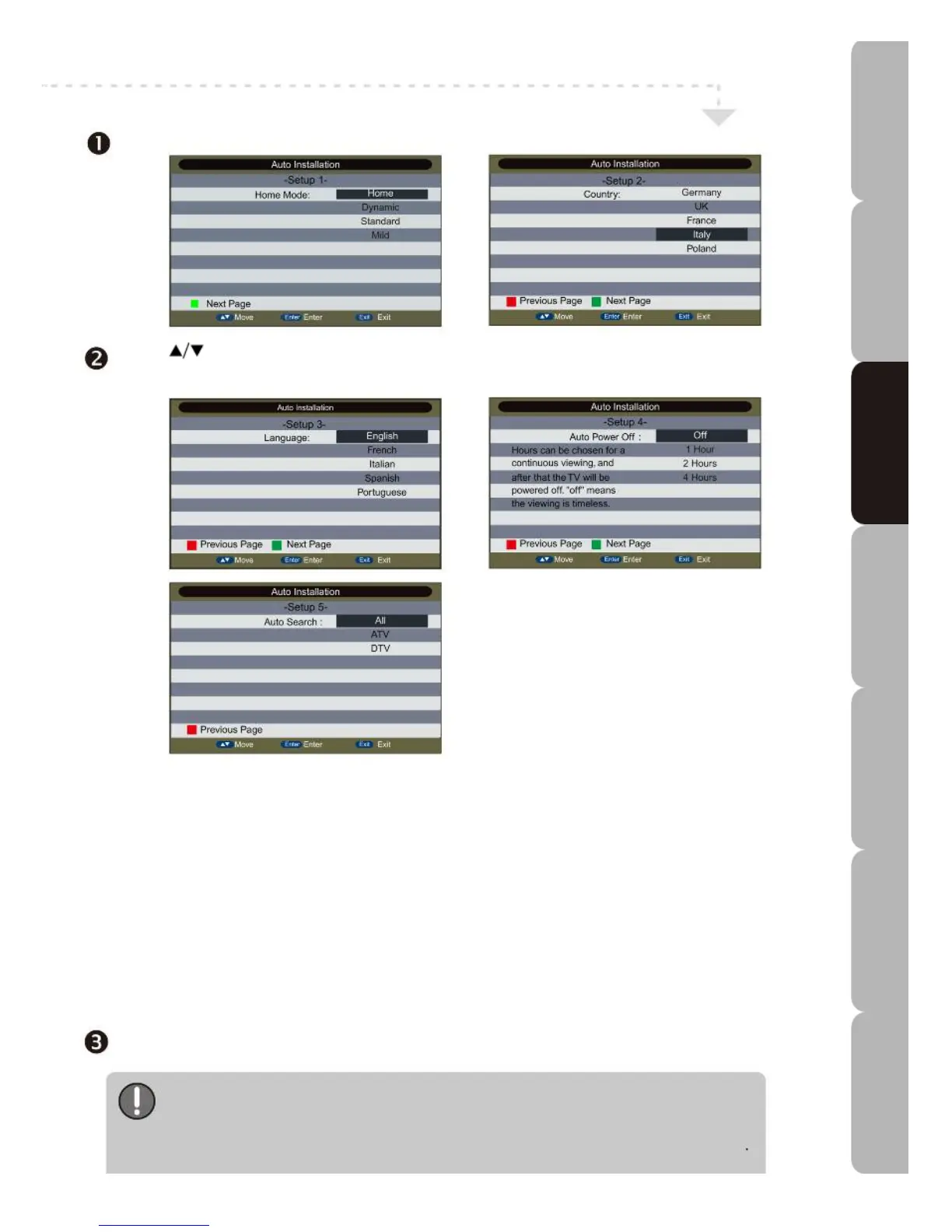
hen you switch on the TV for first time, the DVB-T Auto Installation menu appears on the screen.
Press to select Home Mode and press GREEN to go to the Next Page to select the Country,
Language and Auto Power Off settings; lastly, select the Auto Search type to start the tuning program.
You can press EXIT to quit the screen or
press RED to go to the Previous Page to
re-select the previous setting.
DVB-T (Digital Video Broadcasting - Terrestrial)
Before you begin using your DVB-T TV please note the following:
1. Your existing aerial may not be suitable for receiving Digital signals.
2. Your existing aerial may not be pointing in the correct direction.
3. Your house may be located in an area where Digital TV reception is poor.
The above factors may prevent you from receiving some or all of the Freeview Channels.
In the event of difficulty please contact a qualified aerial installation engineer for assistance.
Do not adjust your TV set as it is not faulty.
Never agree to have work done by anyone who calls without an appointment and does not show ID and/or credentials.
Re-Tune
If you experience a loss of one or more channels please re-scan. Service providers sometimes alter program
locations without prior notice. Please retune the TV before calling for technical assistance.
{ Press the INPUT button on the remote control to display the source list. Use the UP/DOWN buttons to select
other sources you wish to watch and press the OK button.
If the LED TV is not to be used for some length of time always disconnect it from the power
source. The STANDBY button on the top panel is only used to switch the LED TV to standby,
it does not disconnect the device from the power supply.
To disconnect from the power supply remove the DC plug from the bottom i/o board of the TV set.
Specifications Troubleshooting Using DVD Using TV Installing Introducing Safety Warnings
Features Features LED TV LED TV



 To Next Page