15
Customising TV Operation
Basic TV operation
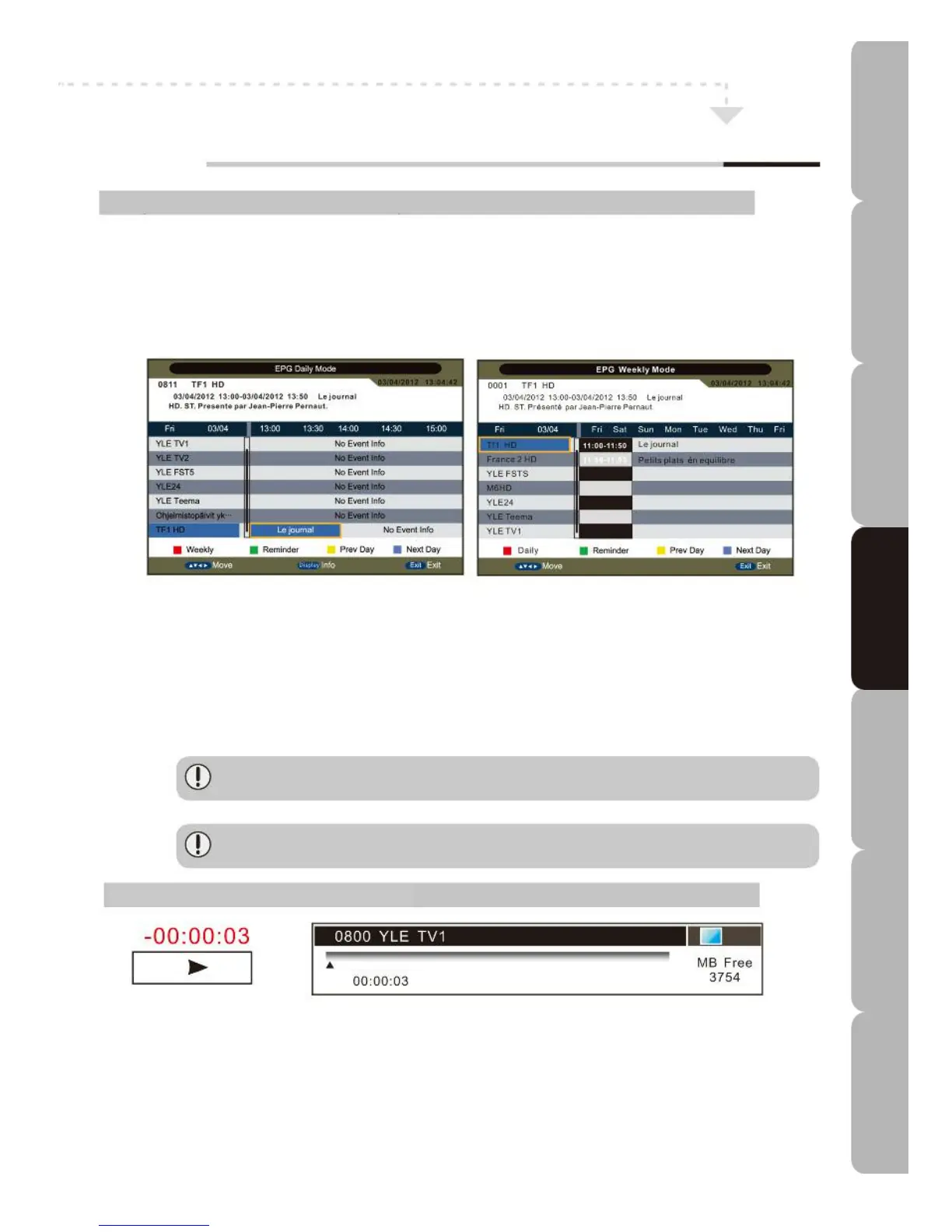
Program Guide MENU (only available in DVB-T):
A
llows you to customise the Program Guide menu.
Press the EPG button to display the Electronic Program Guide information menu.
U
se the NAVIGATION buttons to highlight an individual EPG item.
Press the UP/DOWN buttons to select an item.
Press the RED button to activate the Weekly or Daily view.
Press the YELLOW or BLUE button to view Previous Day or Next Day.
Reminder
Press GREEN to start creating a viewing or recording plan; press once only for viewing and twice for
recording. If the standby mode has timed out, 2 minutes are needed before reactivation and
background recording will start without powering the panel. To watch the program it is necessary to
press STANDBY.
Info (Display)
Press INFO to view in extended mode.
*Note: Automatic record when EPG reminder timer is active when a USB device is present.
*Programs may change without notice. Always check schedules on the day of broadcast.
TimeShift (available in DVB-T mode):
Allows a program to be recorded and the program being recorded to be played at the same time. This
function is only available when you connect a USB device and set Timeshift Buffer on the PVR/Timeshift
menu. Press TIMESHIFT to start timeshift-recording a program when continuous viewing is interrupted and
you wish to resume viewing later. When playback resumes you can use PAUSE/PLAY/FF/FB/PREV/NEXT
normally, use a pop-up virtual keypad bar or press STOP to return to normal mode. Alternatively, you can
press the PAUSE button to start Timeshift when no menu is highlighted and press it again to resume the
process. If, during the recording process, the signal fades/disappears, the recording process will pause until
the
signal re-stabilises.
Specifications Troubleshooting Using DVD Using TV Installing Introducing Safety Warnings
Features Features LED TV LED TV



 To Next Page