14
Chapter 3 Using the TV Features
Basic operation
Selecting the input source
Selecting an input signal source
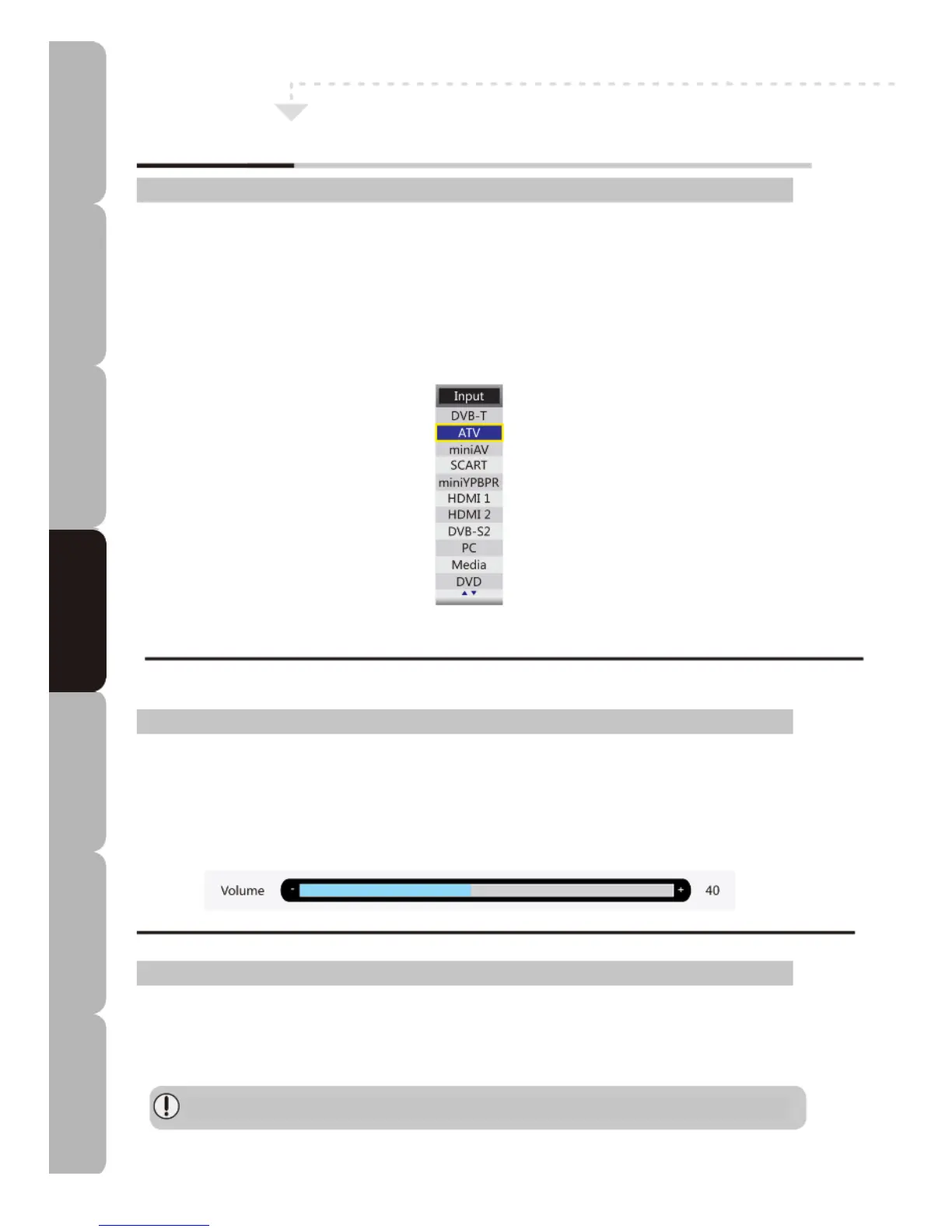
You can select an input signal source by pressing the INPUT button on the TV control panel: press it
and the onscreen display menu shows the diagram illustrated below. Then press the CH+/CH- buttons
o
n the control panel or the UP/DOWN buttons on your remote control to choose an input signal source.
If your audio and video devices are connected to your TV you can choose from the following input signal
sources:
Adjusting volume
• When you press VOL+/VOL- to increase/decrease volume the diagram below appears on your
screen for 5 seconds.
• The MUTE symbol appears in a corner of the screen when you press the MUTE button; press the
MUTE button again and the symbol disappears.
• To restore sound press either the MUTE button or the VOL+ button. The indicator below shows the
sound level.
Channel/favourites list:
Lets you customise the Channel/Favourite List under ATV/DTV Operation. Press the LIST/FAV button to
display the Channel List/Favourite List; use the UP/DOWN button to highlight and select the channel
you wish to watch. Press OK button to confirm.
Before any customisation can be effected, the Favourite List must be preset in the favourite
management menu.
Specifications Troubleshooting Using DVD Using TV Installing Introducing Safety Warnings
Features Features LED TV LED TV



 To Next Page