20
Customising the Feature Settings
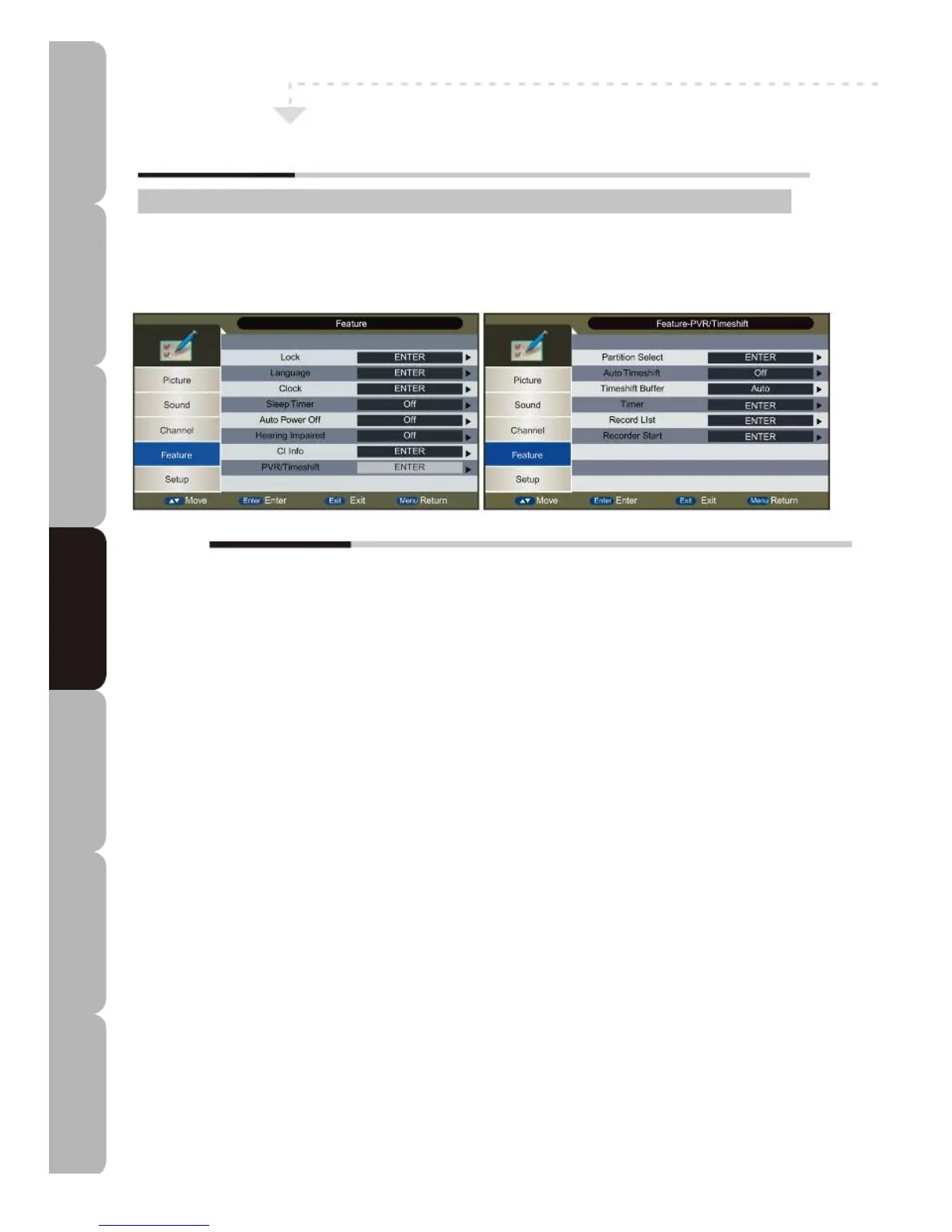
Feature MENU:
A
llows you to set up a variety of features: Lock, Language, Clock, Sleep Timer, Auto Power Off, Hearing
Impaired, CI Info and PVR/Timeshift.
The Feature menu includes the following options:
Lock
Lock Channel: Allows channel to be locked: a password is required. The password also needs to be entered when
the user tries to change the settings on items such as Reset TV System.
Parental Guidance: Allows user to set age level required to watch a program.
Change Pin Code: Press the NUMERIC buttons to change password. The default password is 0000.
Language
Allows various subtitle and audio track languages to be set. The available options are:
OSD Language:
English/French/Italian/Spanish/Portuguese/German
Preferred Subtitle:
English/French/German/Italian/Spanish/Portuguese/ Danish/Czech/Dutch/Finnish/Swedish/Greek/Russian/
Polish/Turkish/Norwegian
Preferred Audio:
English/French/German/Italian/Spanish/Portuguese/Danish/Czech/Dutch/Finnish/Swedish/Greek/Russian/
Polish/Turkish/Norwegian/Irish
DTV Teletext Language:
English/French/German/Italian/Spanish/Portuguese/Danish/Czech/Dutch/Finnish/Swedish/Greek/Russian/
Polish/Turkish/Norwegian/Welsh/Gaelic/Irish
ATV Teletext Language:
West/Greek/East/Arabic/Cyrillic/Russian/Hebrew/Farsi
Clock Allows user to check or set the current system Date, Time, Time Zone and DST. DST (Daylight Saving
Time) is not available when Time Zone is set to Auto and, if it is set to On, it will be one hour ahead of GMT.
Sleep Timer
Sets the system to go to standby mode automatically after a set time. The options are Off, 10 min, 20 min, 30 min,
60 min, 90 min, 120 min, 180 min or 240 min. Alternatively, you can hold the SLEEP button down.
Auto Power Off
Sets automatic TV shutdown after the last user action. The possible settings are Off, 1 Hour, 2 Hours and 4 Hours.
Hearing Impaired: Allows a subtitle to be inserted in the current scene if the user is hearing impaired.
CI Info: Press ENTER to read information on the Common Interface Card such as Module information, Smart
Card information, language, software download etc. Only available with the DVB-T source after inserting a CAM and
a Smart Card when PVR is not running.
PVR/Timeshift: ess ENTER to manage all Personal Video Recording and Timeshift tasks. Only available with the
DVB-T source when PVR is not running.
Customising TV operation
Specifications Troubleshooting Using DVD Using TV Installing Introducing Safety Warnings
Features Features LED TV LED TV



 To Next Page