21
Customising TV operation
Customising the Feature Settings
The PVR/Timeshift submenu includes the following options:
Record File Format: Allows user to select the recording file format, either TS (Transport Stream) or PS (Program Stream).
The difference lies in bit error compatibility. *This option may not be available on some TV models.
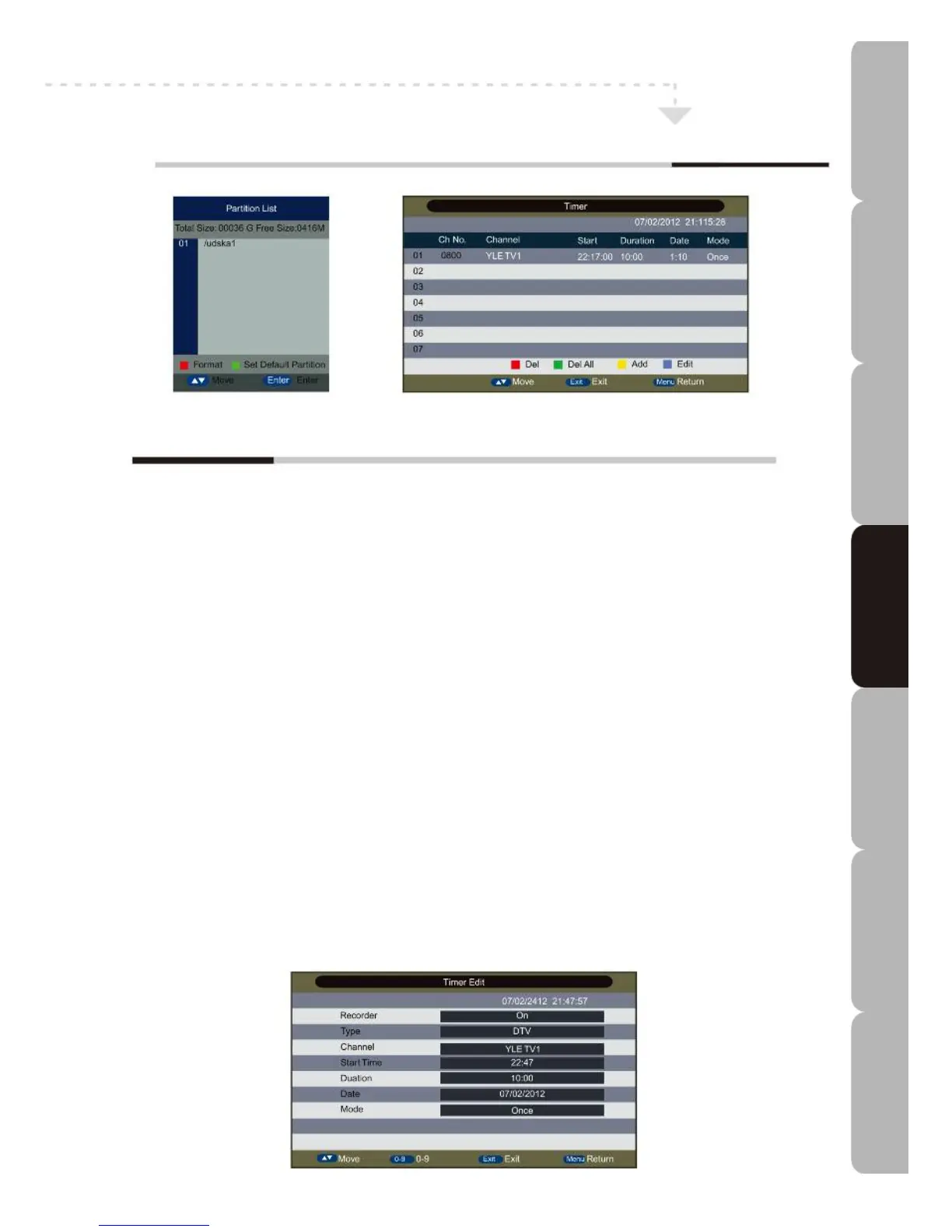
Partition Select: Allows user to view the partitions connected to the system and the Total Size and Free Size of the partition.
Press the RED button to format the partition of interest and the GREEN button to set the partition of interest as the default
partition on which recordings are saved.
Auto Timeshift: Sets Timeshift function to Off or Auto.
Timeshift Buffer: Sets the temporary recording memory: available settings are Auto/30 mins/1hr/2hr.
The Auto setting makes all the free space on the storage media available.
Timer: Allows user to manage the timer for ‘booked’ programs. Press the RED button to delete and the YELLOW button to
Add. You can also press the GREEN button to delete all timers and the BLUE button to edit the timer.
The following parameters can be set:
Recorder: Select Off for viewing only, On for viewing and recording.
Type: Views source type of DTV or Radio Channel.
Channel: Selects the channel you will book.
Start Time: Inputs the recording start time you want. Format is hours/minutes.
Duration: Inputs the desired recording duration. Format is hours/minutes.
*This option is only enabled when the Recorder is set to On.
Date: Inputs the recording start date. Format is day/month/year.
Mode: Selects timer activation frequency among Once, Daily, Weekly and Monthly.
Record List
Displays the recorded items list. Press the RED button to delete recorded items or press ENTER to play them back.
Recorder Start
Press ENTER to start the Recorder: the REC info banner will pop up to show the recording time and the free space available
on the USB device. Press ENTER to change duration when recording.
Specifications Troubleshooting Using DVD Using TV Installing Introducing Safety Warnings
Features Features LED TV LED TV



 To Next Page