37
Customising DVD Operation
DVD Function General setup
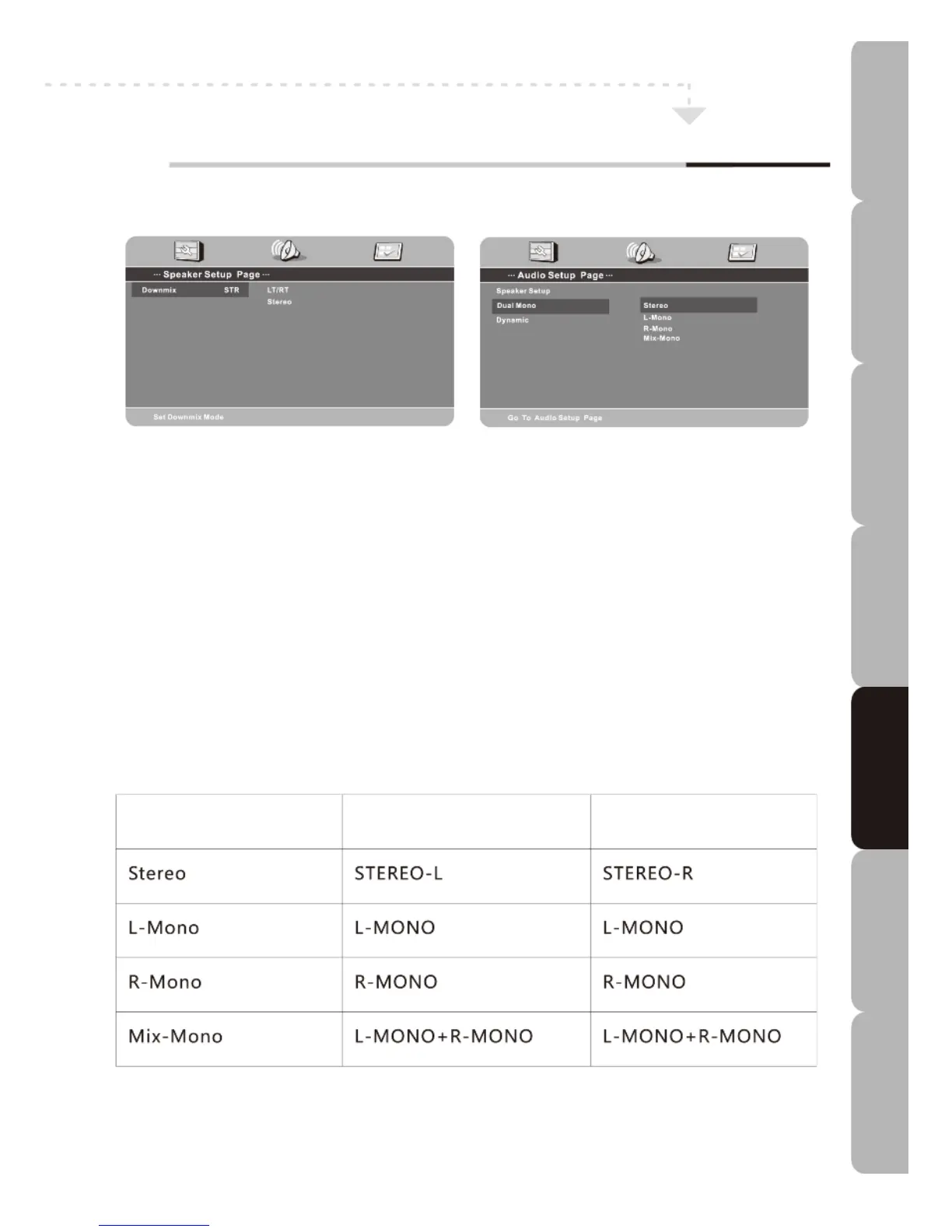
Audio Setup Page
Speaker Setup
Downmix
-To mix 5.1 channels down to two channels choose between LT/RT and Stereo. LT/RT: the
sound experience will be like a movie theatre if the original movie disc was encoded in Pro
Logic Dolby Digital format.
Stereo: two channels of signals will be outputted from the left and right soundtrack when 5.1
channel sound is playing. The stereo signal is obtained when 2-channel sound is playing.
Dual Mono
- You can select four different audio outputs: Stereo, L-Mono, R-Mono and Mix-Mono. The
audio out description of these options is shown in the table below.
MODE LEFT SPEAKER RIGHT SPEAKER
Dynamic
- Allows you to set the dynamic range. The dynamic range is the difference between the loudest
and quietest sounds. Choose from: FULL-6/8-4/8-2/8-OFF.
Specifications Troubleshooting Using DVD Using TV Installing Introducing Safety Warnings
Features Features LED TV LED TV



 To Next Page