30
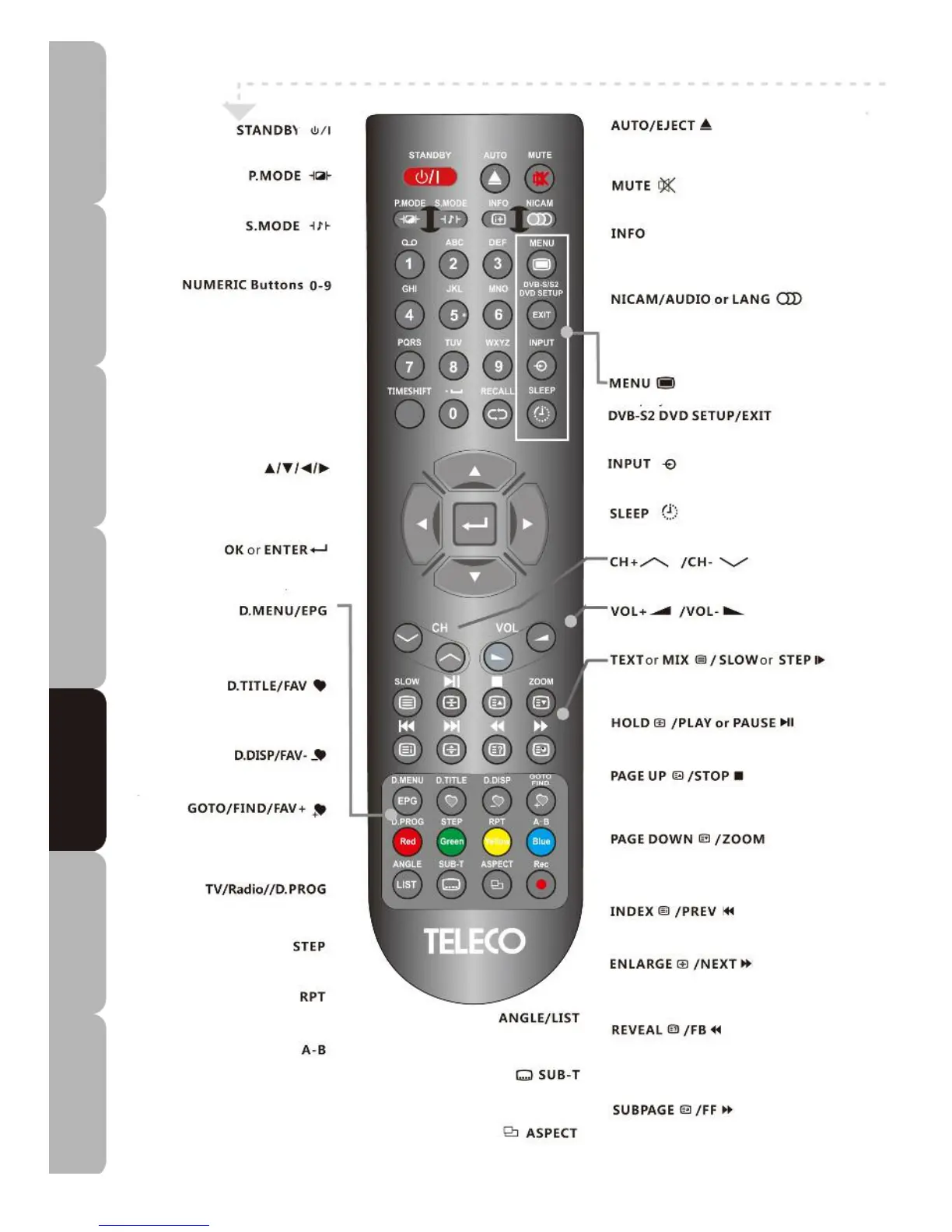
Remote control with DVD input source
• Turns the TV on and sets it to
standby
.
•
Switches between different preset
picture modes.
•
Switches between different preset
sound modes.
• Selects and goes to a DVD title.
NAVIGATION buttons
UP/DOWN/LEFT/RIGHT
• Allows you to move, select and set
up the OSD options
• Allows you to confirm selection of
OSD options.
•
Goes Back to the Disc menu.
• Goes to DVD title menu.
• Displays program information.
• Goes to desired time and program.
• Plays the program in DVD mode.
• Plays the program frame by frame in
DVD mode.
• Repeat playback during playing of
multimedia files.
• Repeats playback of segment A-B
during playing of multimedia files.
• Selects different DVD angle.
• Displays your preferred sub-title in DTV or
DVD mode.
• Selects from among screen aspect modes.
•
Loads / ejects disc in DVD mode.
•
Mutes / restores TV sound.
• Displays current TV status info, TV
Channel, input source, etc.
• Switches between different audio
languages in
TV/DTV/DVD/DVB-S2 mode
(only applicable when the TV program has
this feature).
• Displays the TV Menu.
• Displays the DVB-S2 or DVD SETUP
Menu or exits the OSD menu.
• Selects from among different input
sources.
• Sets the TV sleep time.
•
Press to change channels up and down.
•
Increases/decreases volume.
• Toggles the different slow motion options
in sequence or plays program frame by
frame.
• Starts or pauses playback.
• Stops or resumes playback.
• Activates zoom function during playback of
multimedia files
• Returns you to previous program.
• Goes to next program.
• Plays a program in fast rewind mode.
• Plays a program in fast forward mode.
Specifications Troubleshooting Using DVD Using TV Installing Introducing Safety Warnings
Features Features LED TV LED TV



 To Next Page