Infrared Gas Analyzer Operation
Teledyne Analytical Instruments 35
Operation
3.1 General Information
This section describes the front panel interface of the analyzer.
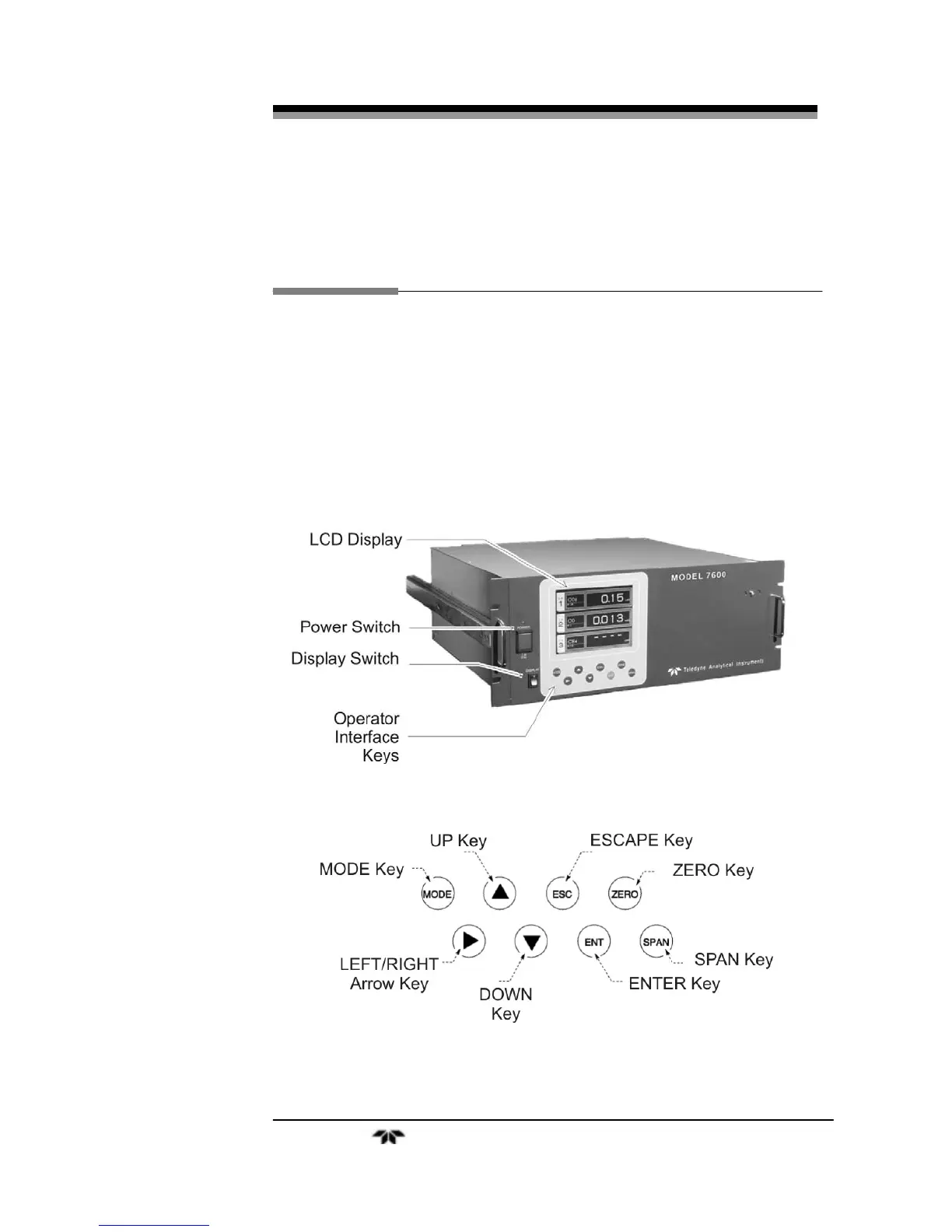
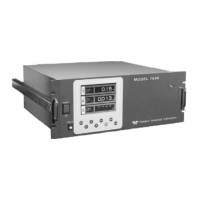
Figure 3-1 Shows the Model 7600 Infrared Gas Analyzer front
panel. The user interface consists of 8 membrane switch buttons or keys,
a power ON/OFF switch and a display ON/OFF switch. The 8 user keys
are shown in Figure 3-2 and described below.
Figure 3-1: Front Panel of the Model 7600
Figure 3-2: Interface Keys on the Front Panel


 To Next Page