Infrared Gas Analyzer Operation
Teledyne Analytical Instruments 45
3.5.1.3 REMOTE RANGE SELECTION
The range can be selected remotely if a remote switch has been
installed. To use this feature, the range mode must be switched in the
display to RR (Remote Range) .
To configure the instrument for remote range selection:
1.
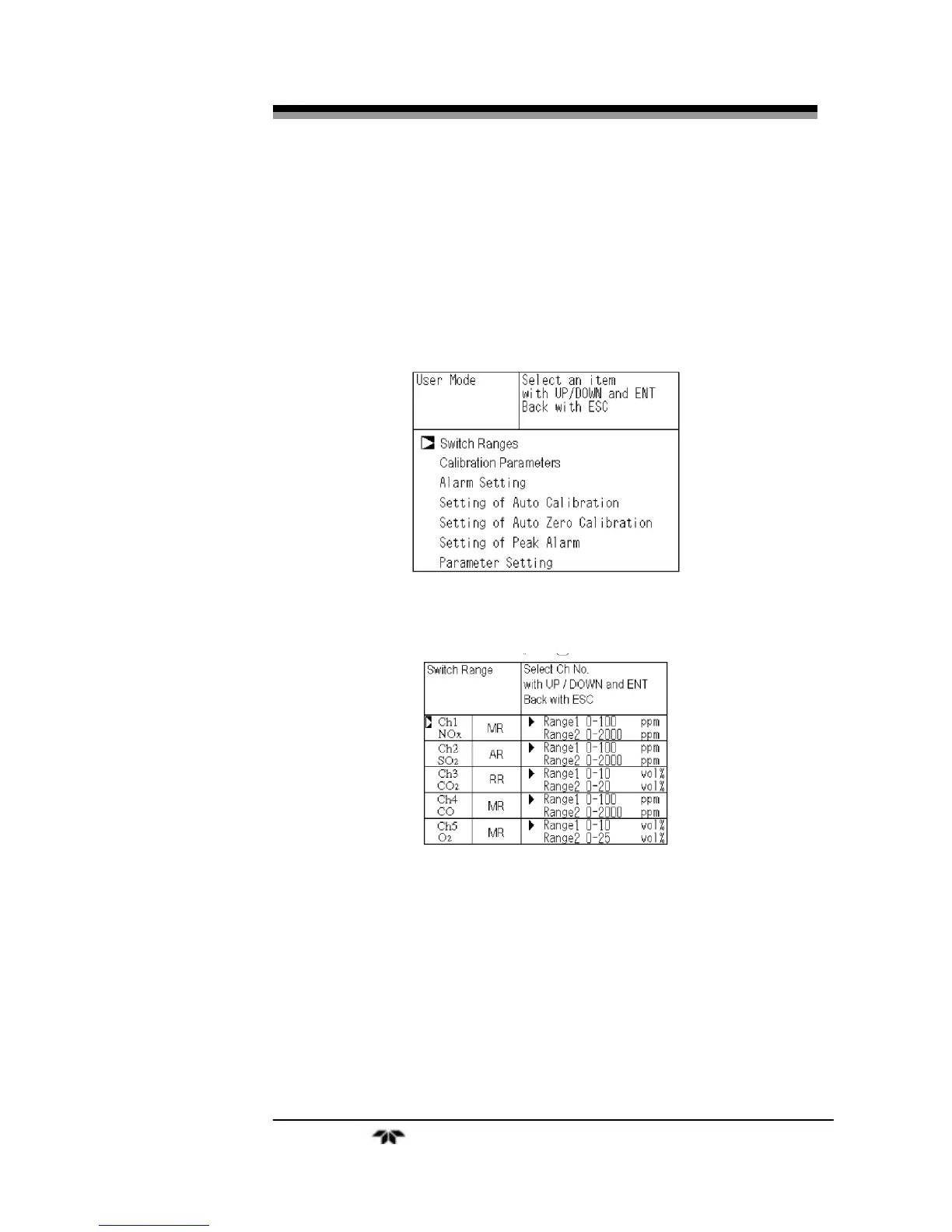
Press the MODE key to enter the user mode.
2.
Move the cursor to the “Switch Ranges” option and press
ENT. The “Channel Selection” screen appears.
3.
Move the cursor by pressing the UP/DOWN keys to the
desired channel and press ENT.
The selected range switch mode is highlighted for the channel you
selected.
4. Press the UP/DOWN keys to toggle between the
available switch modes until RR is displayed.
5. Press the ENT key to accept the selection.


 To Next Page