The effect of Link-Local is to transmit whatever is received over the satellite ESC channel
out onto the local modem’s M&C bus, while at the same time, transmitting all incoming
M&C messages out over the satellite ESC channel.
The effect of Link-Remote is to loop back whatever is received over the modem’s satellite
ESC channel to the modem’s M&C port and to transmit over the satellite ESC channel
whatever is transmitted by the modem out of its M&C port.
IP to Serial supports the transmission of IP-wrappered RS485 messages through the
ESC channel, which are then transmitted as serial messages on the remote RS485 bus.
13.3 Edit->Tx-Rx>Framing->Overhead IBS Screen
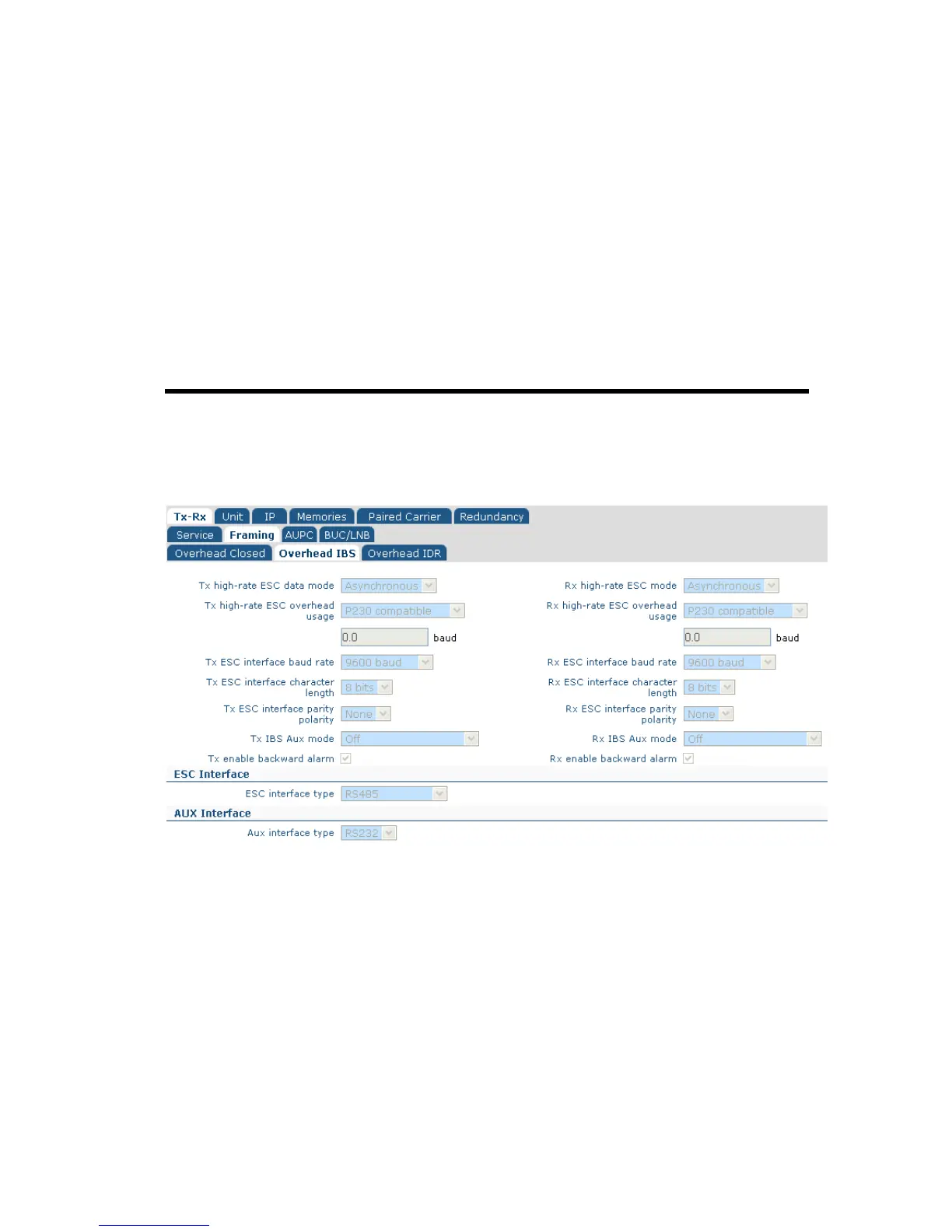
The Edit->Tx-Rx->Framing->Overhead IBS screen, shown in Figure 13-3 controls the
overhead in IBS mode, allowing both the low and high-rate ESC channels to be set up.
Figure 13-3 Edit->Tx-Rx->Framing->Overhead IBS Screen
This contains the following options:
• High-rate ESC data mode. Controls whether the IBS high-rate asynchronous ESC
channel is enabled.
• High-rate ESC overhead usage. This allows backward compatibility with the
Paradise P230 unit but should otherwise be set to Maximum overhead.
• ESC interface baud rate. IBS uses a fixed frame format and therefore the amount
of overhead is limited. The maximum ESC baud rate that may be selected is
displayed.
• ESC interface character length. This can be set to 7 or 8 bits.
• ESC interface parity polarity. This can be set to None, Even or Odd.



 To Next Page