• Unit. These menus contain all of the general modem configuration settings
including the terrestrial interface, monitor and control, alarms, station clock and
Software Activated Features (SAF) settings. They also include a software upgrade
factility.
• IP. This menu allows setup of the IP traffic interface.
• Paired Carrier™. This menu allows the setup of the carrier overlap feature.
• Memories. These menus support the storing, recall, deletion, upload and
download of modem configurations.
• Redundancy. These menus are used to control modem 1:1 and 1:N redundancy.
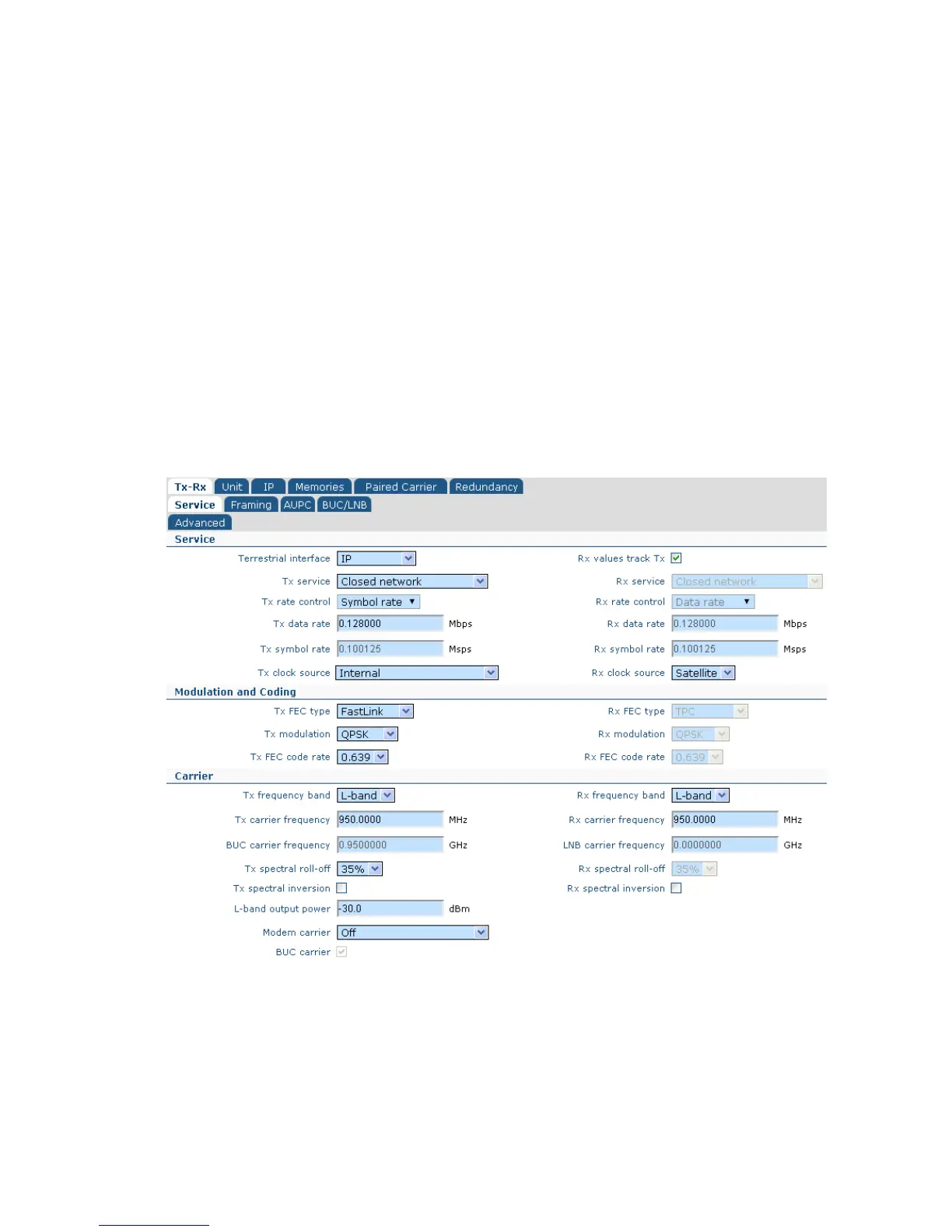
6.2.4 Edit->Tx-Rx->Service Screen
The Edit->Tx-Rx->Service screen is shown in Figure 6-5.
Figure 6-5 Edit->Tx-Rx->Service Screen



 To Next Page