Description: This must reflect the actual frequency of the station clock input as the
modem does not automatically measure the frequency. It is used by the
modem in programming the terrestrial interface clocking logic.
Table 6-49 Station Clock Frequency (when locking the high-stabiliy oscillator)
6.2.11.3 Locking the High-Stability Oscillator to the Station Clock
This is an On/Off control that determines whether the modem’s internal high-stability
oscillator is slaved to the station clock input. The high-stability oscillator is used in carrier
and BUC/LNB control. It therefore provides a way of extending system clock
synchronization to ancilliary equipment beyond the satellite modems.
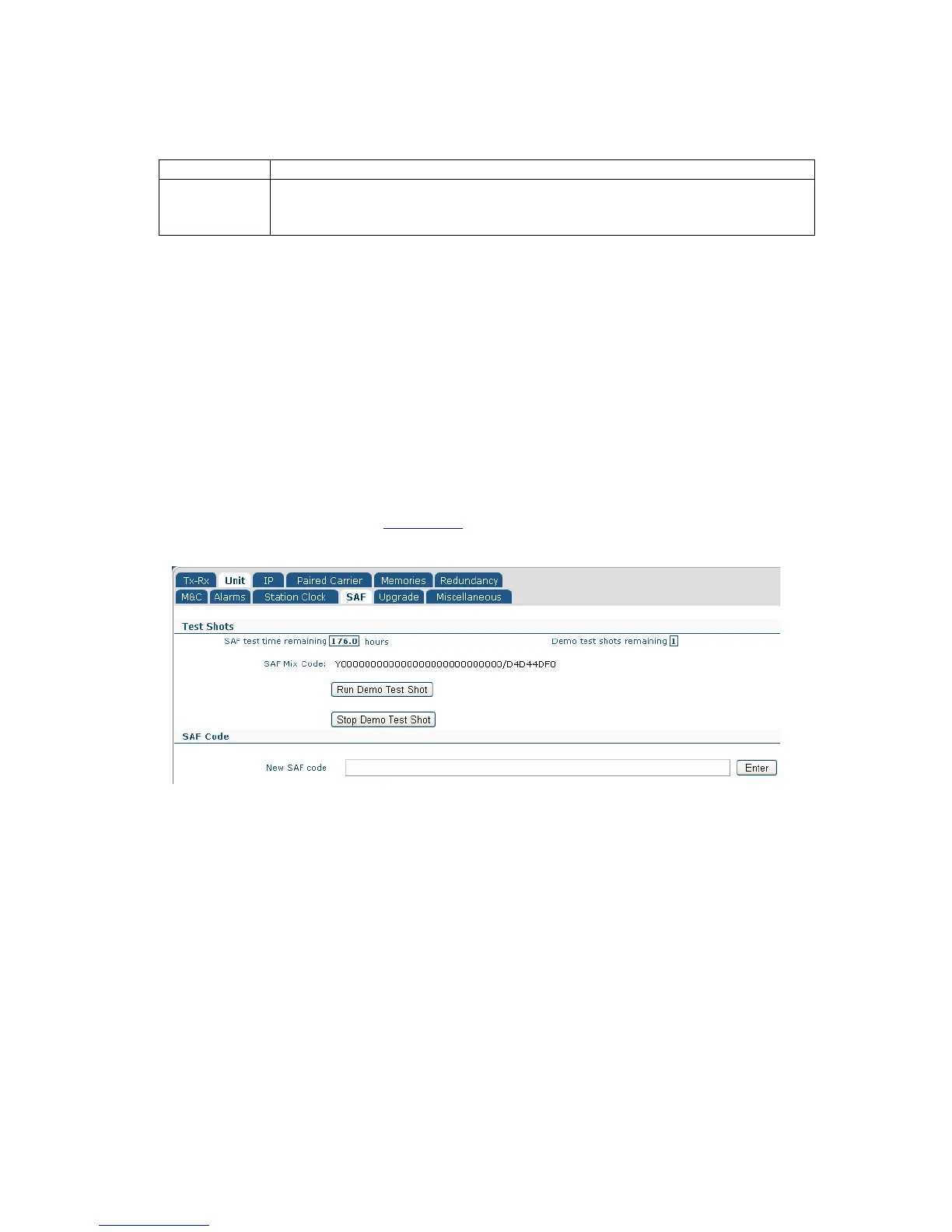
6.2.12 Edit->Unit->SAF Screen
The Edit->Unit->SAF screen is shown in Figure 6-17. The concept of Software Activated
Features (SAF) is explained in Section 7-4.
Figure 6-17 Edit->Unit->SAF Screen
This screen displays:
• The remaining time period before any temporarily-enabled SAF features time out.
• The number of unused test shots remaining. A test shot enables all of the modem
features for a 10-day period (subject to suitable hardware being fitted and with
some exceptions).
• The SAF Mix Code, which is a number that represents all of the features that have
been permanently enabled on the modem.
The Run Demo Test Shot button is used to start a 10-day activation of the modem’s SAF
features.
The Stop Demo Test Shot button is used to terminate the temporary activation of the
modem’s SAF features. Any remaining time of the test period is lost.



 To Next Page