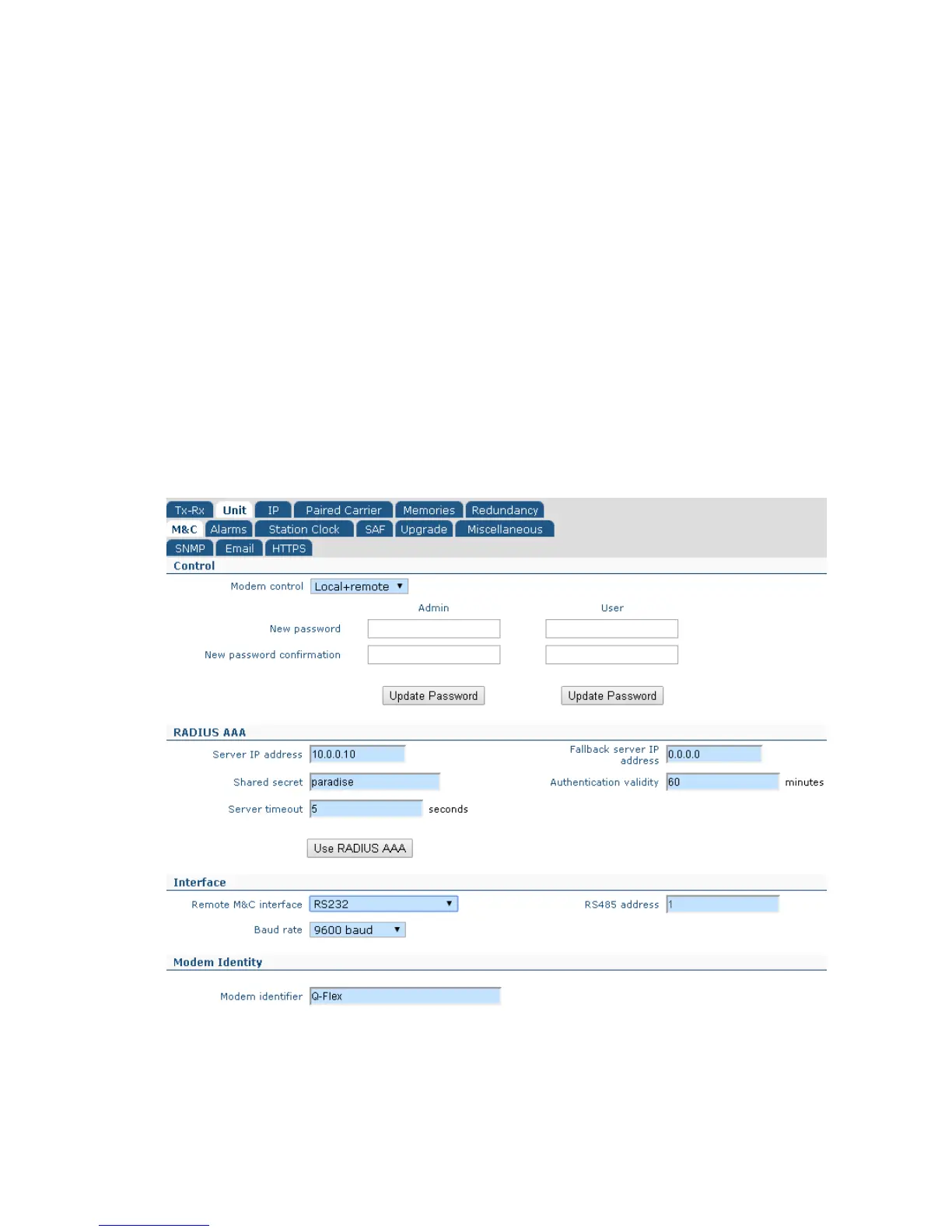
• M&C. This controls remote M&C settings including serial control settings and user
passwords.
• Alarms. This controls alarm thresholds and actions.
• Station Clock. This controls the station clock, which replaces the internal 10MHz
clock reference, allowing a number of modems to share a common clock source.
• SAF. This allows the entry of Software Activated Feature (SAF) codes that enable
modem feature activation in the field.
• Upgrade. This allows the modem software to be upgraded.
• Miscellaneous. This allows the date and time to be set on the modem, as well as
allowing a modem to be reset without having to power it down.
6.2.6 Edit->Unit->M&C Screen
The Edit->Unit->M&C screen is shown in Figure 6-9.
Figure 6-9 Edit->Unit->M&C Screen
The Edit->Unit->M&C screen is split into several sections as described in the following
sections.



 To Next Page