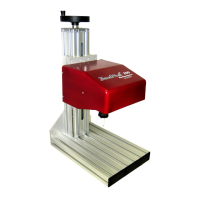
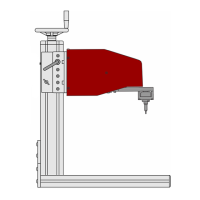
TMP4100-Series Installation/Maintenance
33480D01.DOC 2-15
2.8.2 Marker Standoff
TMP4150, TMP4155: The TMP4150 and TMP4155 do not use a marker standoff. The following section does
not apply to the TMP4150 or TMP4155 markers.
TMP4100, TMP4100E: Perform the following procedure to replace the standoffs mounted on the front of the
marking head.
CAUTION
Do not reposition the pin cartridge by hand. Internal components of the
marking head may be damaged if improperly positioned. Use the system’s
Jog feature or Online command to reposition the pin cartridge.
Removal
1. Place the marker online (or use the Jog feature) to move the pin cartridge to the left side of the marking
window. Refer to the marking system Operation Manual for details on using the system software.
2. Using a 2mm hex key, remove the two M3-0.50 x 10 flat head screws from the right side standoff (side
opposite the pin cartridge location) and remove the standoff.
Installation
1. Install the new standoff on the right side of the marker. Secure with two M3-0.50 x 10 flat head screws.
2. Use the Jog feature to move the pin cartridge to the right side of the marking window. Refer to the
marking system Operation Manual for details on using the system software.
3. Using a 2mm hex key, remove the two M3-0.50 x 10 flat head screws from the left side standoff (side
opposite the pin cartridge location) and remove the standoff.
4. Install the new standoff on the left side of the marker. Secure with two M3-0.50 x 10 flat head screws.


 To Next Page