- Autonomy
- Version
- Serial number
- Packet loss (if any)
In rare cases it may appear that the delegates background is red, this means the delegate is
running a golden version. Although this works, we strongly advice to reapply the update so that
these units can be used to their full potential.
5.5.1 Define groups
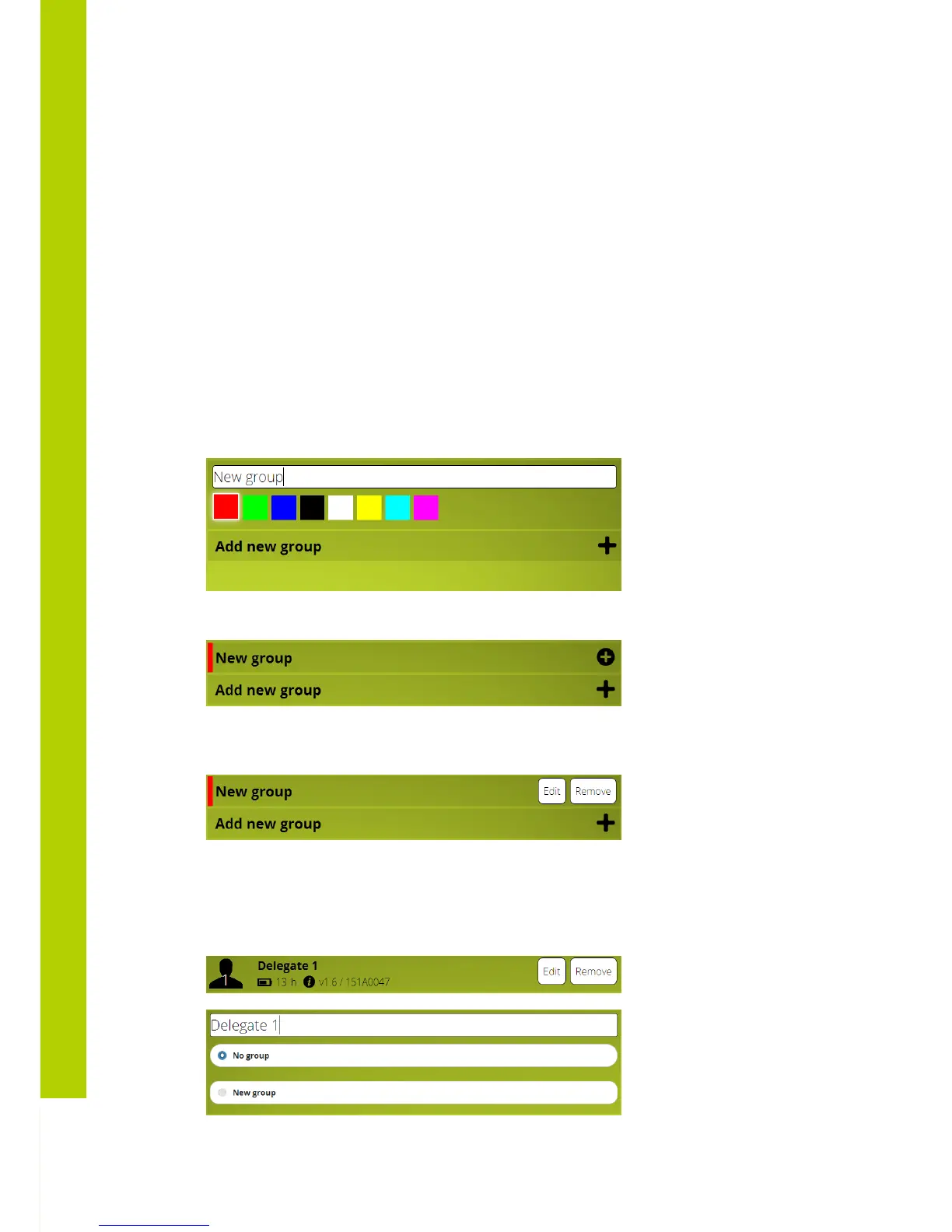
A group is defined by two parameters:
- Group name
- Group color
You can make a new group by clicking on the “Add new group” button.
Add a group name and select (optionally) a group color. Press enter to save the group.
Editing the group can be done by right-clicking (or swiping) on the group entry. A small popup
appears to edit or remove the group.
5.5.2 Define delegate names and assign to group
Right-click (or swipe) on the delegate you want to group. A small popup appears, click on
edit.



 To Next Page