Vox Time out
The microphone will be switched off when the Vox threshold level is not reached during the amount of
seconds set in the Vox time out
A Vox time out setting which is to low might result in interrupted audio when there is a pause or low
passage in the audio.
Vox Pencil drop suppression
Avoids accidental microphone activation because of short sounds. This setting may cause a short mic
activation delay
General remark on use of VOX :
A high microphone preset combined with strong audio input may result in the perception that the VOX
activation is to slow due to the limiter release time.
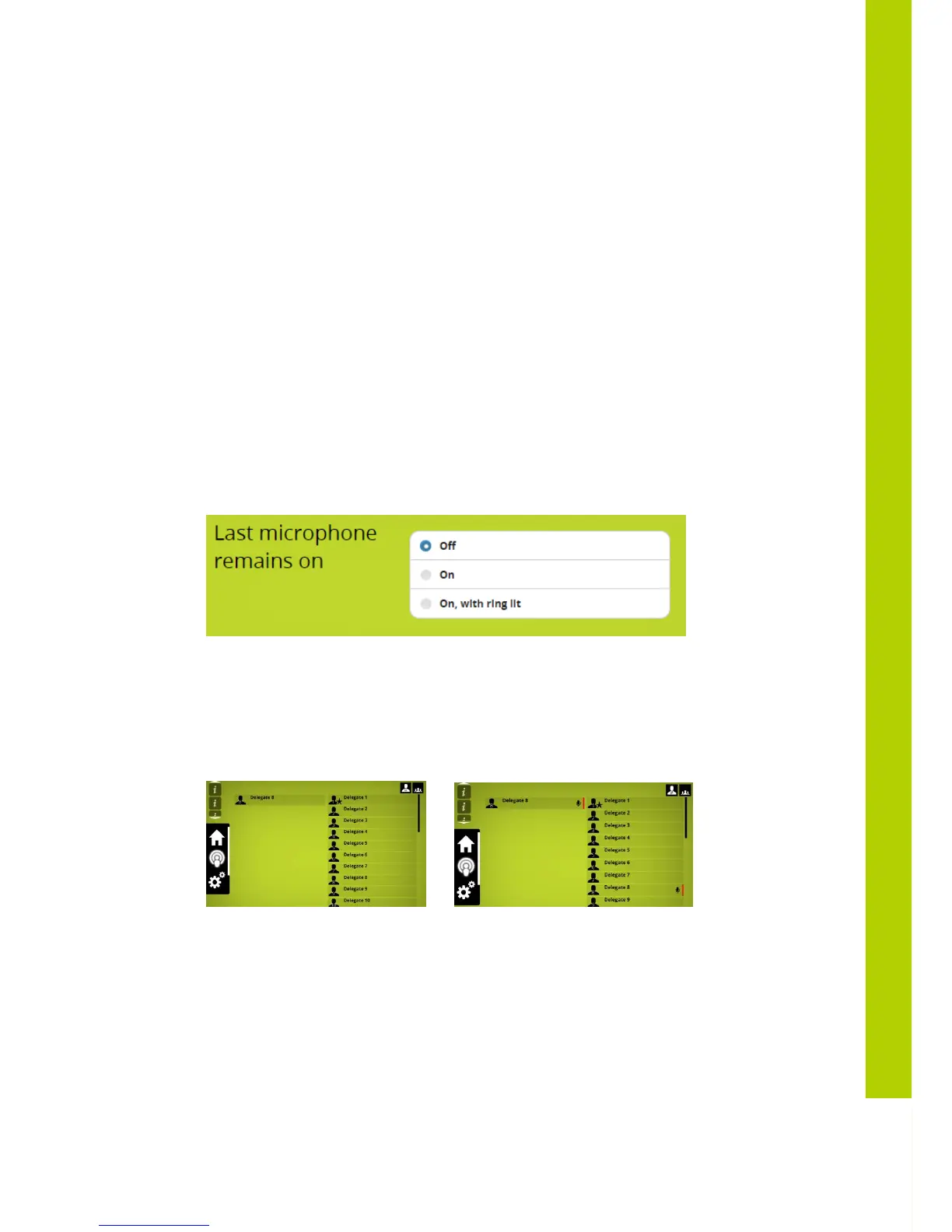
5.8.3 Last microphone remains on
When this option is set , the audio of the last delegate microphone which was switched off, still
captures the sound , this way acting as an ambient microphone. In this situation the mic ringled and
mic leds are not on anymore .When any other microphone is switched on again , the “ambient”
microphone is then switched off.
The chairman unit is not affected by this feature
A “last mic on” status is indicated as mic active but without the mic icon
Last mic on Mic on
5.8.4 Microphone preset
Determines the sensitivity of the microphone . This chosen setting will depend on
- how close or far the person is sitting from the microphone.
- Volume of external loudspeakers if present ; a
FAR
setting + high volume of external loudpeakers
or external loudspeakers positioned close to the microphones may cause acoustic feedback
- External compressor limiter device : in this case
CLOSE
must be used as setting to allow
maximum adjustability on the external compressor-limiter device (see also AUX control settings)



 To Next Page