We advise to change the IP address. This will prevent conflicts when multiple access points
with the same IP address are in the network.
5.4 Initialization
In stand-alone mode, the
WCAP
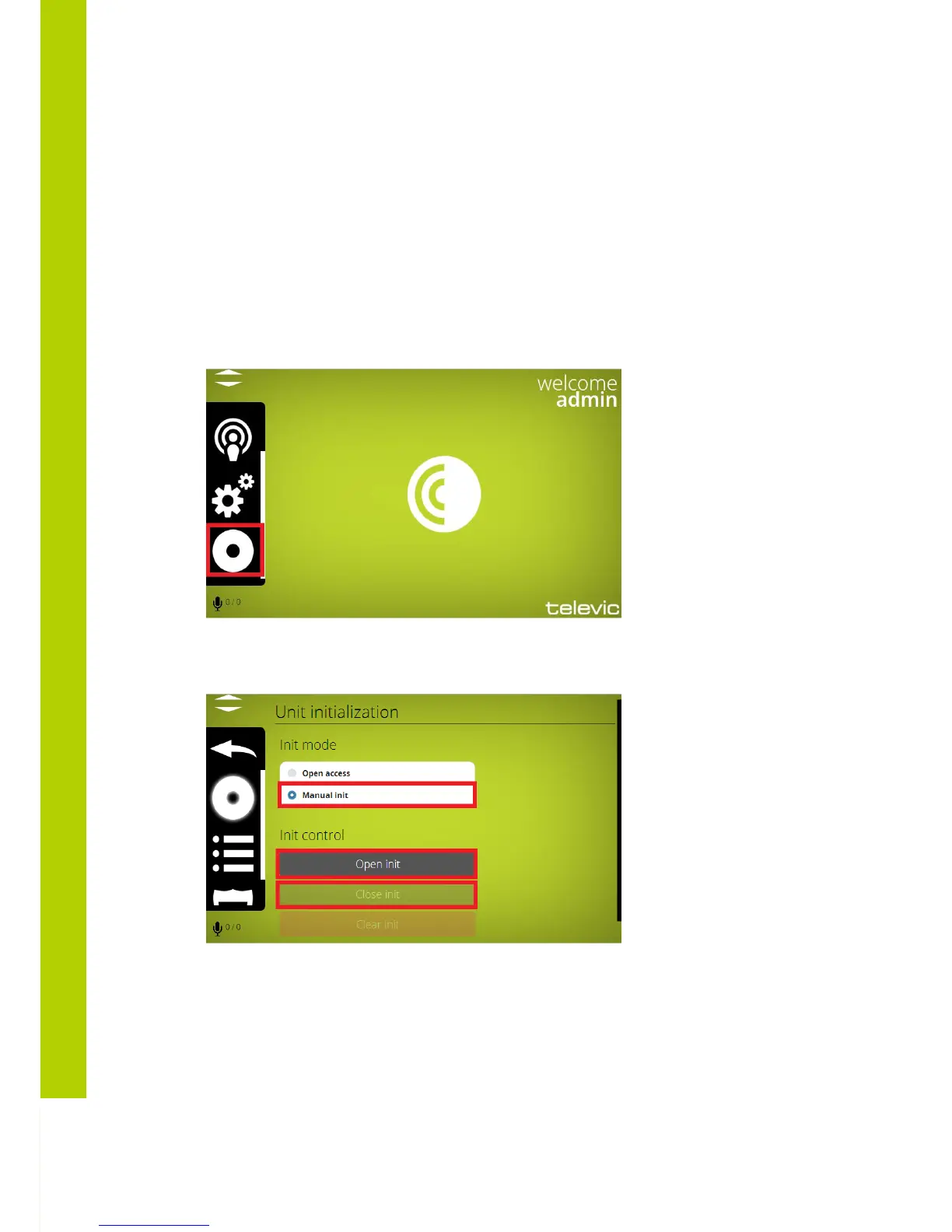
supports two kinds of access: open access and controlled
access.
- Open access: This is the default mode. Any unit can connect to the WCAP without
initialization procedure
- Controlled access: a unit can only connect after going through an initialization procedure.
5.4.1 Controlled Access
In this mode, a manual initialization is required.
The manual initialization procedure requires the use of the 3 buttons on the web server
displayed above: “Open init”, “Close init” and “Clear init”.
Take the following steps to initialize all units:
1) Switch on all wireless units
2) As long as no WCAP was discovered , the mic leds wil flash green slowly



 To Next Page