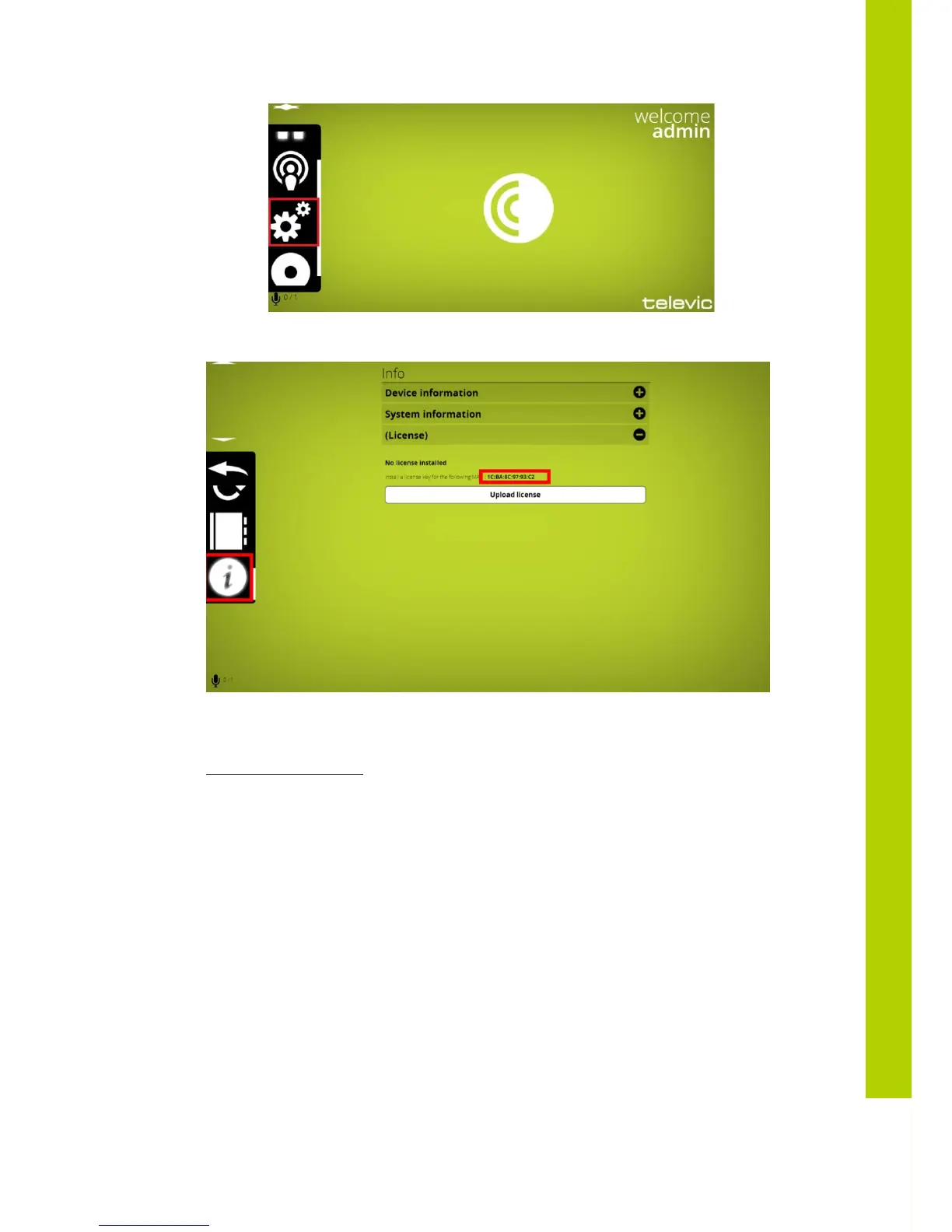
Then click on the license file icon:
Please copy this MAC address and send it along with your P-number (can be found on the CoCon box)
to the following email address:
Cocon-license@televic.com
10.3 Upload your license file
Then you will receive an email containing your requested license file. This is an xml file which you can
open with notepad or something similar to verify if the correct modules have been activated. The name of
the file contains the MAC address of your device.
To upload your file onto your central equipment, click on the upload button below the mac-address:



 To Next Page