11.1.2 Connectivity
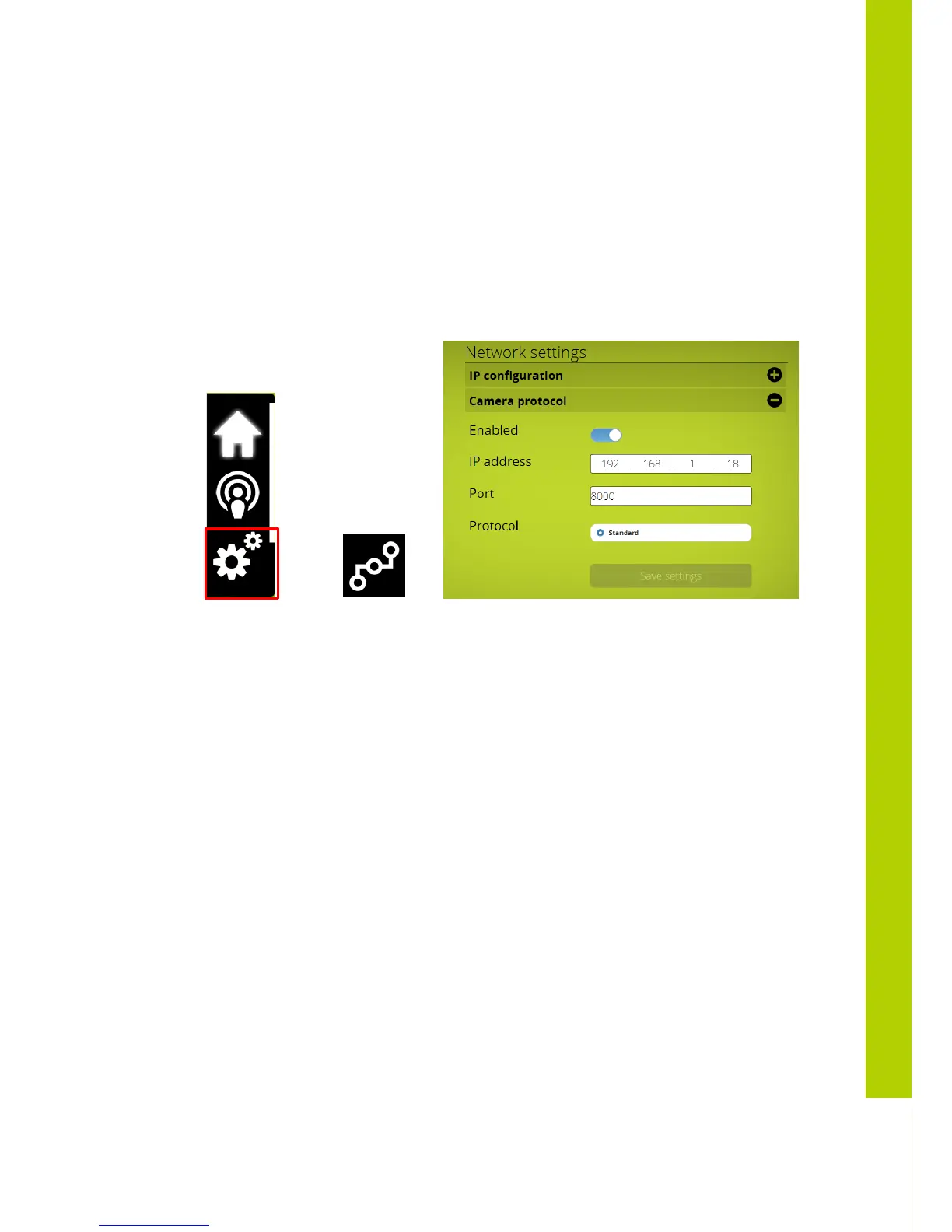
The Confidea Gen III WCAP sends the camera commands via UDP to a destination
ip-address , which can be defined in the Confidea Gen III webserver .
The default UDP communication port is 8000. When selecting a port nr manually via
the Confidea Gen III webserver, a portnr > 3000 should be chosen.
11.1.3 Commands for Confidea Gen III camera protocol
Available settings via Confidea Gen III webserver
=> =>
Enabled : 0 = off , 1=on
Ip address = destination ip address (udp) of camera system
Port = destination port (udp)
The data which is send by the Confidea Gen III WCAP after a microphone button
event , is in JSON format, {“UID”:
micnr
,“status”: x}
Micnr : micronumber , one or more digits
Status : 0 = off, 1 = on, 2 = request , 3 = prior
e.g. of data send when microphone 7 is in request :
{“UID”: 7,“status”: 2}



 To Next Page