5.6 Unit monitoring
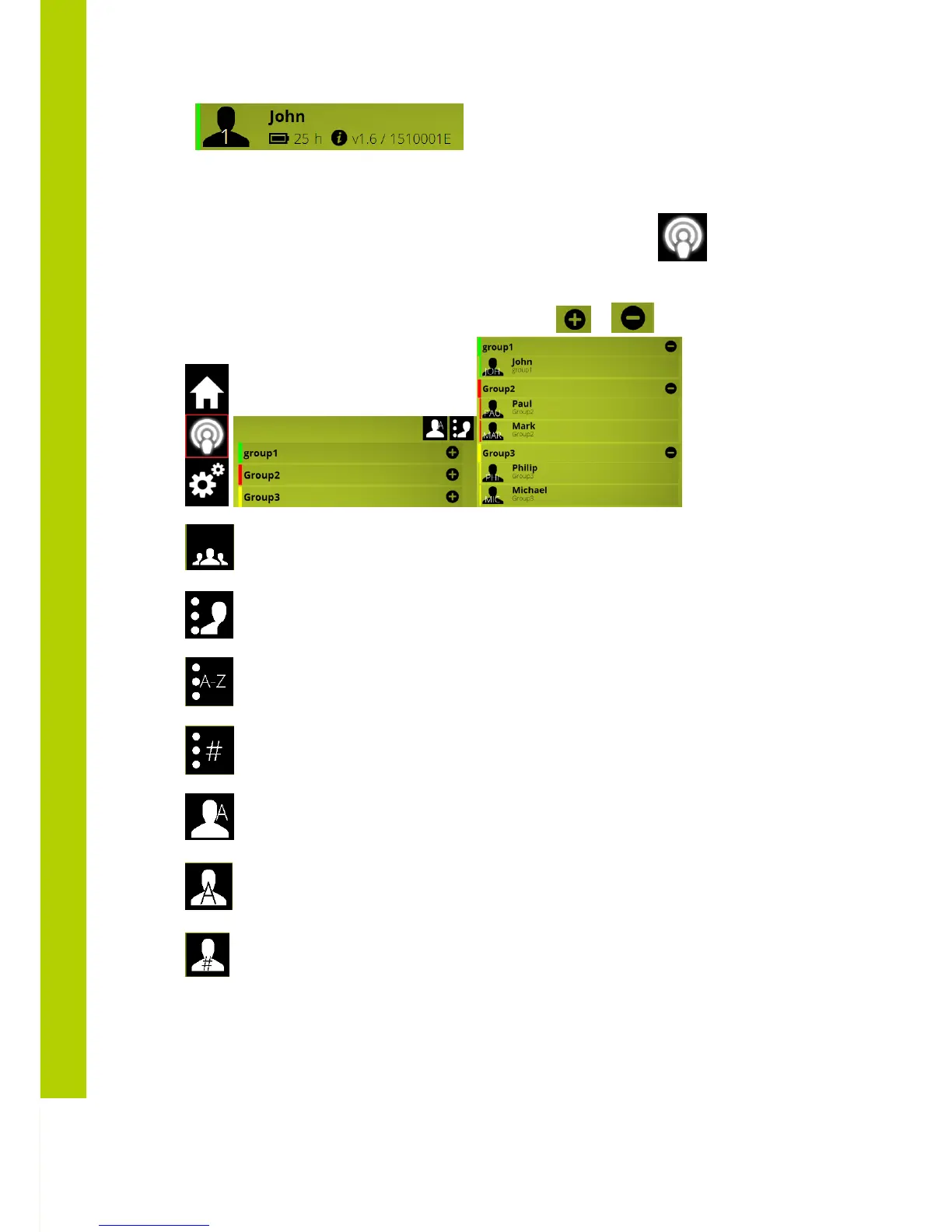
To monitor the delegate ujnits activity and/or control the mcirophones select the icon in the main
menu
A group overview now appears.
Each group info can be expanded or collapsed by means of the or button
=> List by delegate names
=> List by groupnames
=> List by first character of the delgates name
=> List by delegate unit number
=> show first 3 characters of the delegates name in the delegate icon , delegate
name and group , when microphone is on
=> show first character of the delegates name in the delegate , delegate name and
group , when microphone is on
=> shows delegate unit nr in the delegate icon ,delegate name and group , when
microphone is on
5.7 Activating microphones
Microphones can be activated by clicking on the delegate name in the monitoring screen
Microphones control button can be activated activated by right click on the delegates name



 To Next Page