17
WAN Service
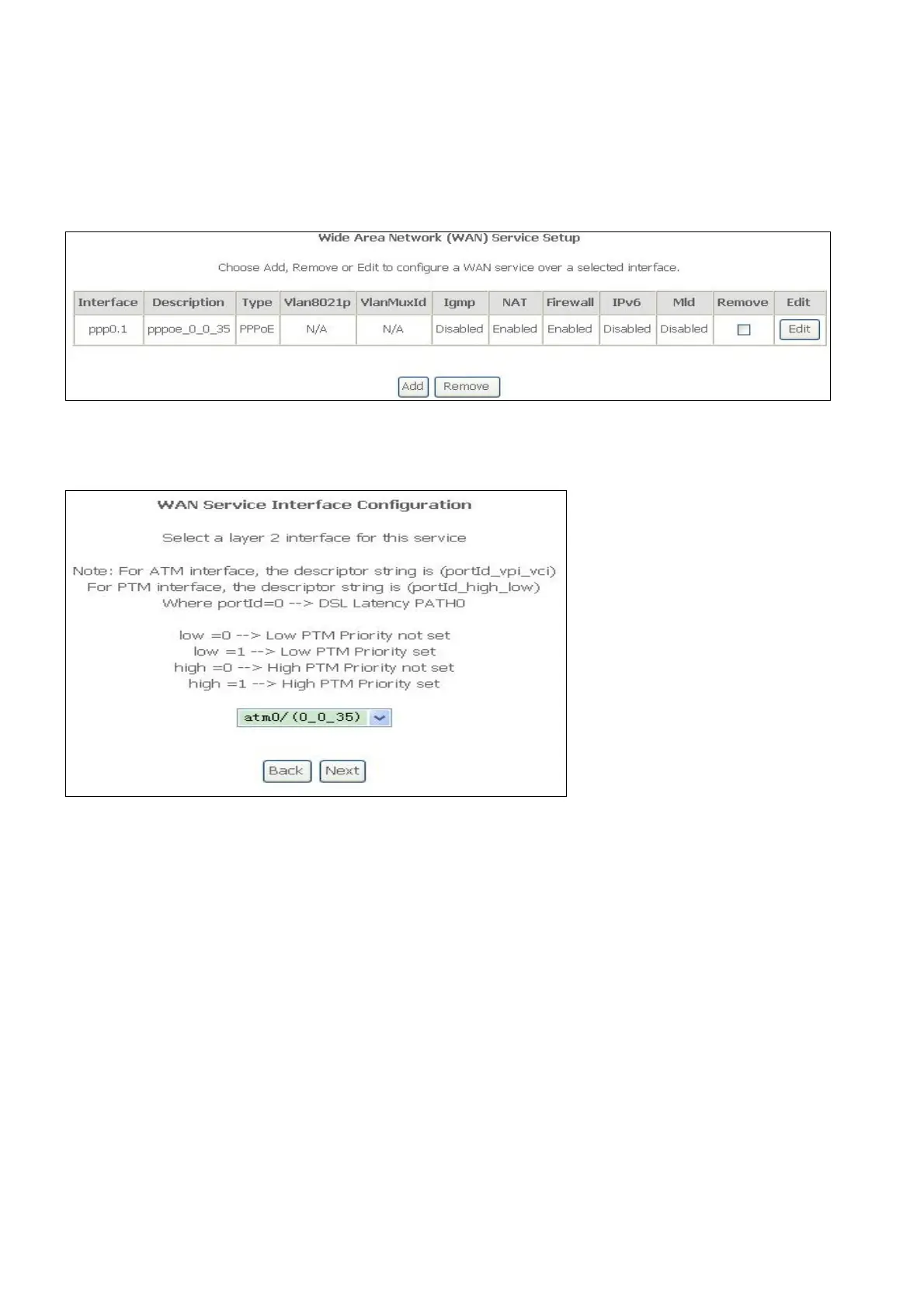
To access the Wide Area Network (WAN) Service Setup window, click the WAN Service
button in the Advanced Setup directory.
This window is used to configure the WAN interface. You can add and delete WAN interface
on this window.
If you are setting up the WAN interface for the first time, click the Add button.
The WAN Service Interface Configuration Configuration window allows select a layer 2
interface for this service. Click the Next button to continue
This window allows you to select the appropriate connection type. The choices include PPP
over ATM (PPPoA), PPP over Ethernet (PPPoE), IP over Ethernet (IPoE), IP over ATM (IPoA),
and Bridging.
WAN Service Configuration – PPPoE
Click the PPP over Ethernet (PPPoE) radio button on this window. This window also allows
you to use the drop-down menu to enable IPv6 service. Click the Next button to continue.



 To Next Page