33
Quality of Service
QoS or Quality of Service allows your Router to help prioritize the data packet flow in your
Router and network. This is very important for time sensitive applications such as VoIP where it
may help prevent dropped calls. Large amounts of non-critical data can be scaled so as not to
affect these prioritized sensitive real-time programs.
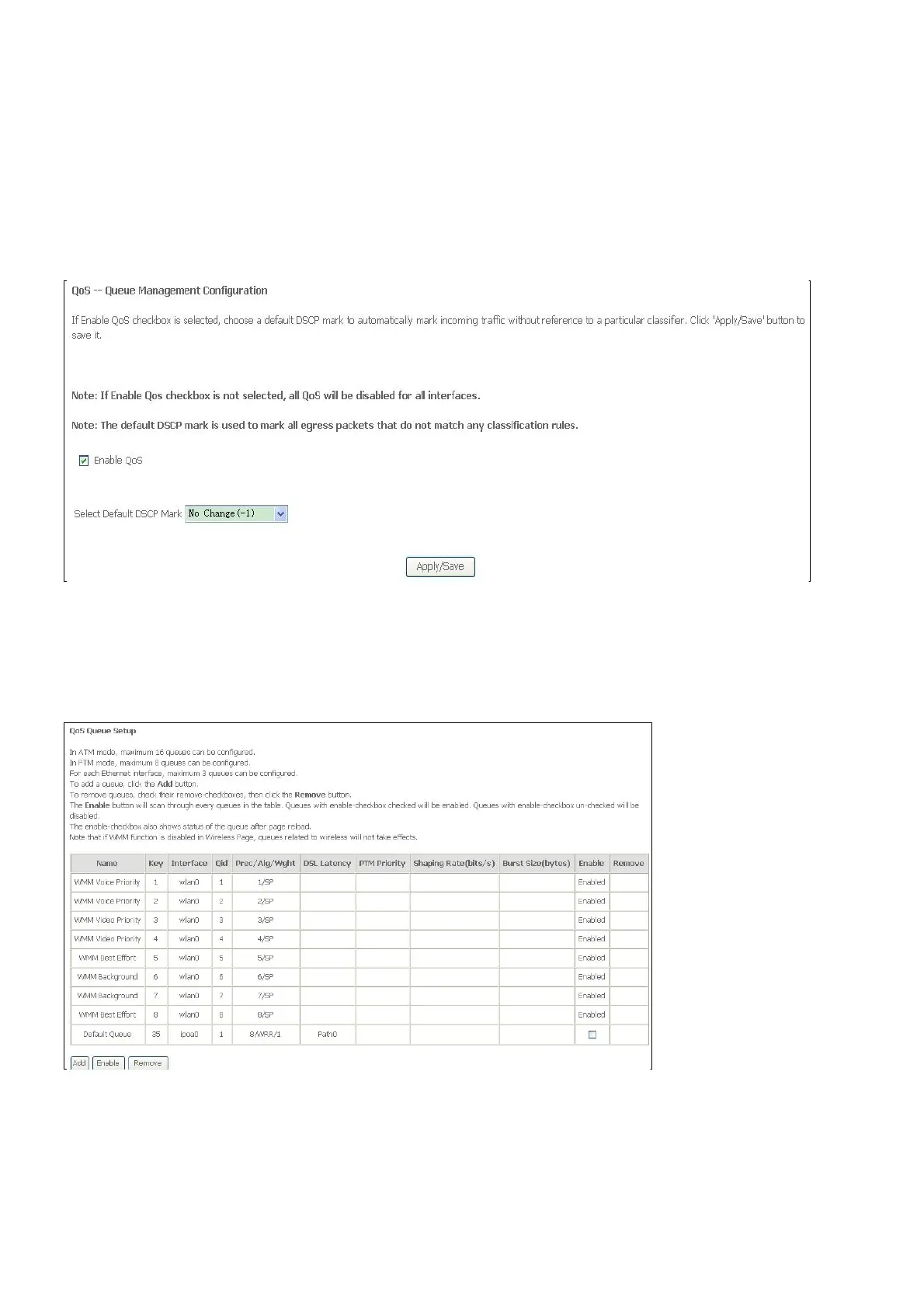
To access the QoS – Queue Management Configuration window, click the Quality of
Service button in the Advanced Setup directory.
This window allows you to set up QoS on the Router. When you are finished, click on the
Save/Apply button.
Qos Queue
Click the Add button to add a QoS Queue Configuration table entry.
This window allows you to configure a QoS queue entry and assign it a specific network
interface.
Click the Apply / Save button to save and activate the filter.



 To Next Page