27
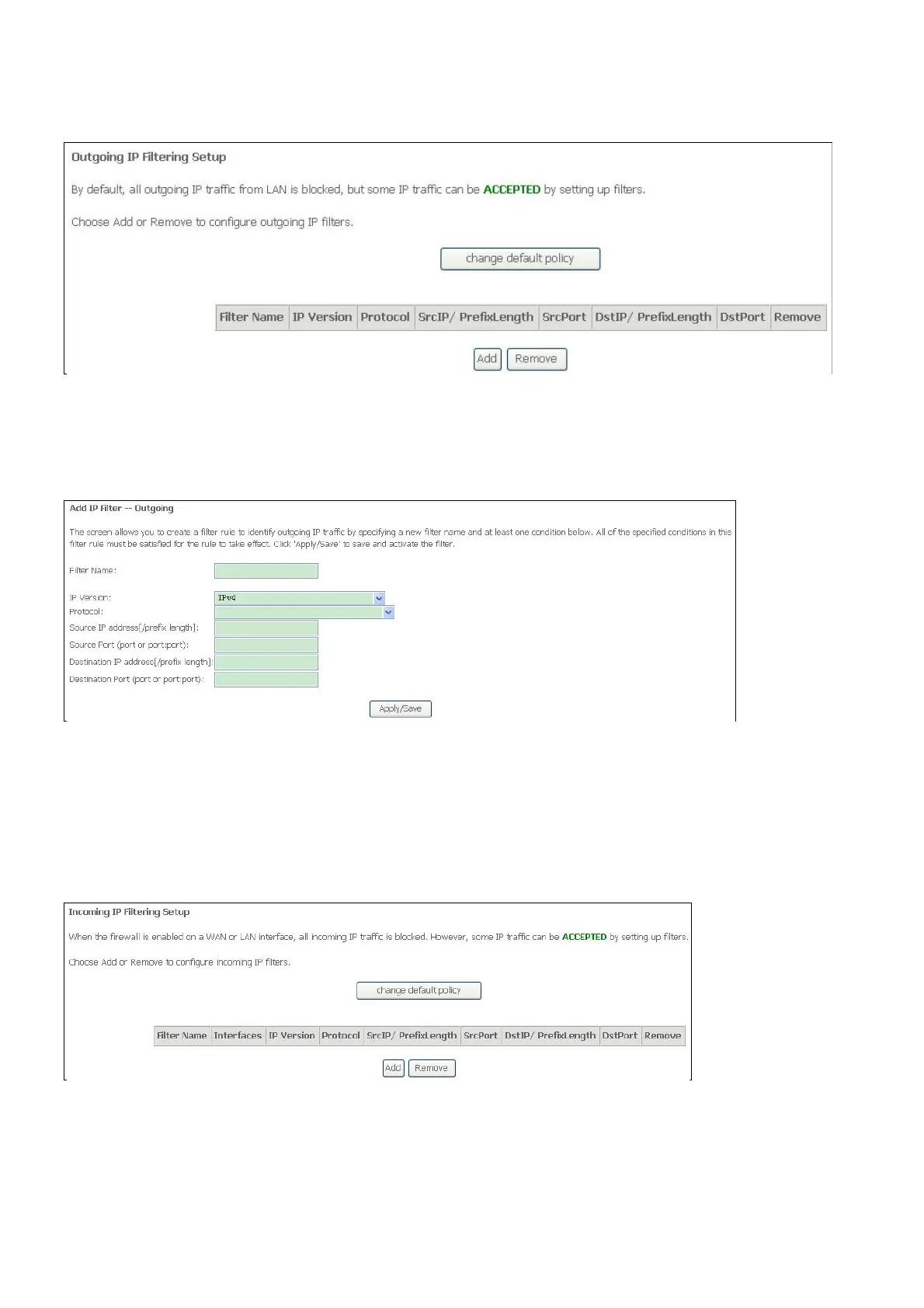
Now default policy is ACCEPT, it means all outgoing IP traffic from LAN is allowed, but some
IP traffic can be blocked by setting up filters.
If you are setting up the outgoing IP filtering, click the Add button.
Enter the information in the section. Explanations of parameters are described below. Click the
Apply / Save button to add the entry in the Active Outbound IP Filtering table.
IP Filtering – Incoming
This window allows you to create a filter rule of Incoming.
Click change default policy to change the mode of policy.
Now default policy is ACCEPT, it means all incoming IP traffic from WAN is accepted, but
some IP traffic can be blocked by setting up filters.
If you are setting up the incoming IP filtering, click the Add button.
Now default policy is BLOCK, it means all incoming IP traffic from WAN is blocked, but some
IP traffic can be accepted by setting up filters.
If you are setting up the incoming IP filtering, click the Add button.



 To Next Page