36 MA365 • Rev. A2
Tellabs
®
6325 Edge Node 2 Installation Information
To connect the external
AC/DC power adapter
The following procedure describes how to connect the external AC/DC pow-
er adapter to the PS-DC module.
Warning: The Tellabs 6325 node must be earthed as described in this proce-
dure when using the external AC/DC power adapter.
Step Action
1
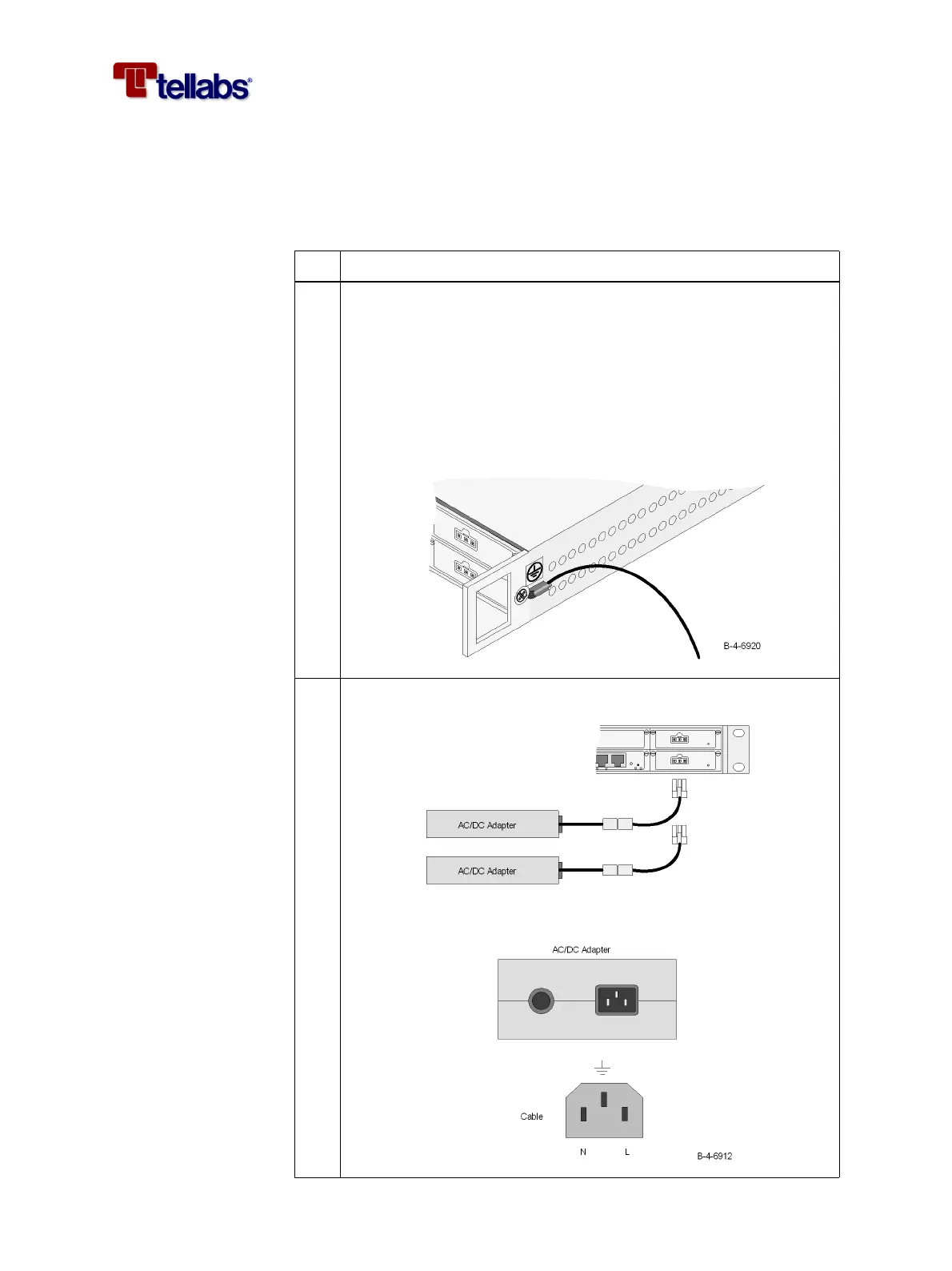
It is required that a ground wire is connected to the subrack when
the external AC/DC power adapter is used. Connect the wire as
shown on the figure below.
Use a yellow/green flexible ground cable, minimum AWG#18
(0.75 mm
2
), fit the cable with a tin plated ring tongue terminal (in or-
der to avoid corrosion and obtain a low impedance connection) and
use the M4x8 screw and washer (supplied with the subrack) to attach
the wire.
2 Connect the external AC/DC adapter to the PS-DC module.



 To Next Page