Quick setup to access the internet
17
Android
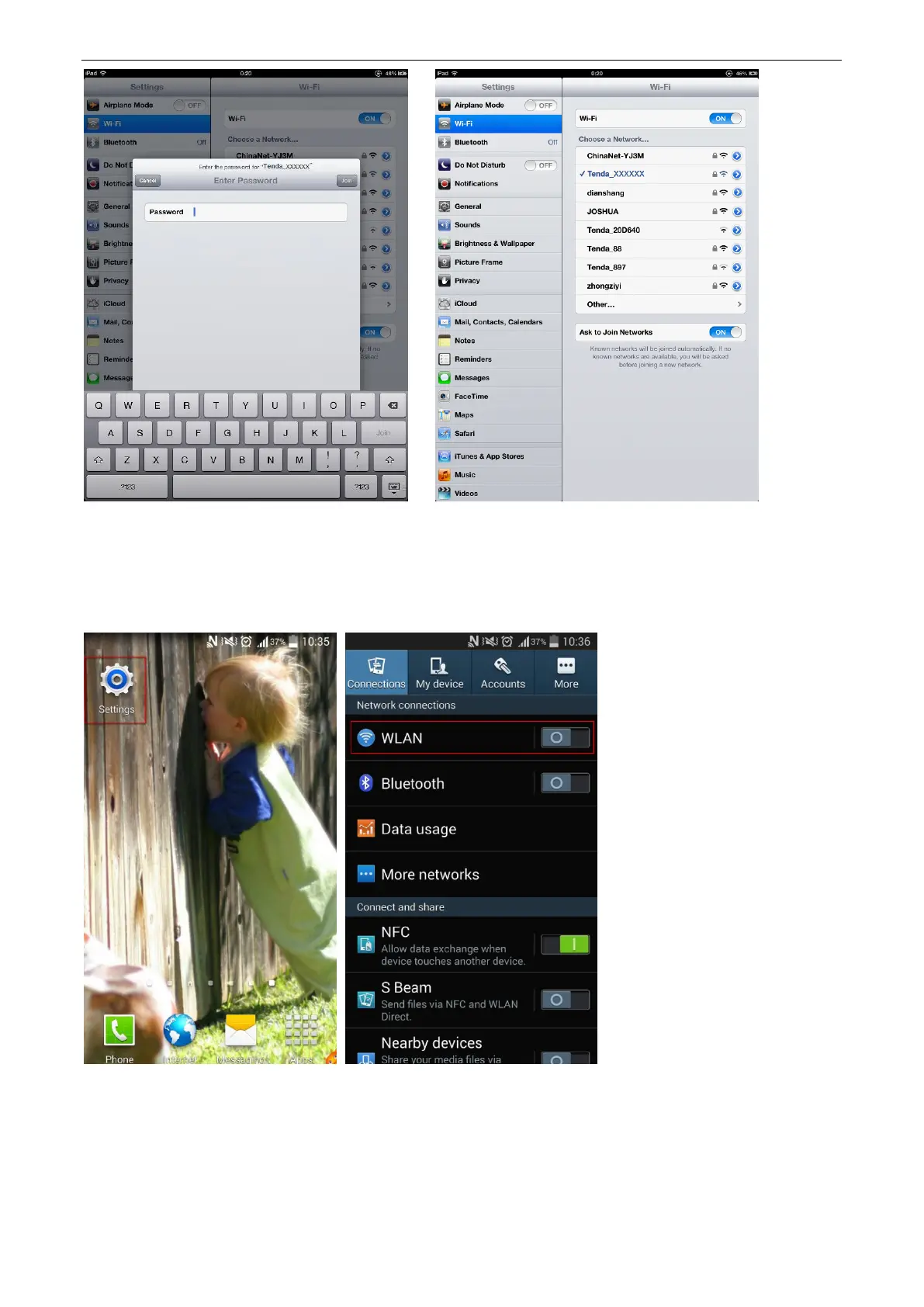
1. Tap Settings.
2. Tap WLAN. It enters your WLAN settings.
3. Enable your WLAN, and select your SSID.
4. Enter your WiFi password, and tap Connect.
When Connected appears, the device is connected to the router’s WiFi network.


 To Next Page
 Loading...