Functions on the router’s user interface
54
to access these websites, or only allow them to visit some specified websites.
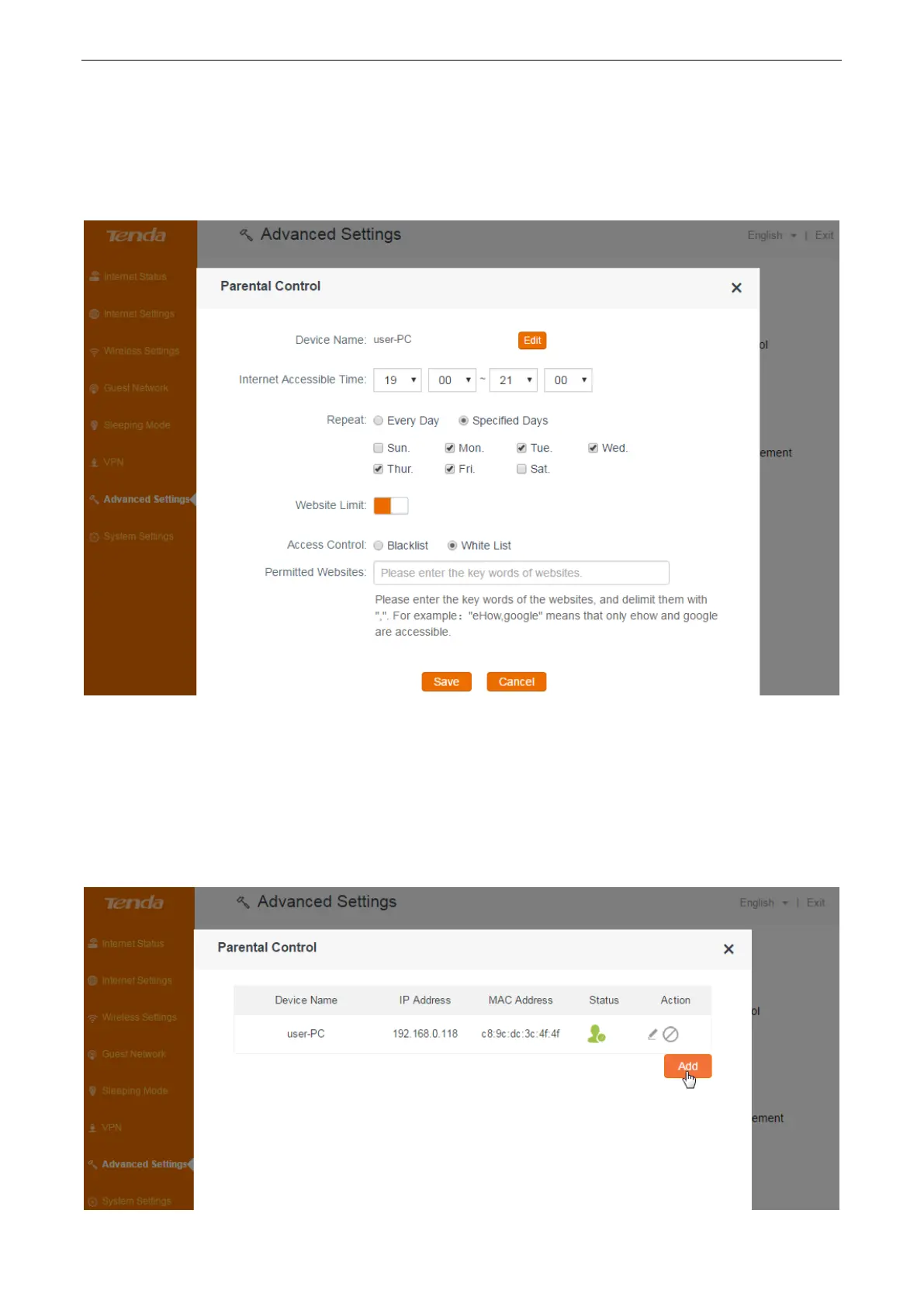
1. Select Blacklist (forbid to access the following websites) or White List (only allow to access the
following websites) according to your needs.
2. Type the key words of the websites you want to allow/forbid to access.
3. Click Save.
To set up rules for an off-line device
If the device you want to control doesn’t connect to the router at the moment, you can also control
it by adding its MAC address.
Configuration
1. Click Add.


 To Next Page
 Loading...